Slack support overview
Turn Slack into a native support Channel with customer context, automation, AI, and reporting in the Featurebase Inbox.
Written By Markus Palm
Last updated 16 days ago
Overview
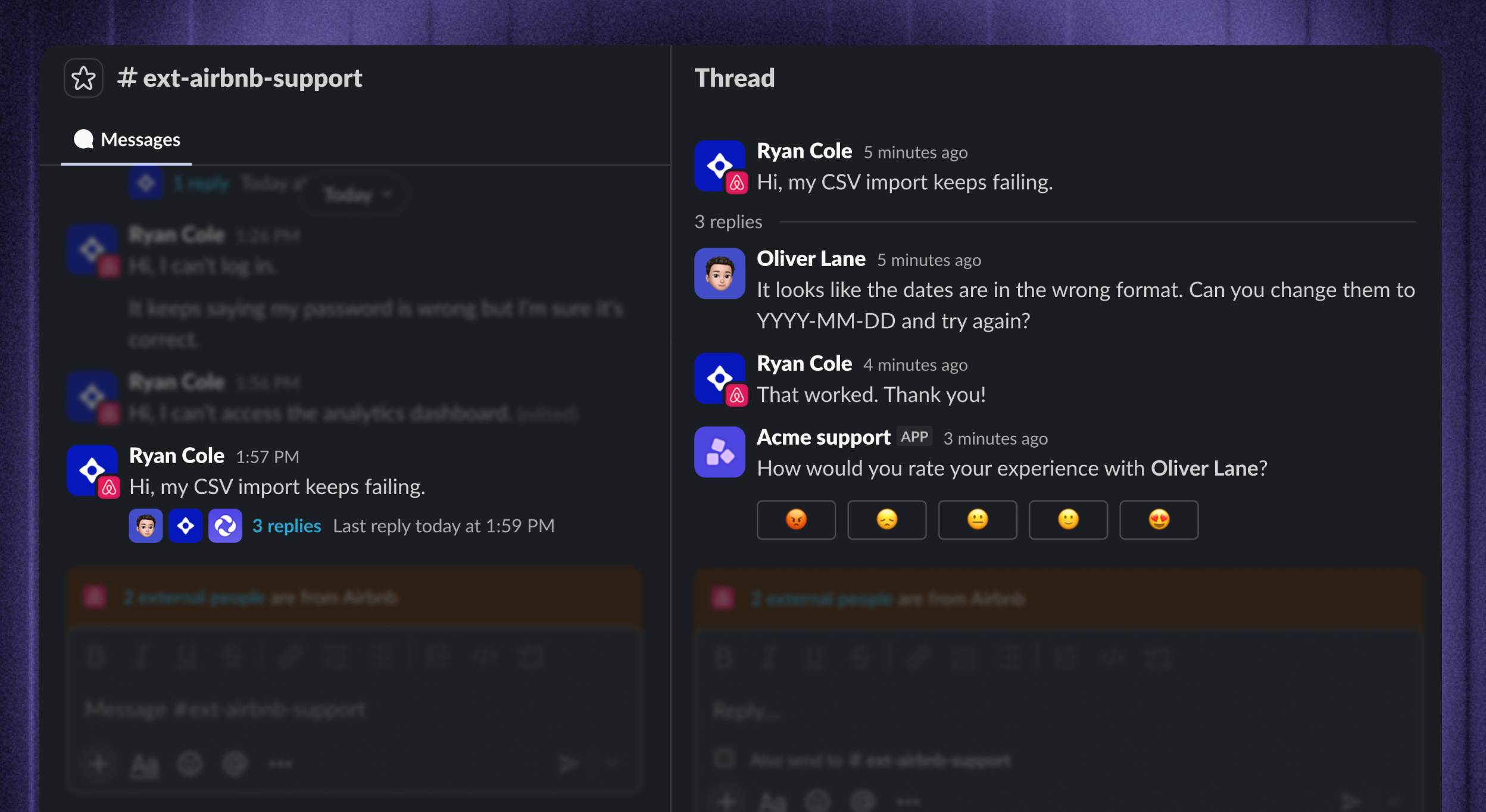
Turn the Slack channels your customers already use into a native support experience. Messages become structured conversations in the Featurebase Inbox, while replies, reactions, attachments, edits, and recognized @mentions stay synchronized with the original Slack thread.
Beside every conversation, your team sees the customer and Company context already in Featurebase. Workflows can automate triage, routing, and data collection, Fibi AI Agent can answer eligible conversations automatically, and Reports show how Slack support performs - all without changing how customers ask for help.
Note: Slack support is separate from the existing Slack feedback integration, which lets you collect feedback and send product notifications through Slack.
Set up
To set up and start using Slack support:
Automate:
Use Slack in Workflows to automate routing, data collection, and customer updates
Deploy Fibi AI Agent in Slack to answer eligible conversations
Support customers from one Inbox
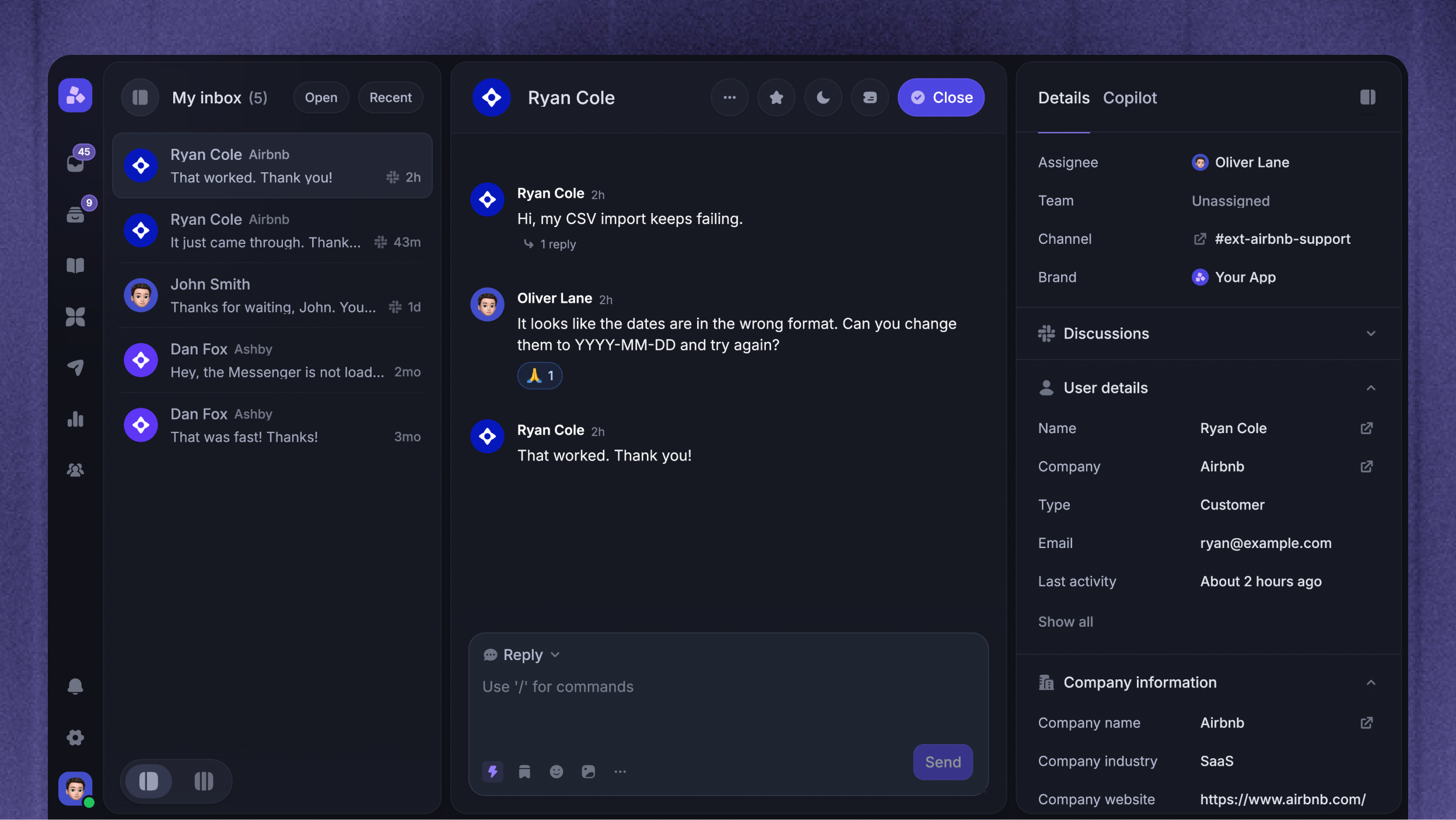
Slack messages become structured conversations alongside the rest of your support work in the Inbox. Your team can:
Reply from Featurebase to the original Slack thread
Assign conversations to teammates or teams
Set priorities, tags, and service level agreements (SLAs)
Add internal notes and mention teammates without exposing the discussion to the customer
Convert complex issues into Tickets
Close resolved conversations and reopen them automatically when a customer replies
This gives your team one place to triage, prioritize, and resolve customer questions while customers keep working in Slack.
See customer context while you reply
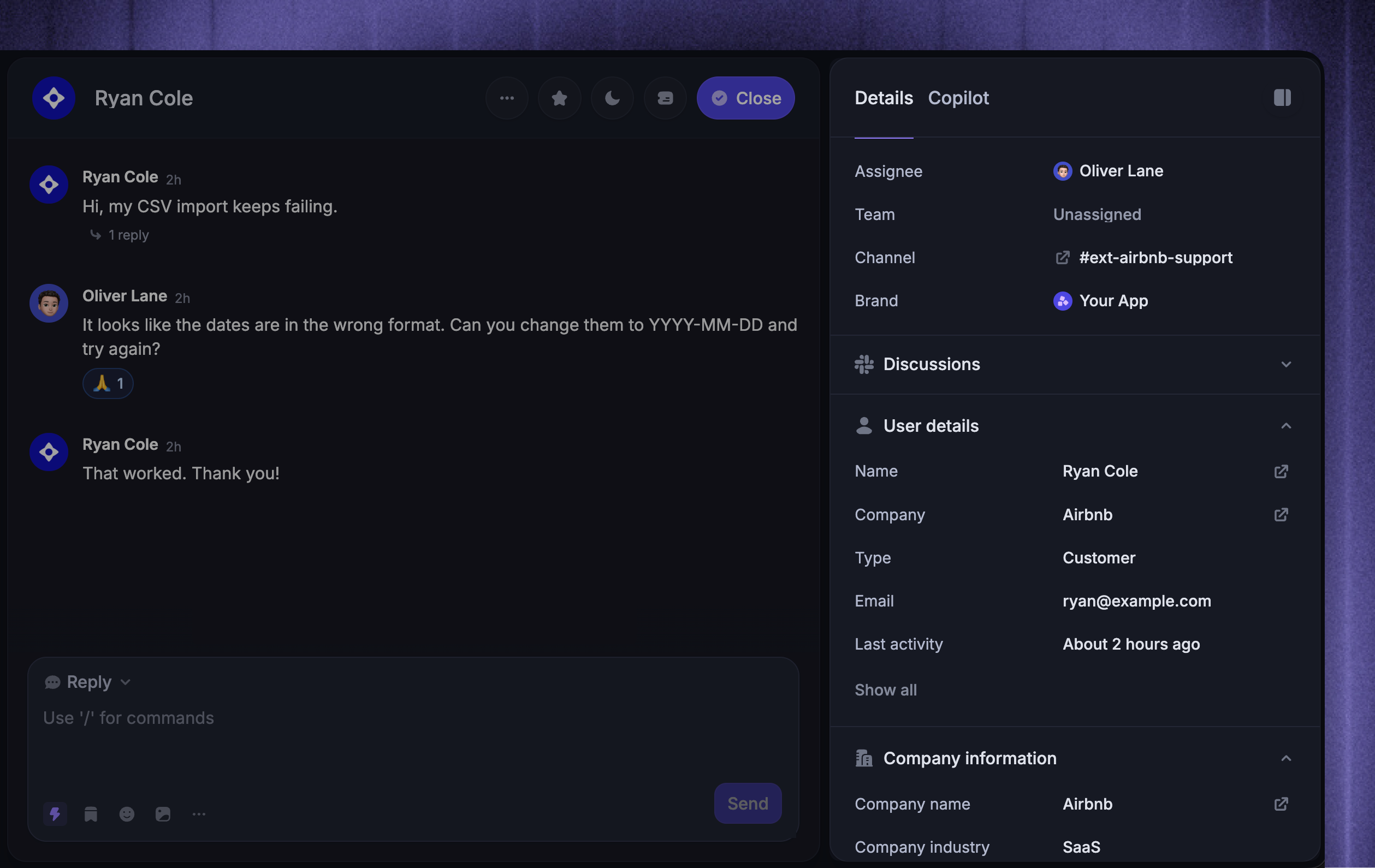
When Featurebase matches a Slack sender to an existing customer, their context appears beside the conversation. Depending on the customer data you have synced, this can include:
Recent conversations across your support Channels
Linked feedback requests and recent page visits
Qualification data and links to connected systems
Your team can understand who is asking, what has happened before, and what matters to their account without searching across tools.
Keep Slack and the Inbox in sync
Featurebase keeps supported conversation activity synchronized in both directions. Your team can reply from Featurebase or Slack while replies, attachments, message edits, message deletions, reactions, custom emojis, and recognized @mentions stay connected to the conversation.
When a teammate connects their personal Slack account, Inbox replies can appear under their own Slack identity. Internal notes, assignment, tags, priority, and SLA state remain private to your team.
Automate Slack support
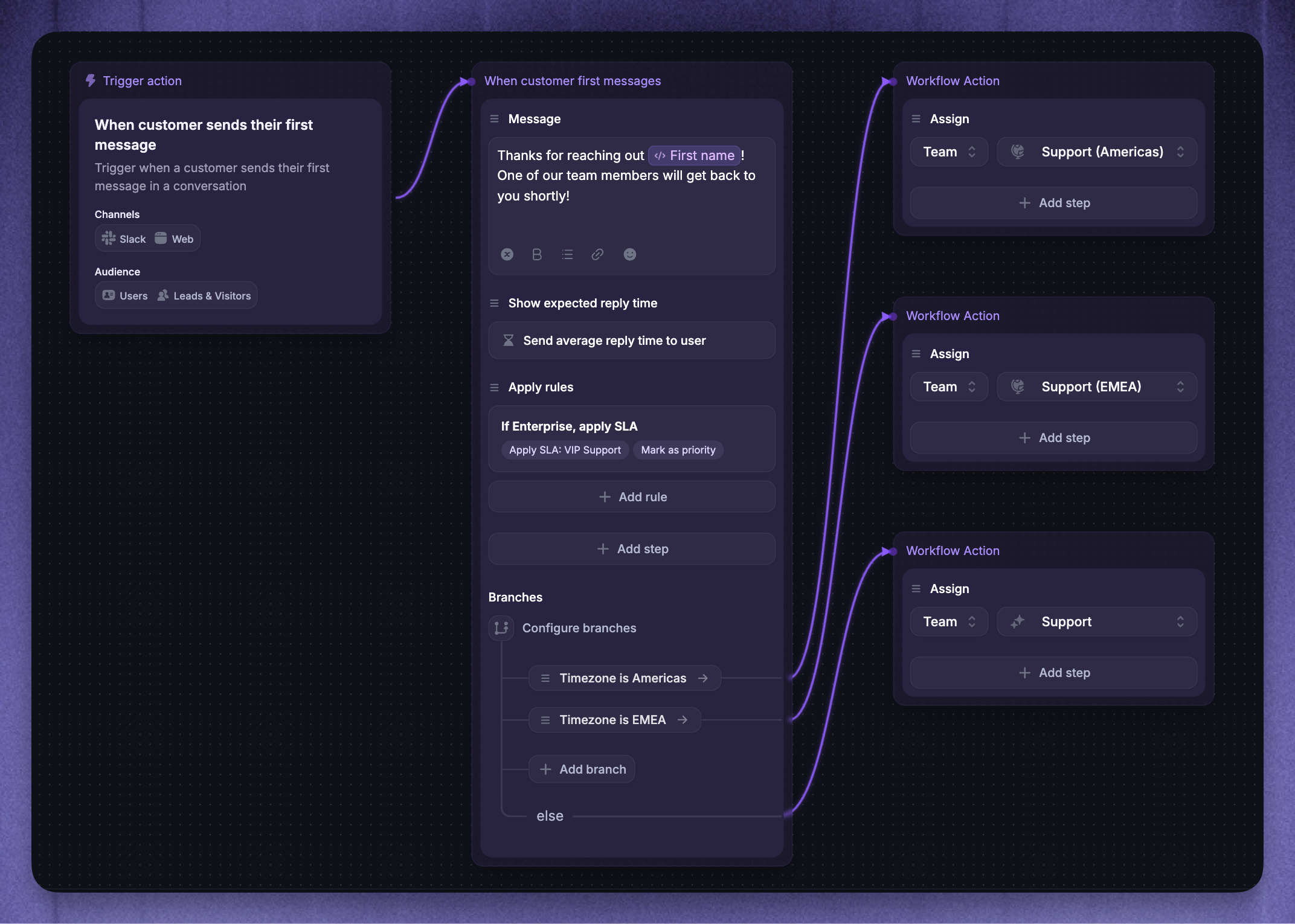
Slack conversations can use the core Featurebase support tools, with Slack-specific delivery:
Workflows can send messages and reply buttons, collect replies or structured data, show expected reply times, request a conversation rating, and perform internal routing actions.
Fibi AI Agent can answer in eligible Customer and Community channels through channel-level deployment or a targeted Workflow. What Fibi can use depends on the channel audience and whether a Customer channel is linked to a Company.
Send announcements to Slack channels
Use Slack broadcasts for one-time channel announcements, or send an Update to selected Slack channels. Reuse Slack channel segments when several announcements need the same audience.
Receive notifications in Slack
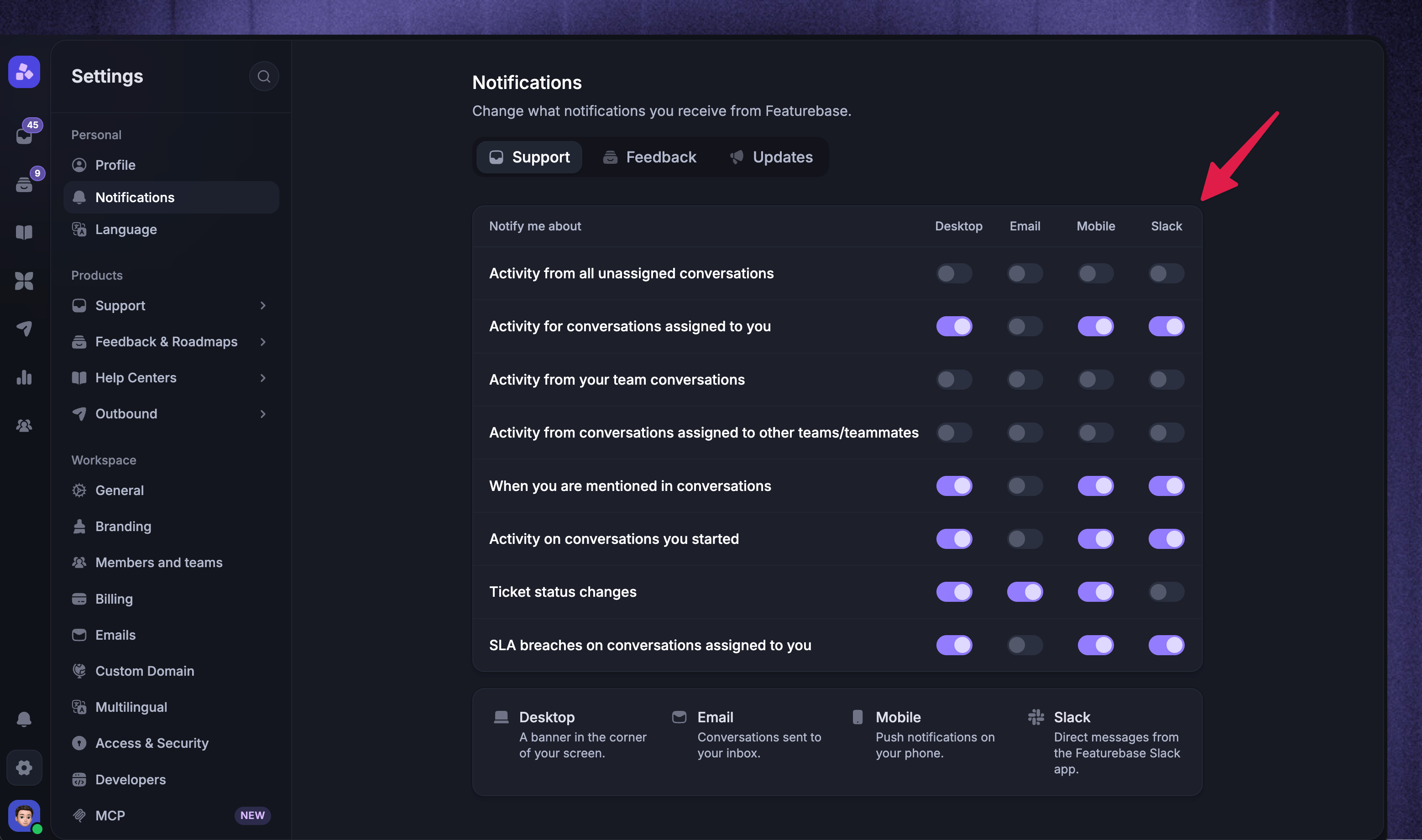
Receive Featurebase activity that's relevant to you through personal Slack DMs, or route selected Workspace activity to shared Slack channels. Configure Slack notifications separately from Slack support channel and ingestion settings.
Collaborate privately in Slack
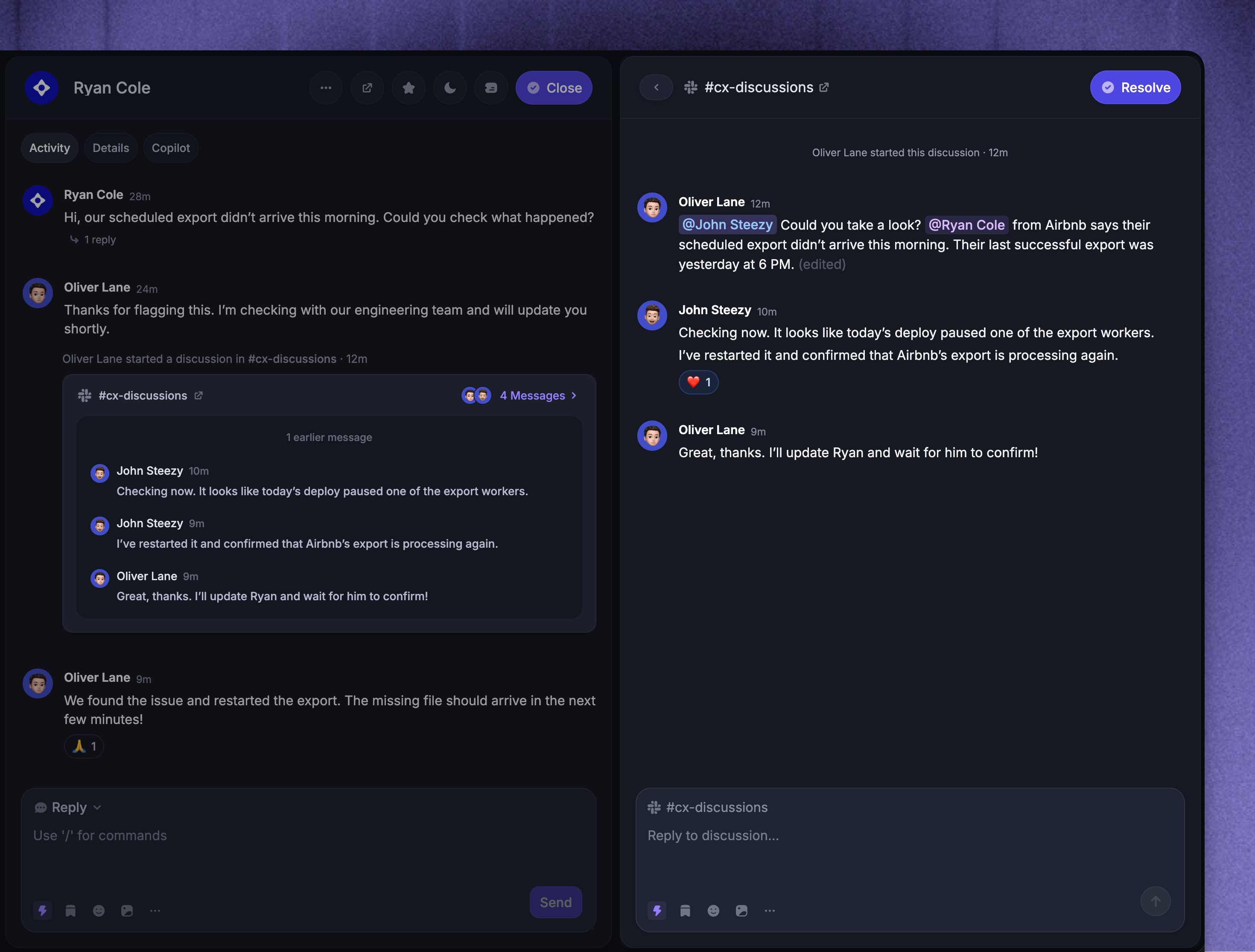
When your team needs help, start a private Slack discussion linked to the customer conversation. Featurebase adds relevant conversation, customer, Company, assignee, and recent-message context, then keeps replies synchronized between the Slack thread and the Discussion panel in Featurebase.
Use an internal Discussion channel so your team can collaborate without replying to the customer or copying context between tools.
Measure Slack support
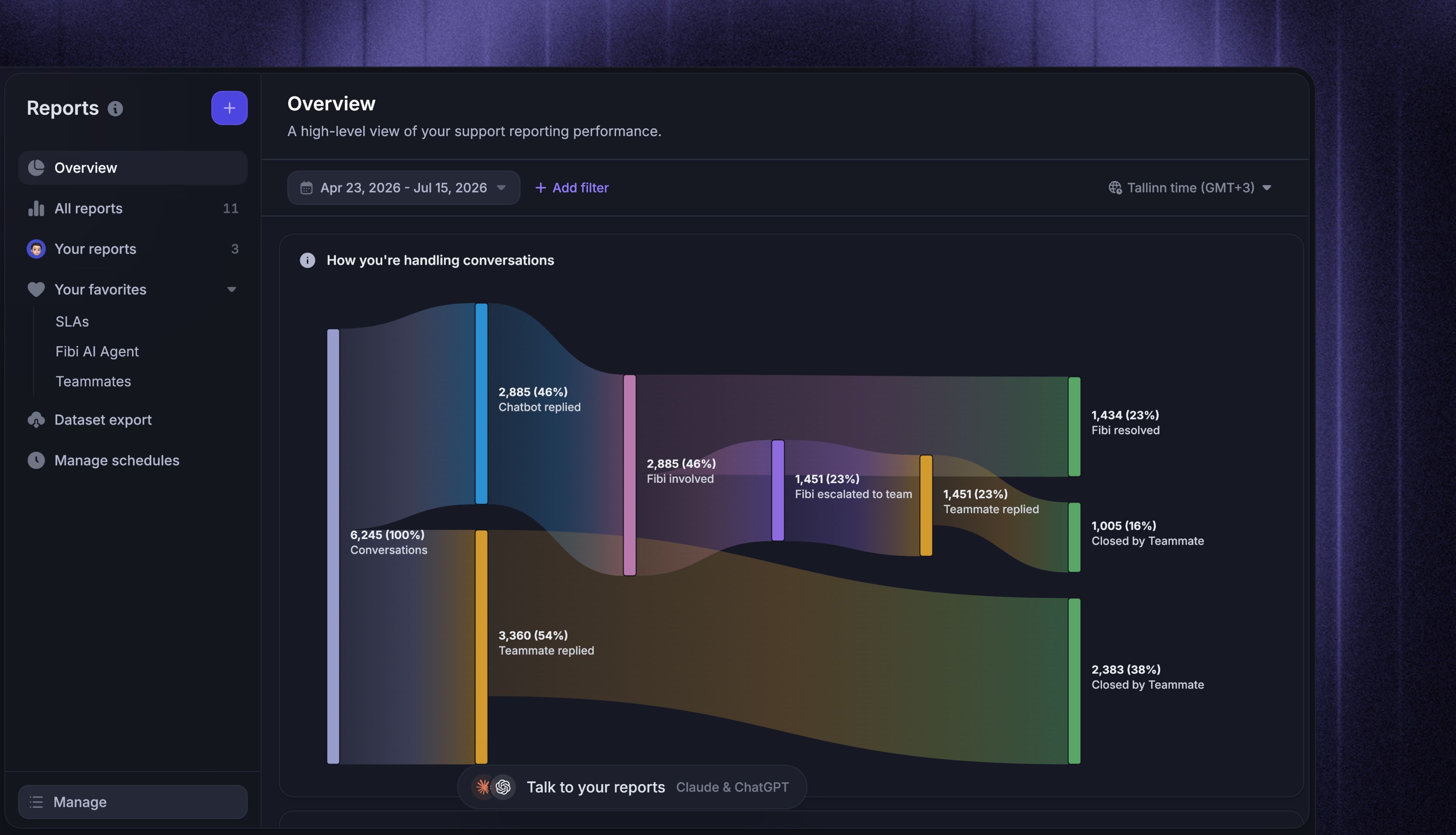
Slack appears as a conversation Channel in Reports. Filter or break down supported reports by Slack to measure conversation volume, response and close times, SLA performance, customer satisfaction (CSAT), and how Fibi, Workflows, and teammates handle conversations.
Was this helpful?
Still need help? Ask the team