Inbox overview
Support your customers from anywhere with a unified Inbox and automate support with powerful AI agents.
Written By Markus Palm
Last updated 5 days ago
Overview
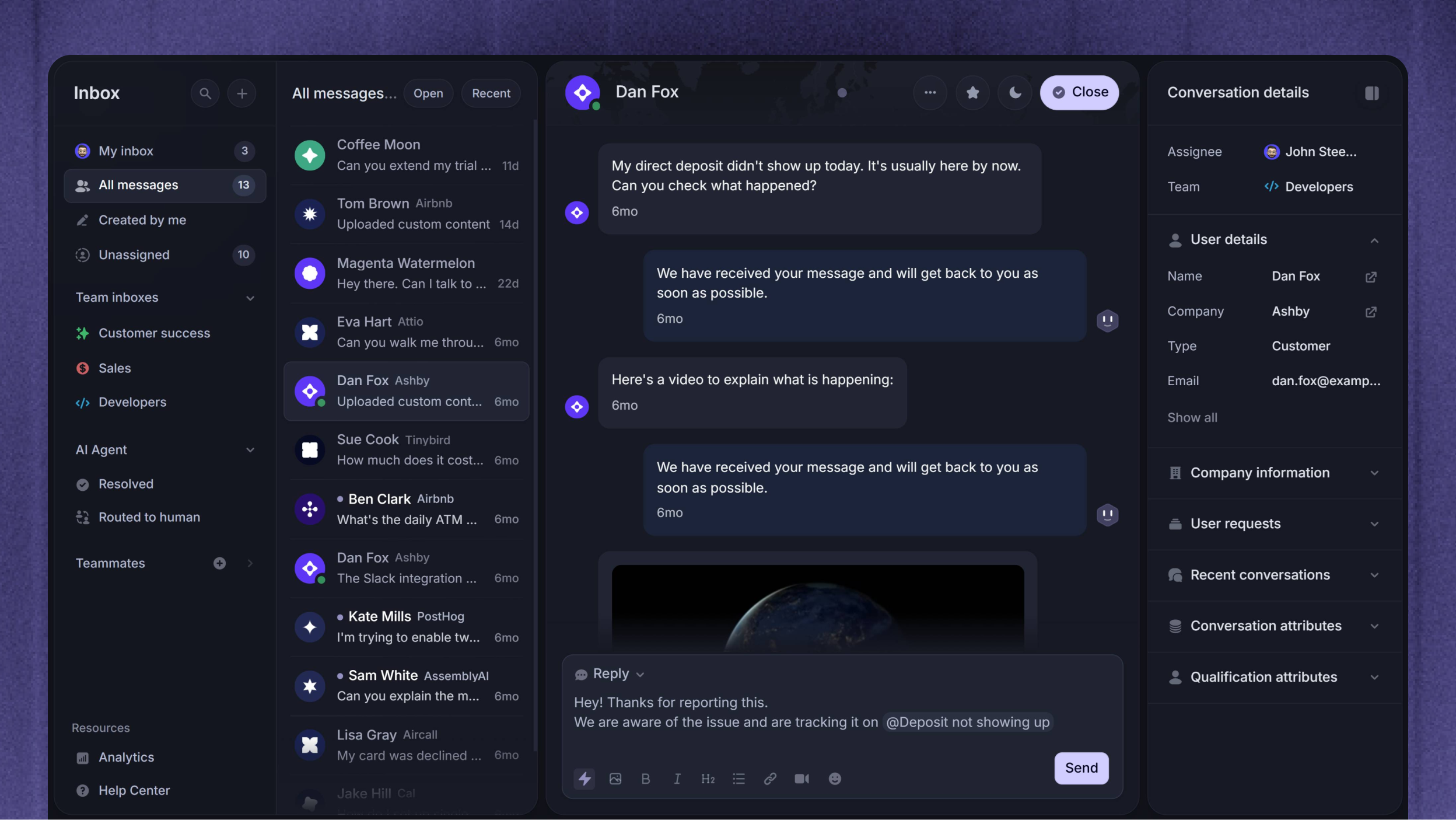
The Support Inbox enables you to help your customers from anywhere and automate support with powerful AI agents. It’s built to help your team respond faster, collaborate smarter, and automate your support with workflows.
It blends intuitive design, lightning-fast performance, smart AI tools, and deep integration with the entire Featurebase ecosystem. You can instantly draft AI replies, turn messages into feedback posts, reference relevant help articles, and more – all without switching tools.
It also comes with one of the most customizable Messenger widgets on the market, bringing the best support experience right into your product.
Conversations and Tickets
Conversations and Tickets help you handle different support needs in the Inbox:
Conversations - Message threads for helping customers through chat, email, or Slack
Tickets - Structured work with its own fields and statuses for issues that need investigation, several steps, or help from another team
Organize your Inbox
Inbox layouts
Inbox layouts let you choose between List and Table view. Use List view to read and reply beside the Conversation list, or Table view to scan Conversations and Tickets by their details. Each teammate can choose their own layout and columns.
Custom views
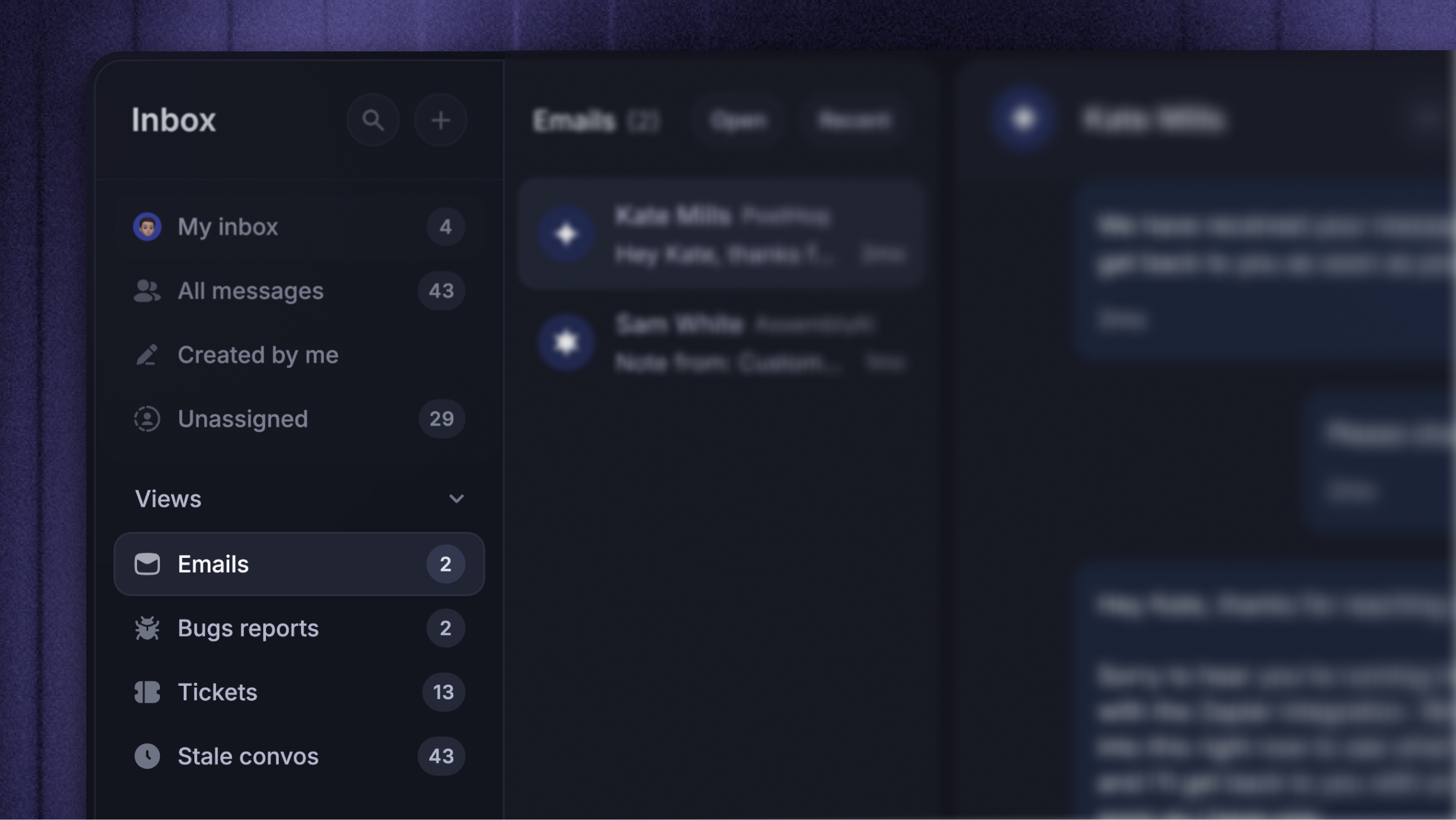
Save custom Inbox views of the most important filters and pin them to the Inbox sidebar. Each View shows a live list of every conversation matching its filters – your team’s urgent queue, anything tagged with a specific topic, conversations waiting on a reply for too long. Views are workspace-shared, so anyone on the team can pin the ones they want.
Learn more: Organize your Inbox with custom views
Search
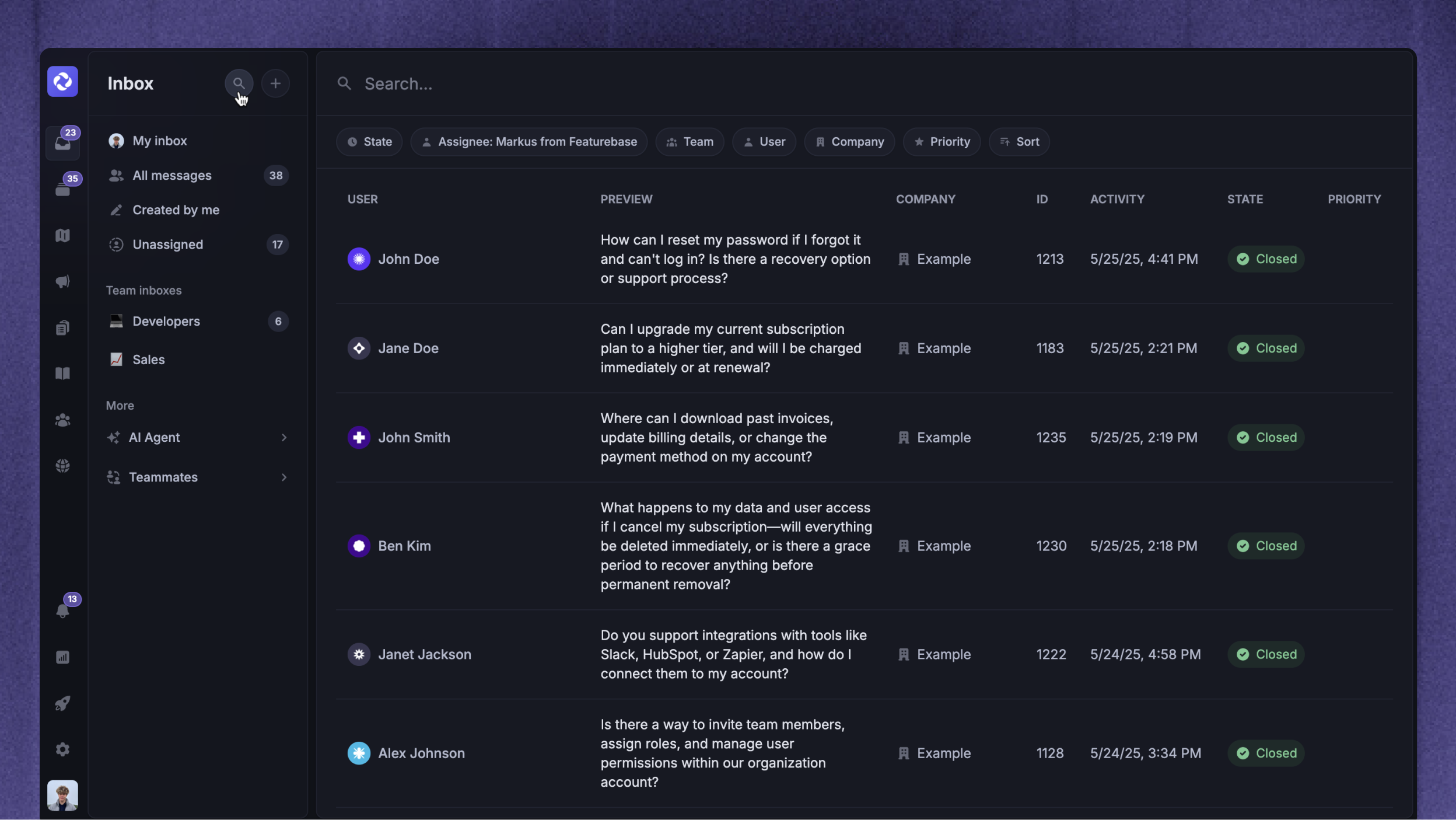
Easily search your Inbox by clicking the search icon on the top left to search and filter your conversations by keywords, state, assignee, team, user, company, conversation attributes, priority, and dates.
Reply and collaborate
Text editor
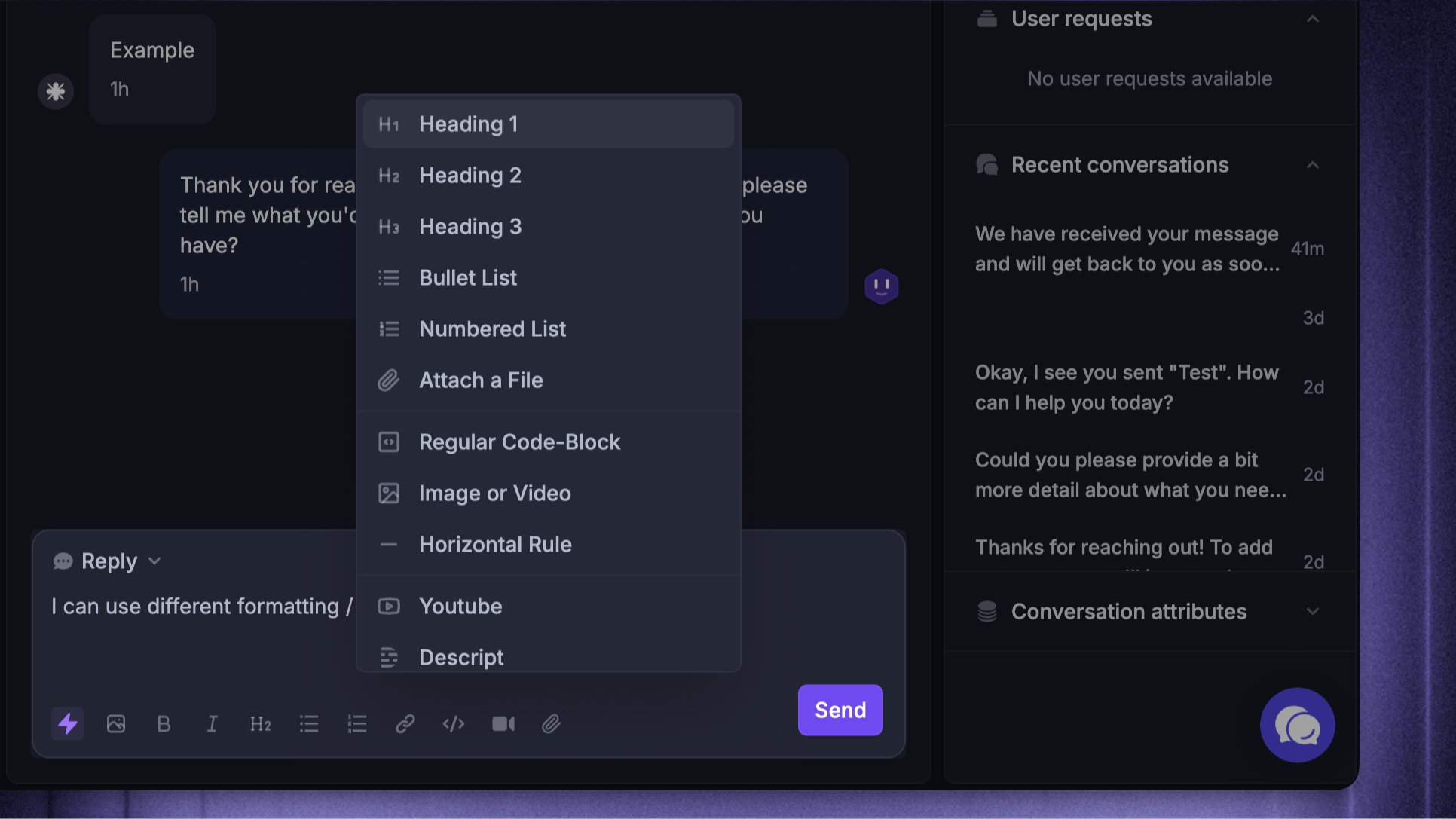
Like all other editors in Featurebase, the Inbox comes with an intuitive text editor that offers a wide range of formatting options and custom components for better content presentation. Both you and users can use them with the / symbol for easy access.
The editor supports native video and image uploads, embedded YouTube links, code blocks, and everything else a modern editor would have.
AI replies & macros
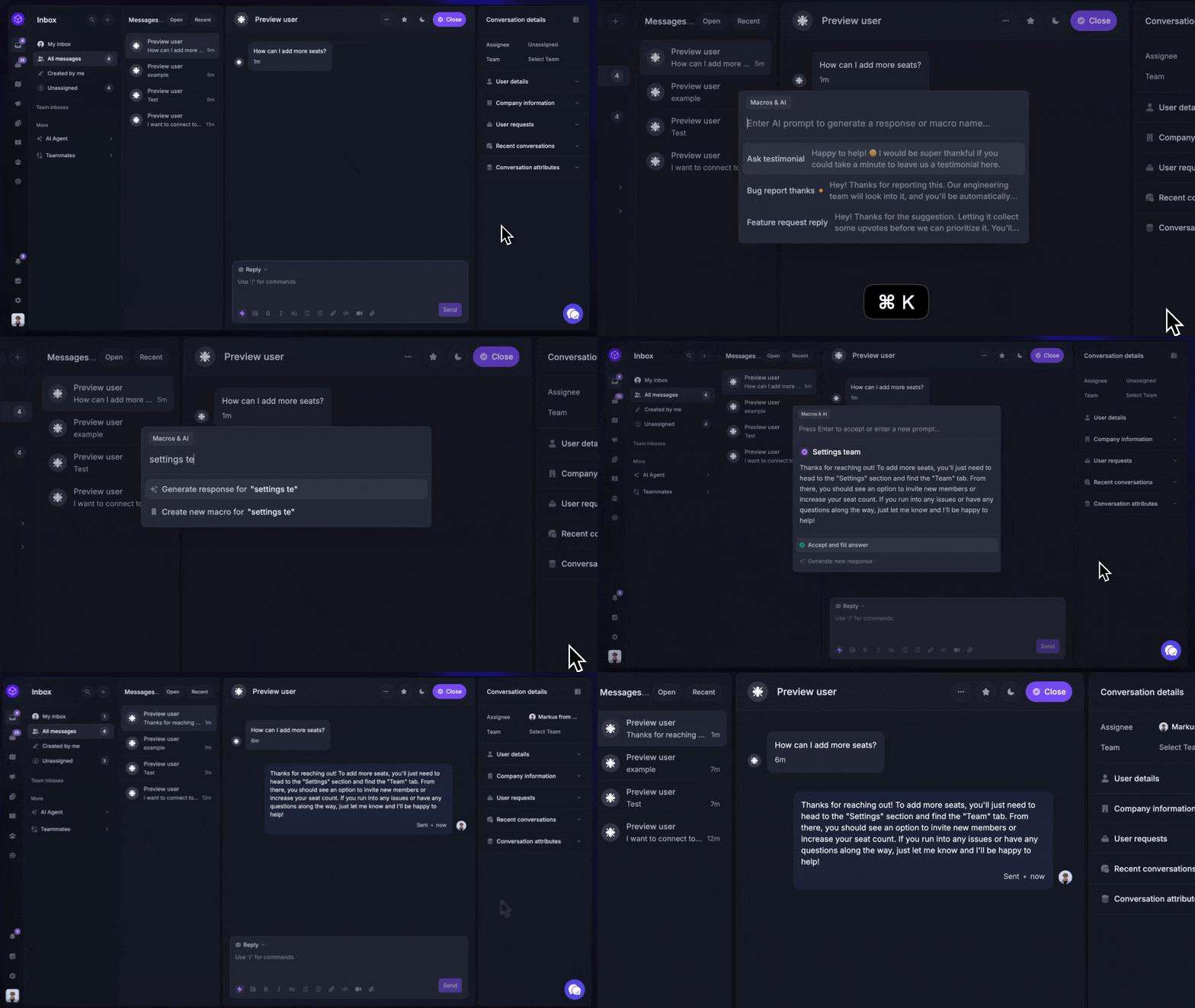
AI replies and macros are one of the most powerful features of the Featurbase Inbox, enabling you to answer customers in just seconds with CMD+K on Mac (CTRL+K on Windows):
AI replies: Instantly draft responses to customers’ messages using their background context, your Help Center, and past responses to generate smart replies in your tone of voice
Macros: Create reusable message templates to reduce your team’s time answering repetitive questions
/
Tip: Answering customers can now just be a couple of keystrokes and two words, as shown in the video: CMD+K → type some words + Enter + CMD+Enter
AI translations
AI Inbox translations let you read customer messages in your preferred language and translate your replies into the customer's language. Each teammate can choose their preferred language and the languages they read without translation.
Collaborate with your team
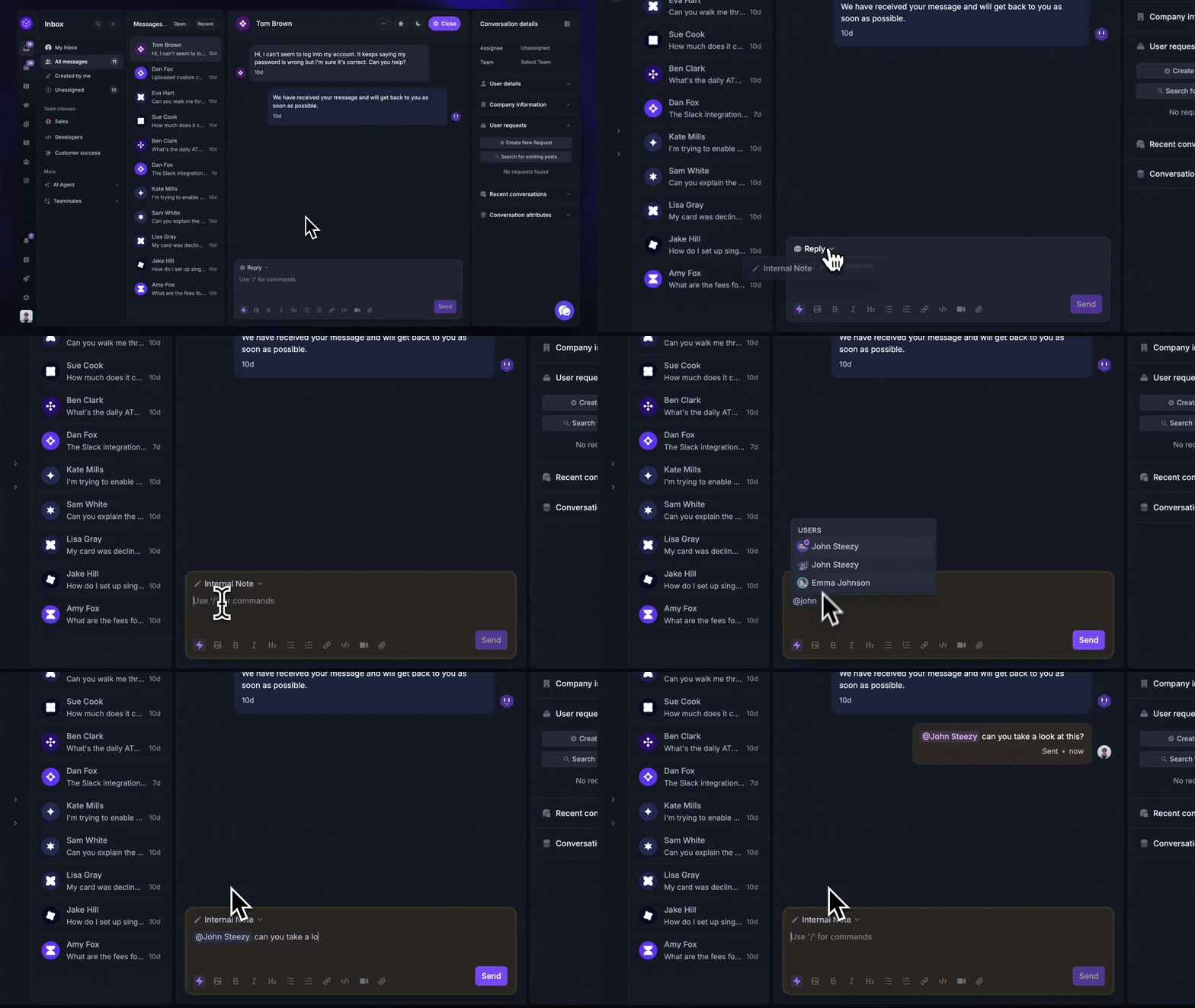
The Inbox is designed for streamlined collaboration with your whole team. You can mention teammates to request backup and add internal notes with additional information or questions that are only visible to your team.
Some messages are too urgent to wait until tomorrow, which is why everyone’s inbox from your team is always visible. You can access any message for any teammate to ensure no question sits unanswered.
You'll find all new conversations in 'Unassigned’, where you can pick up any conversation and assign it to a particular teammate.
Mobile app
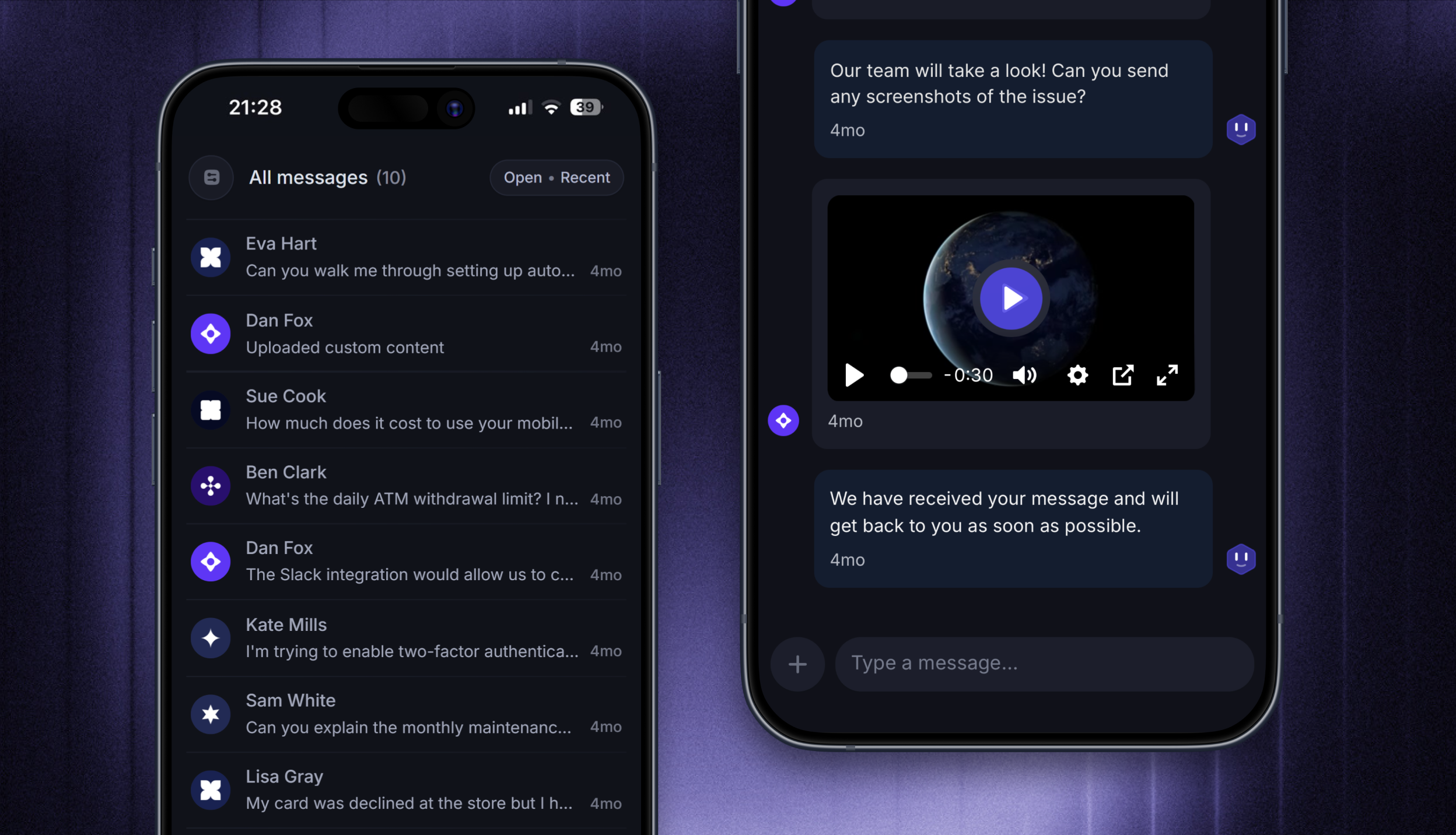
While Featurebase is a web-based platform accessed primarily from your browser, you can use our iOS and Android apps to manage your customer support and collaborate in real-time when you're away from your desktop.
Learn more here: Featurebase Mobile App
Manage support work
Workflows
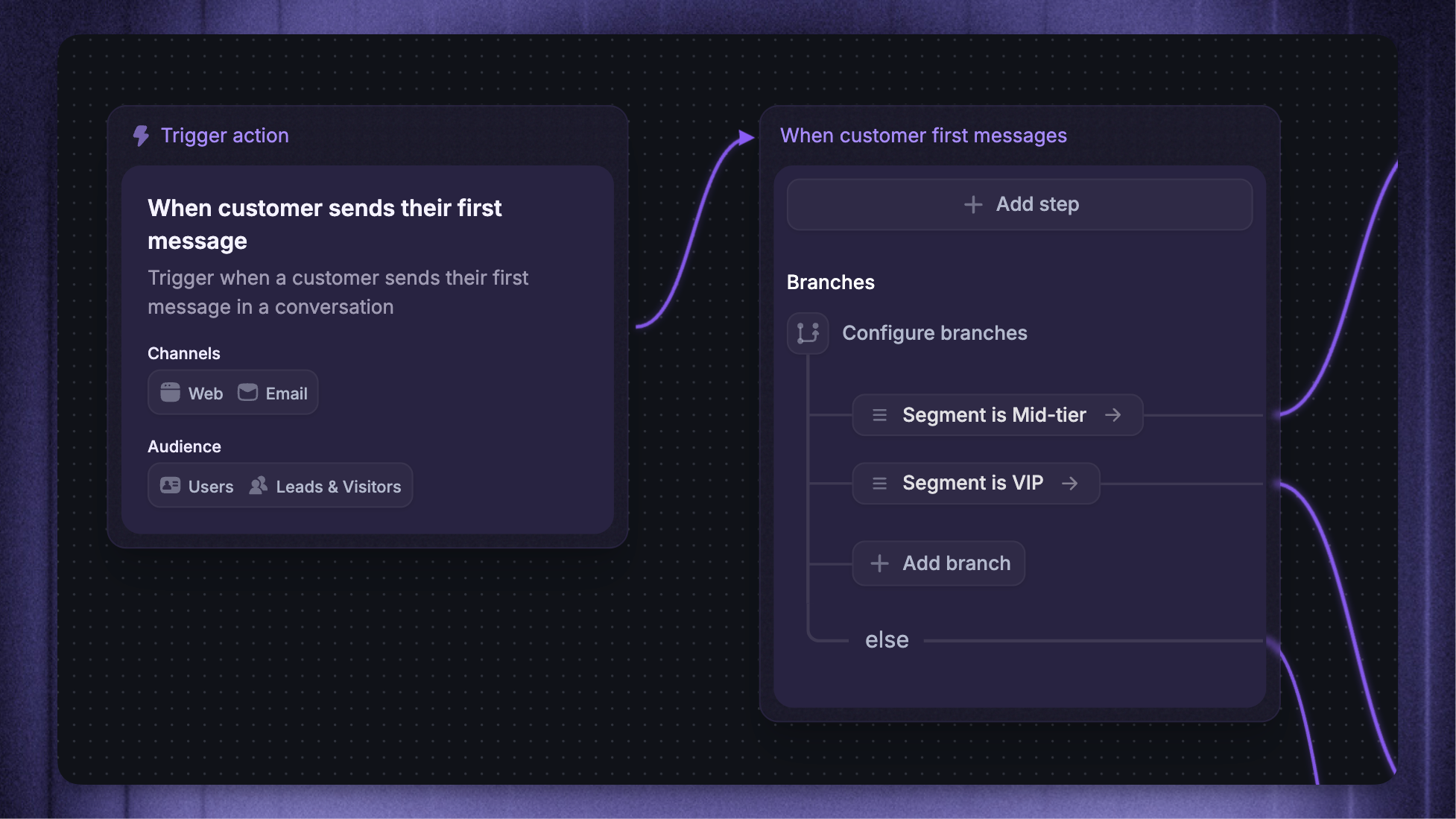
Workflows let you automate repetitive support tasks for your team with a no-code visual builder - right inside Featurebase.
Some popular examples include:
Auto-route new tickets to the right team
Auto-snooze inactive chats
Trigger onboarding messages
Prioritize urgent issues mentioning “bugs”
Bulk actions
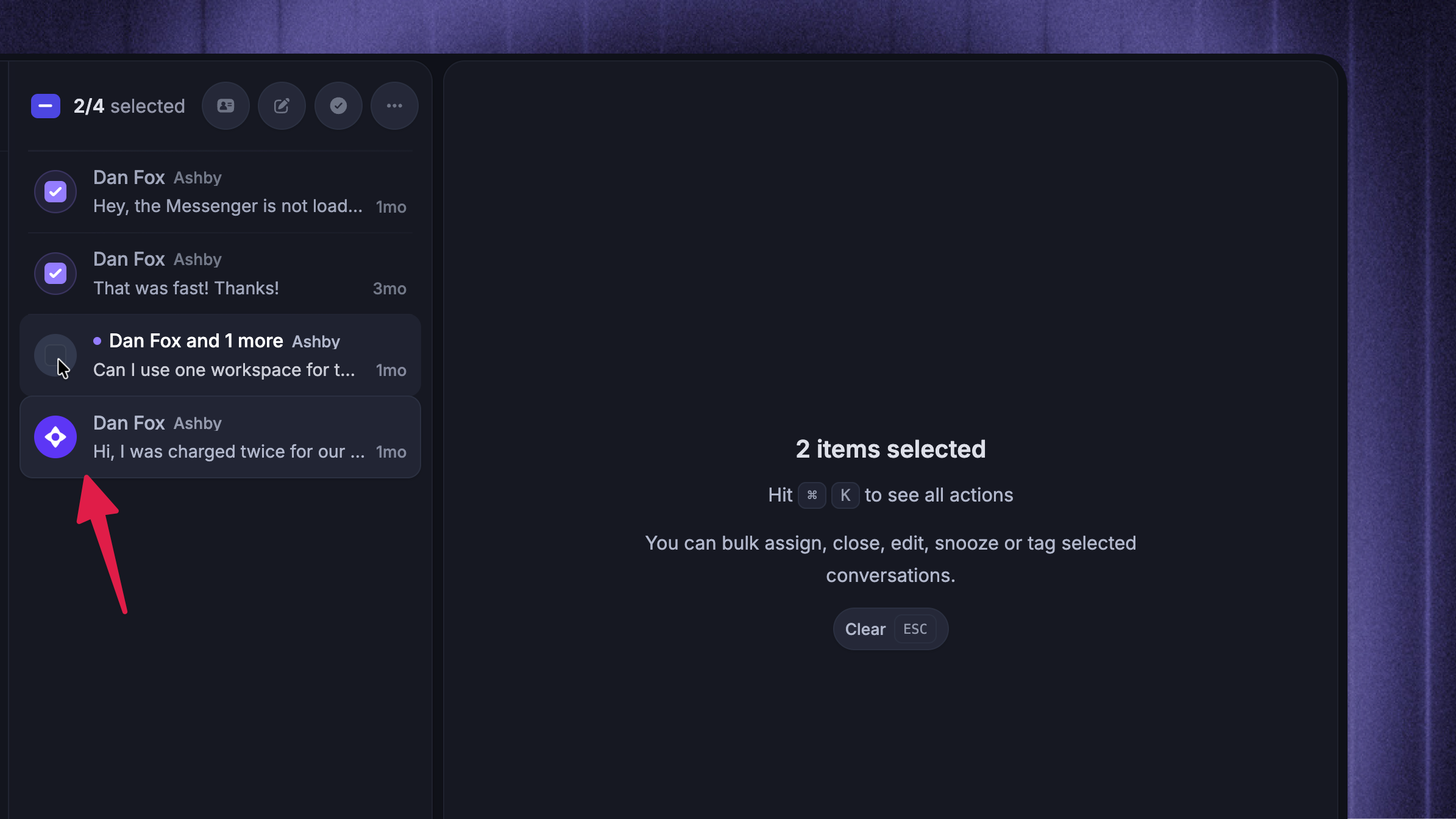
When you need to action many conversations at once, use bulk actions in the desktop Inbox. They work in both the list and table layouts.
Select conversations using their checkboxes, then:
Shift-click another conversation to select the whole range between the two.
Use ‘Select all’ to select every currently loaded conversation. This selects the conversations already loaded in the list, not every conversation that matches your filters.
With conversations selected, press ⌘/Ctrl K to open the bulk action menu. You can assign, reply or add an internal note, add tags, snooze, close or reopen, set or remove priority, and mark email Conversations as spam. Press Esc to clear the selection.
Customer Requests
Customer Requests let you capture product feedback from the Inbox. Create a Request or link a Conversation to an existing one so your product team can review the customer's feedback in context.
Support Tickets track the support work. Requests track the product feedback connected to it.
Was this helpful?
Still need help? Ask the team