Requesting email-sending access
Request approval to send emails to customers from Featurebase and understand what is available while your request is reviewed.
Written By Kateryna Babenko
Last updated 15 days ago
Overview
New workspaces must be approved before they can send emails to customers from Featurebase. This review helps protect sender reputation and email deliverability.
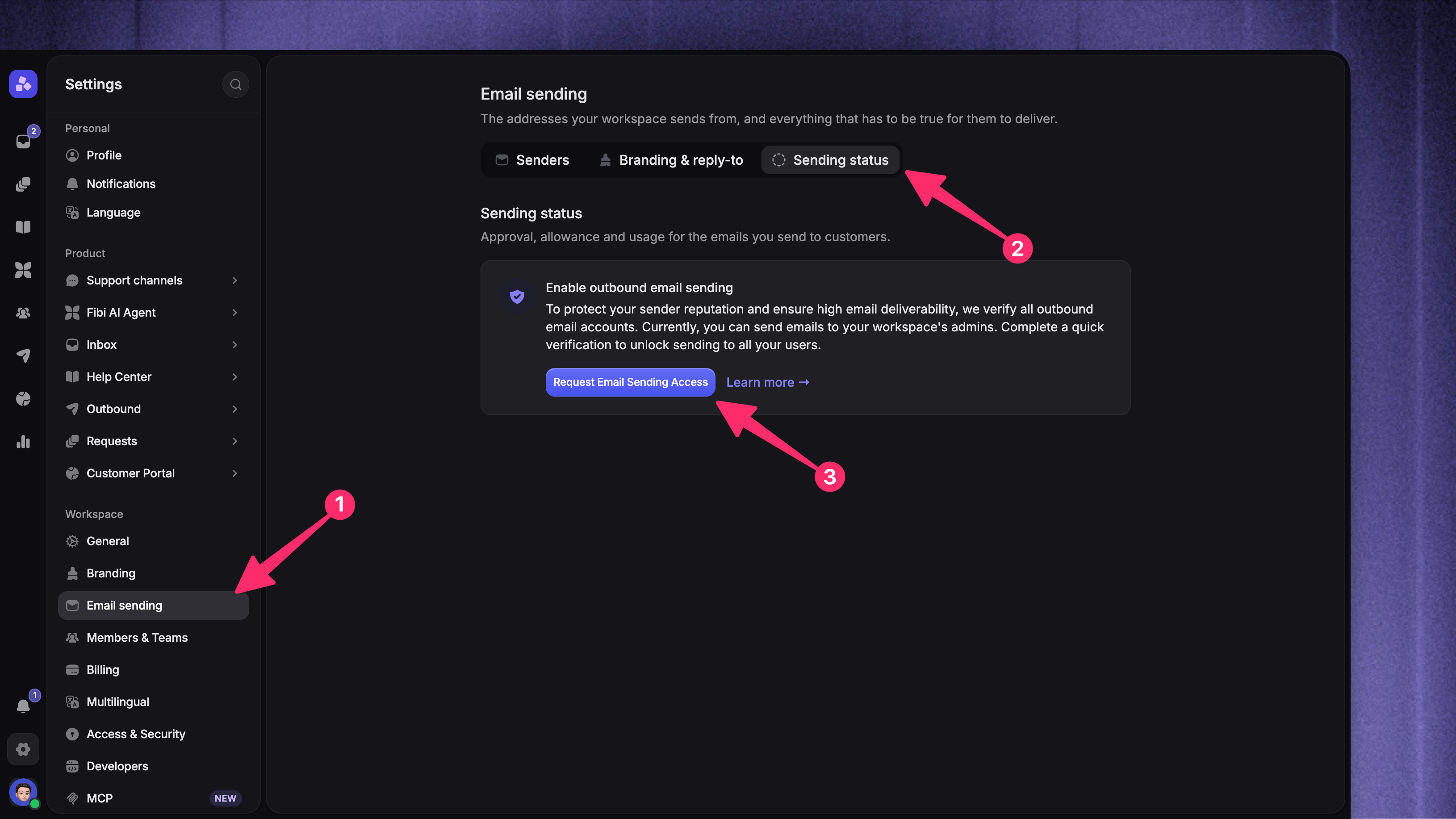
You can request access from Settings → Workspace → Email sending → Sending status. Approval is separate from setting up email forwarding or authenticating a custom sending address.
Note: A custom sending domain does not replace email-sending approval. You need approval before sending to customers, even if you have authenticated your own domain.
Request email-sending access
Open Sending status
Select Request Email Sending Access
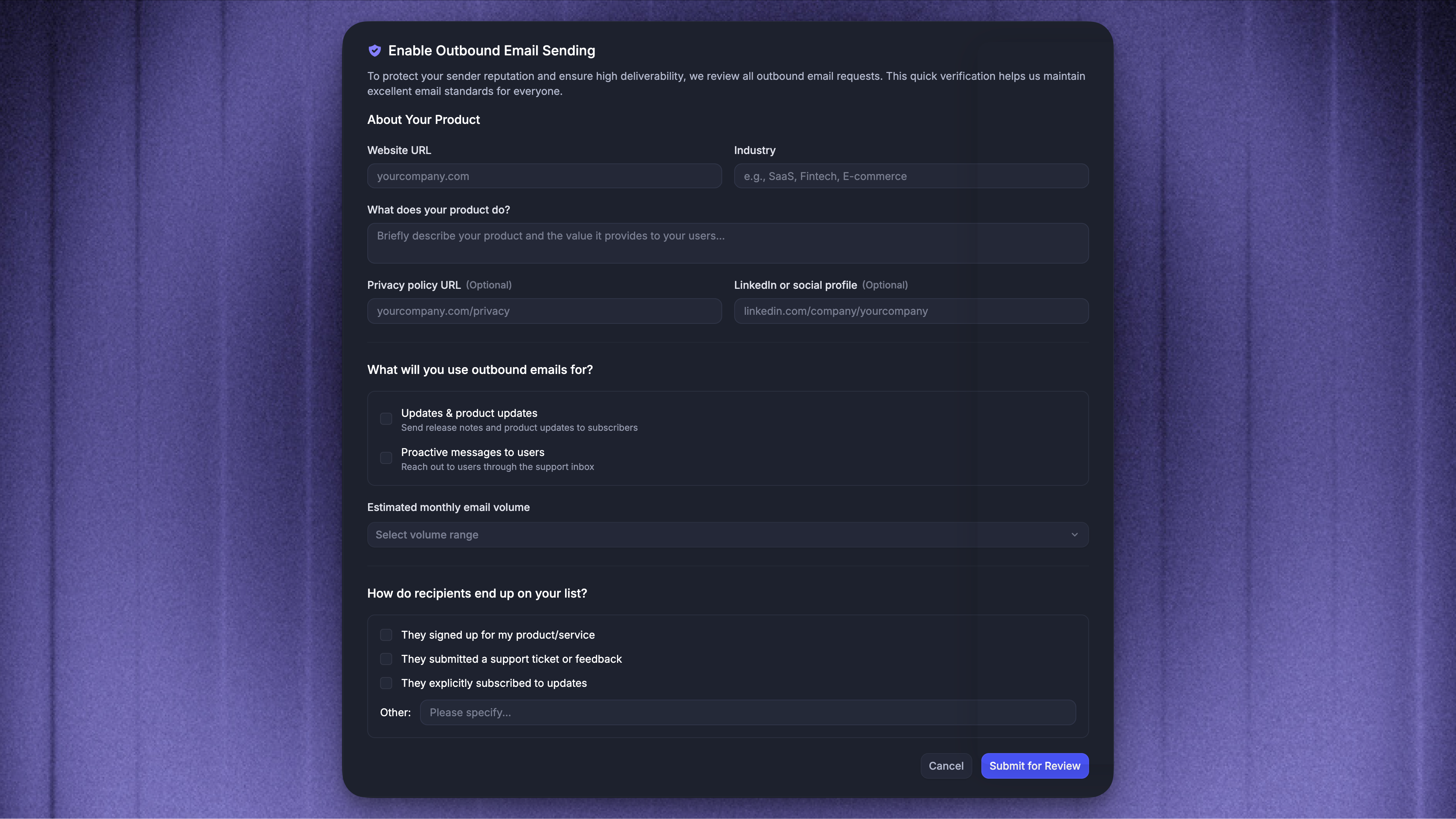
Complete the Enable outbound email sending form
Select Submit for review
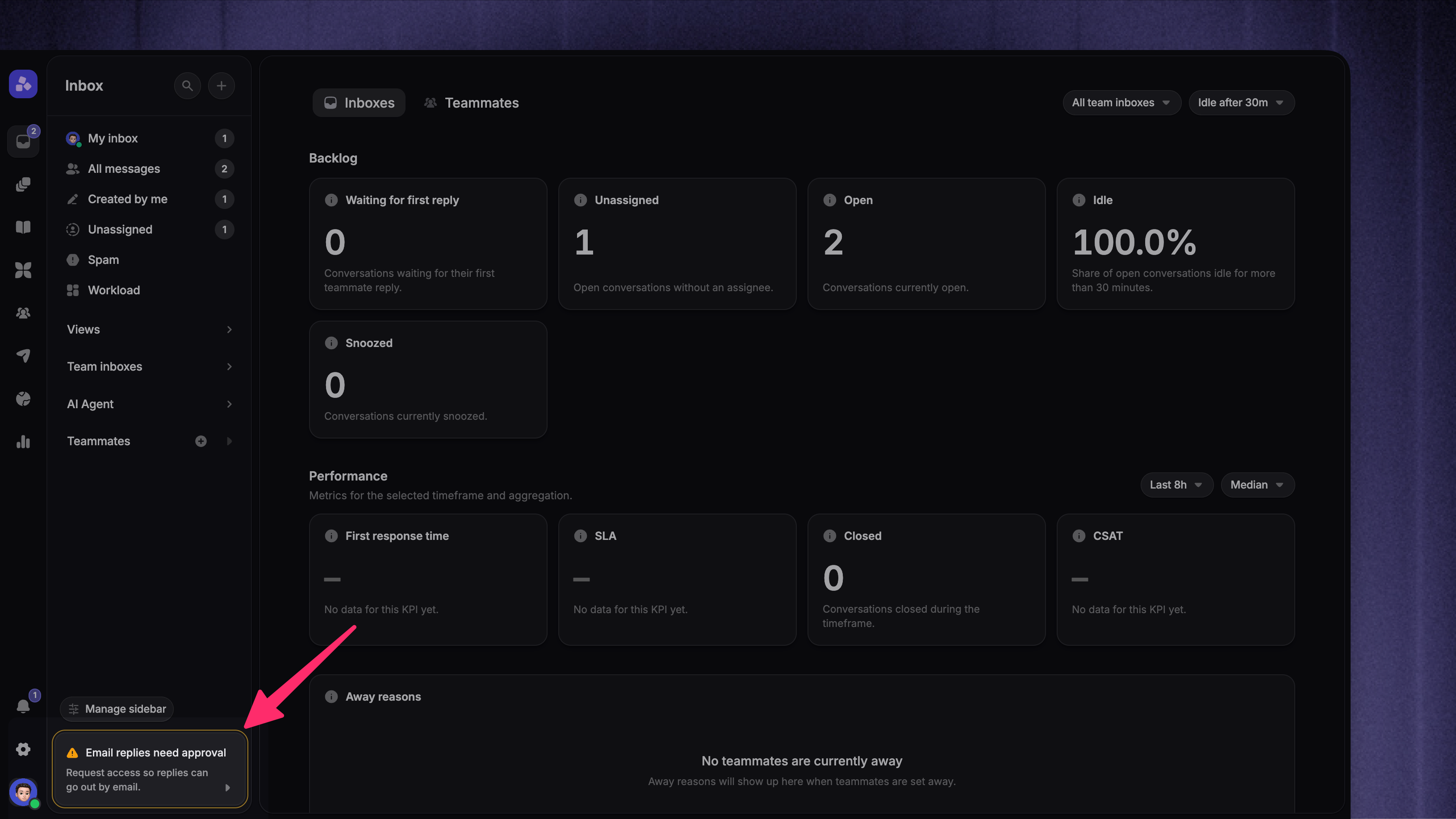
You can also open the request form from 'Email replies need approval' in the lower-left corner of the Inbox.
Fill in the request form
Provide the following information in the form:
Your website URL, industry, and a short description of your product
What you plan to send: product updates, proactive messages, or both
Your estimated monthly email volume
How recipients join your list, such as by signing up for your product, subscribing to updates, or otherwise
You can also add your privacy policy URL and a LinkedIn or other social profile.
What happens after you submit a request
Featurebase reviews your request within 1–2 business days. Sending status shows that your request is pending, and you cannot submit another request while it is being reviewed.
If we need more information, we will contact you by email. When your workspace is approved, Featurebase sends an approval email to workspace admins. You can then send emails to external customers and subscribers. If your default sending address is still being set up, wait a few minutes before sending.
If your request is still pending after two business days, send an email to support@featurebase.app, and include your workspace name and a screenshot of the pending message.
What you can do while your request is pending
While your request is under review, customer-facing email sending remains restricted:
Support and changelog emails can be sent only to workspace admins, not external customers or subscribers
Automated support follow-up emails are not sent
Outbound email campaigns cannot be sent to customers
Send preview to myself is unavailable until your workspace is approved
This applies only while initial email-sending access is pending. Featurebase does not queue emails blocked by this approval requirement. After your workspace is approved, send or schedule the email again. Sending allowance works differently after approval. If an email has more eligible recipients than your available allowance, the remaining recipients are delayed and retried automatically after your allowance resets or your cap is increased.
Set up your email channel separately
Approval lets your workspace send email, but it does not configure which address you use or where incoming email goes.
Set up email forwarding to receive messages sent to your existing support address
Authenticate a custom sending domain to send from your own address
If you do not add a custom sender, Featurebase can use its default branded sending address after your workspace has been approved.
FAQ
Does requesting email-sending access affect pricing?
Does requesting email-sending access affect pricing?
No. Requesting access does not change your plan or billing. After approval, outbound email usage may be billed based on the emails you send.
Why can’t I send a preview to myself?
Why can’t I send a preview to myself?
Preview emails are unavailable until your workspace has been approved for email sending. After approval, you can send previews and emails to external recipients.
Do I need a custom sending domain before requesting access?
Do I need a custom sending domain before requesting access?
No. Email-sending access, email forwarding, and custom sending domains are separate. After approval, Featurebase can use its default branded sending address. Authenticate a custom domain if you want to send from your own address.
Was this helpful?
Still need help? Ask the team