Request workflow triggers
Look up what starts each request workflow trigger, which settings and conditions it has, and when it runs again.
Written By Bruno
Last updated 40 minutes ago
Overview
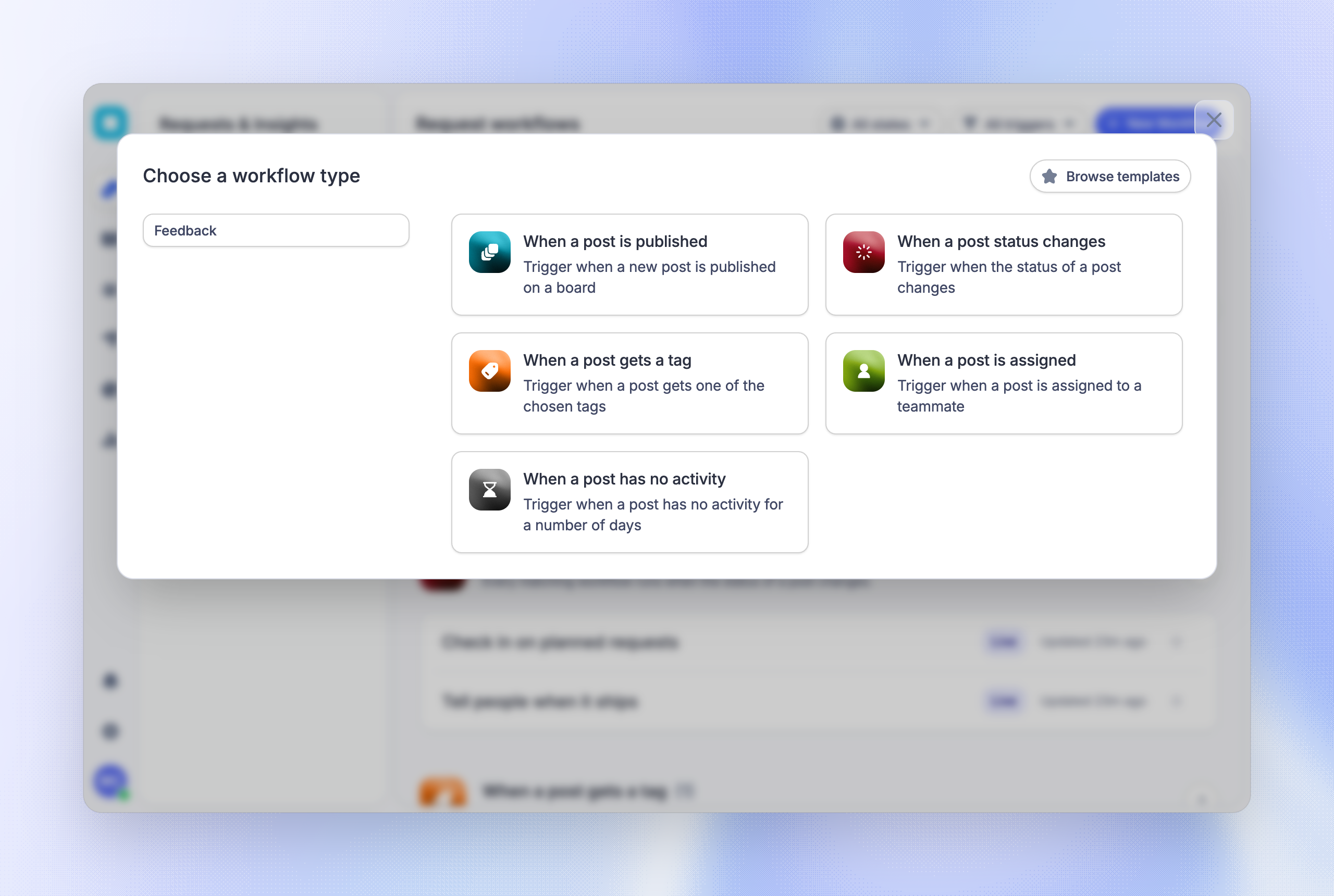
A trigger is the event on a Request that starts a request workflow. Each workflow has one trigger, which you pick when you create the workflow in Requests & Insights → Workflows. Every live workflow whose trigger matches the event runs, with no priority order between them.
The workflow builder calls Requests "posts", labels "tags", and categories "boards". This article quotes the builder's labels exactly.
A workflow runs at most 5 times on the same Request in 24 hours, whatever the trigger.
Triggers
When a post is published
Starts when a Request is published for the first time: when someone submits it, when a teammate approves it from review, or when a teammate clicks 'Not spam' on it. The workflow runs once per Request.
A Request published with labels or a teammate assignee also starts your When a post gets a tag and When a post is assigned workflows.
When a post status changes
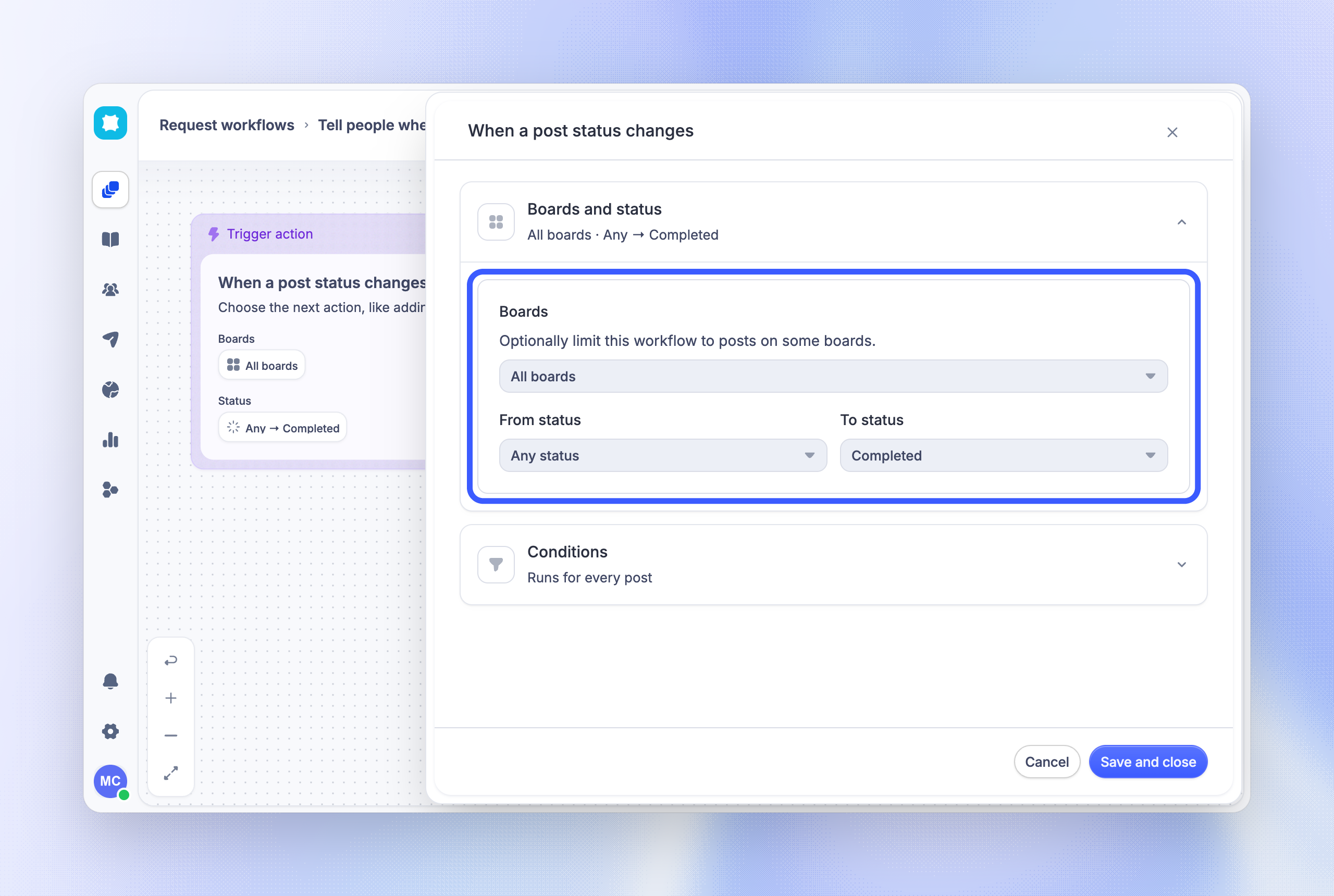
Starts when a Request moves to another status on the Request, on the roadmap, from the context menu of one Request, through the API, or through Zapier. It runs again on every later change that matches.
Use From status and To status to choose which changes count. Each is Any status until you pick statuses. If both name the same single status, the workflow never starts, and you cannot set it live.
Note: A workflow with a comment that emails people needs a From status or a To status before you can set it live.
When a post gets a tag
Starts when a Request gets one of the labels you choose under Tags. Choose at least one, or click New tag to create one. The label can come from a teammate on the Request, the API, Zapier, AI labeling of a new Request, or the Request's labels at publication.
The panel shows each chosen label's AI criteria, so AI labeling can add the label and start the workflow.
The workflow runs once per Request and label. Removing the label and adding it again does not start it again, and several chosen labels added in one change start one run.
When a post is assigned
Starts when a Request gets a teammate as its assignee or changes to another teammate, including a Request published with a teammate assignee. Under Assigned to, pick teammates, or keep Anyone.
Removing the assignee, or assigning the same teammate again, does not start the workflow.
When a post has no activity
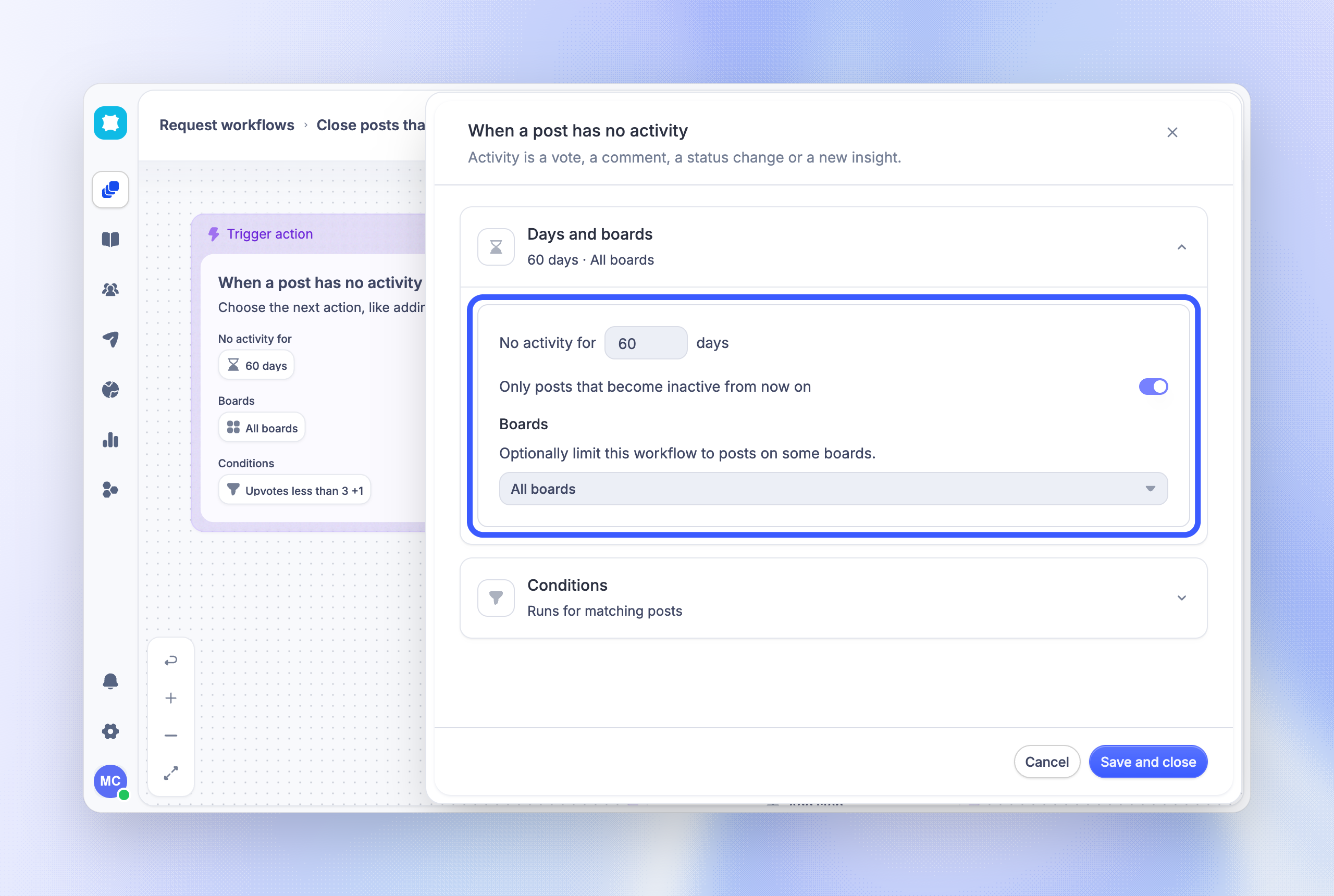
Starts when a Request has had no activity for the number of days in No activity for … days: 7 to 365, 30 by default. Activity is:
Publication of the Request
A vote
A status change
A comment by a person, public or internal
A new insight linked to the Request
Edits to the title, content, labels, or assignee are not activity, and neither are the workflow's own comments and status changes.
Featurebase looks for inactive Requests about once a day, so a run can start up to a day after a Request reaches the number of days. A Request runs again only after new activity and a new quiet period.
Only posts that become inactive from now on chooses where the workflow starts:
On - Only Requests that become inactive after you set the workflow live
Off - Requests that are inactive already run too, up to 500 per day
Each No activity workflow starts at most 500 runs a day. The other Requests wait for the next day.
Important: With the switch off, a workflow that changes the status or emails people also acts on your older quiet Requests. Turn the switch on to start only with Requests that go quiet from now on.
Limit a trigger to some boards
Every trigger has a Boards setting. Keep All boards, or pick the boards to run on. When a post is published checks the board the Request is published on. The other triggers check the board the Request is on at the moment of the event.
To set a workflow live that can reach a private board, you need permission to view private Requests. This applies when you keep All boards or pick a private board.
Trigger conditions
Under Conditions, add rules to run the workflow only for some Requests. The section shows Runs for every post without rules and Runs for matching posts with rules.
Conditions are checked once, at the moment of the trigger event, for example Conditions are checked when the tag is added. A Request that matches only later does not start the workflow.
Each trigger allows the fields that are certain at the moment it starts:
Board is never a trigger condition: use Boards instead. Branches can use every field, Board included. A rule on a field the trigger does not allow shows This condition cannot be used on this trigger. Remove it., and the workflow does not save until you remove it.
Note: If a condition uses a request form field that is later deleted or changed, the live workflow stops matching Requests until you fix the rule and save it again.
What does not start a request workflow
Bulk edits - A change to several Requests at once with bulk editing. A change to one Request from the context menu does start workflows
Request workflow steps - A status, label, or assignee that a request workflow sets never starts another request workflow
AI labeling of existing Requests - Labels added by 'Apply to existing requests' in the label settings
Integration syncs - Status and label changes from Linear, ClickUp, Jira, GitHub, Azure DevOps, or HubSpot
Status and label settings - Renaming or deleting a status or a label
Older Requests - A Request dated more than 7 days ago starts nothing when it is published or AI labels it. A teammate's change on it still starts workflows
Imports - Requests created with a date more than 10 minutes in the past
Requests that existed before the workflow went live - They never start When a post is published
A Request in review or marked as spam starts workflows only when it is approved or released.
Was this helpful?
Still need help? Ask the team