Route conversations based on team capacity
Check whether a team can take more work before routing a conversation to it.
Written By Markus Palm
Last updated 5 days ago
Overview
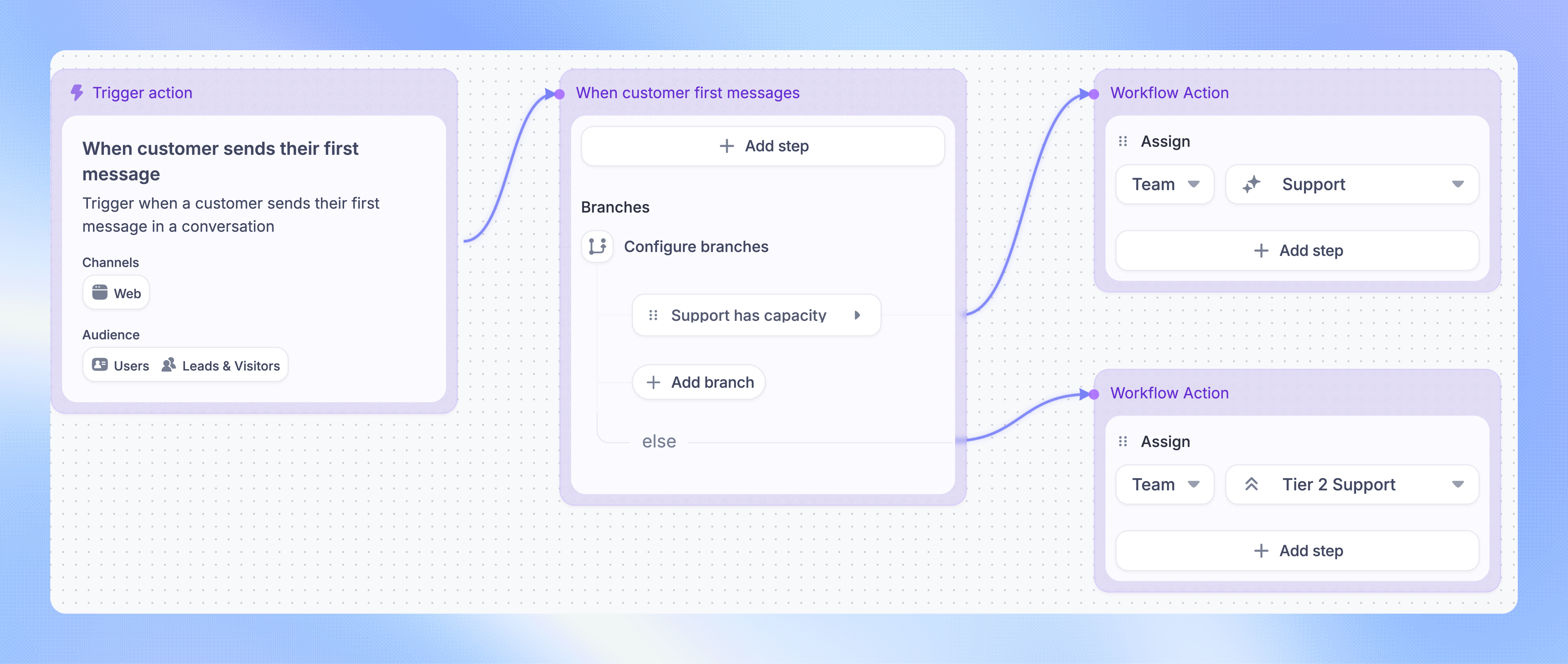
Use the Team with capacity condition in a Workflow to check whether a team can receive more work. You can route a conversation to your usual support team when it has capacity and use another path when it does not.
For Balanced teams, the condition checks available teammates against their overall and inbox assignment limits.
Build a capacity-based route
Set up your team inboxes and assignment limits first. You need access to edit and publish Workflows, and your Workspace must have access to capacity-based conditions.
Open Automations → Workflows and create or edit a routing Workflow
Choose a trigger, such as Customer sends their first message
Add a Branches block
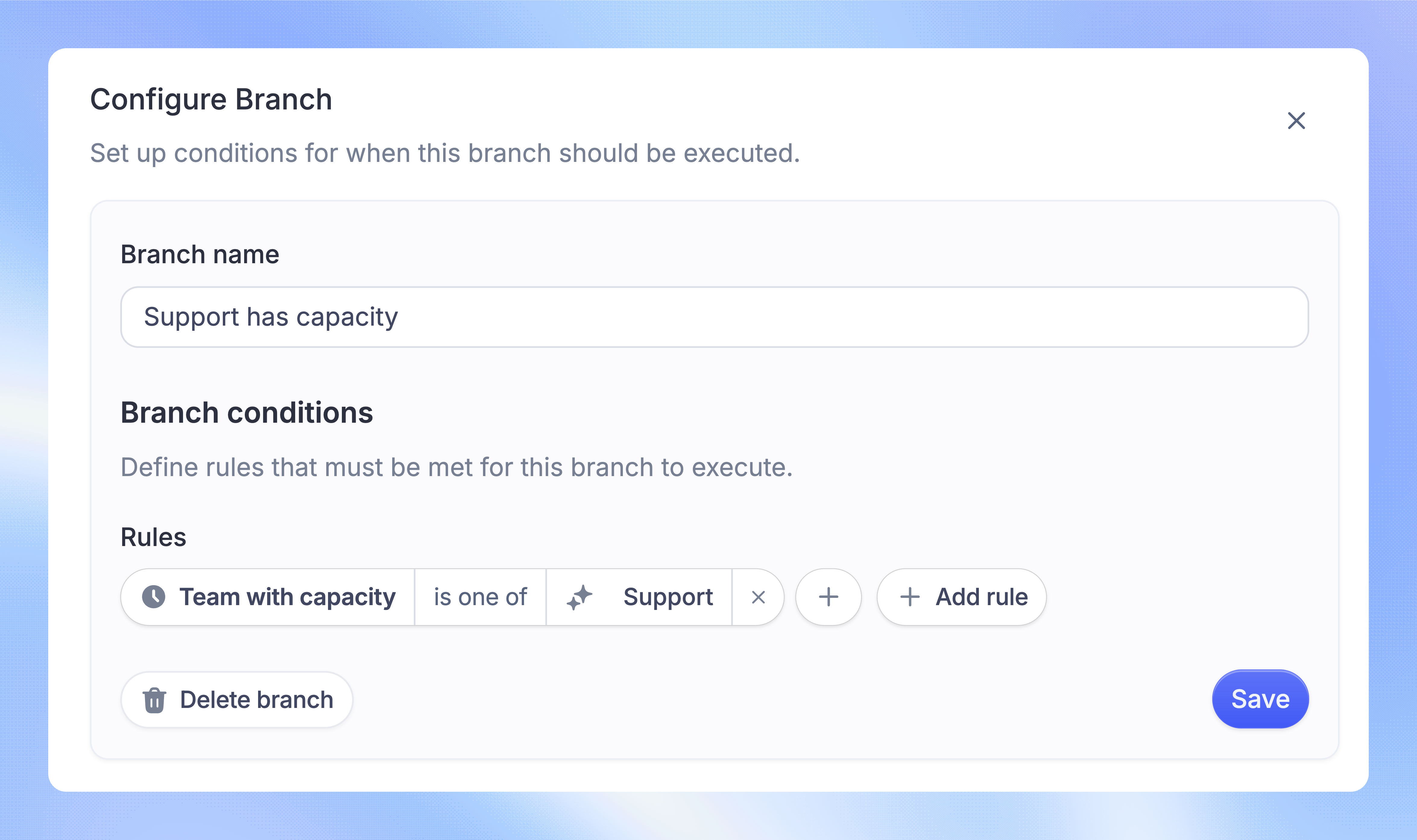
Add the Team with capacity condition, choose is one of, and select your main support team
On the matching path, add Assign and select that team
On the fallback path, add Assign and select your backup team
Review both paths, save the Workflow, and set it live
The Workflow checks capacity when it reaches the condition. If the main team has capacity, the conversation follows its path. Otherwise, it follows the fallback path. Each team's assignment method determines which teammate receives the conversation.
What counts as available capacity
A team has capacity when at least one current Full-seat teammate is Active and has automatic assignment enabled.
For a Balanced team, that teammate must also be below both their overall assignment limit and the inbox assignment limit. If all eligible teammates reach either limit, the condition finds no capacity.
For Manual and Round robin teams, the condition checks teammate availability without enforcing numeric limits. It does not treat an Away teammate as available, even if the Round robin team ignores activity status for assignment.
FAQs
Does the condition assign the conversation?
Does the condition assign the conversation?
No. It chooses a path. Add an Assign action on that path to route the conversation.
Does a capacity check reserve a place for the conversation?
Does a capacity check reserve a place for the conversation?
No. Capacity can change between the check and assignment. Balanced assignment checks again when distributing the conversation. If nobody has room by then, the conversation waits in the team inbox.
Can I check capacity before the Workflow starts?
Can I check capacity before the Workflow starts?
Yes. You can use Team with capacity in trigger conditions, Branches, and Apply rules. Use Branches when you want one matching routing path.
Can I route only when a team has no capacity?
Can I route only when a team has no capacity?
Yes. Use is not in with the team you want to check. This matches when that team is absent from the teams currently found to have capacity.
Was this helpful?
Still need help? Ask the team