Updates analytics
See how customers discover and engage with Updates across your public page, widgets, and email.
Written By Markus Palm
Last updated 4 days ago
Overview
Updates analytics helps you understand which announcements get customers' attention and which channels perform best.
Website Analytics shows how Updates perform on your public page and in-app widgets. Email Analytics shows whether notification emails were delivered, opened, and clicked. You can compare all published Updates or open one Update for a detailed breakdown.
Open Updates analytics
Compare all Updates
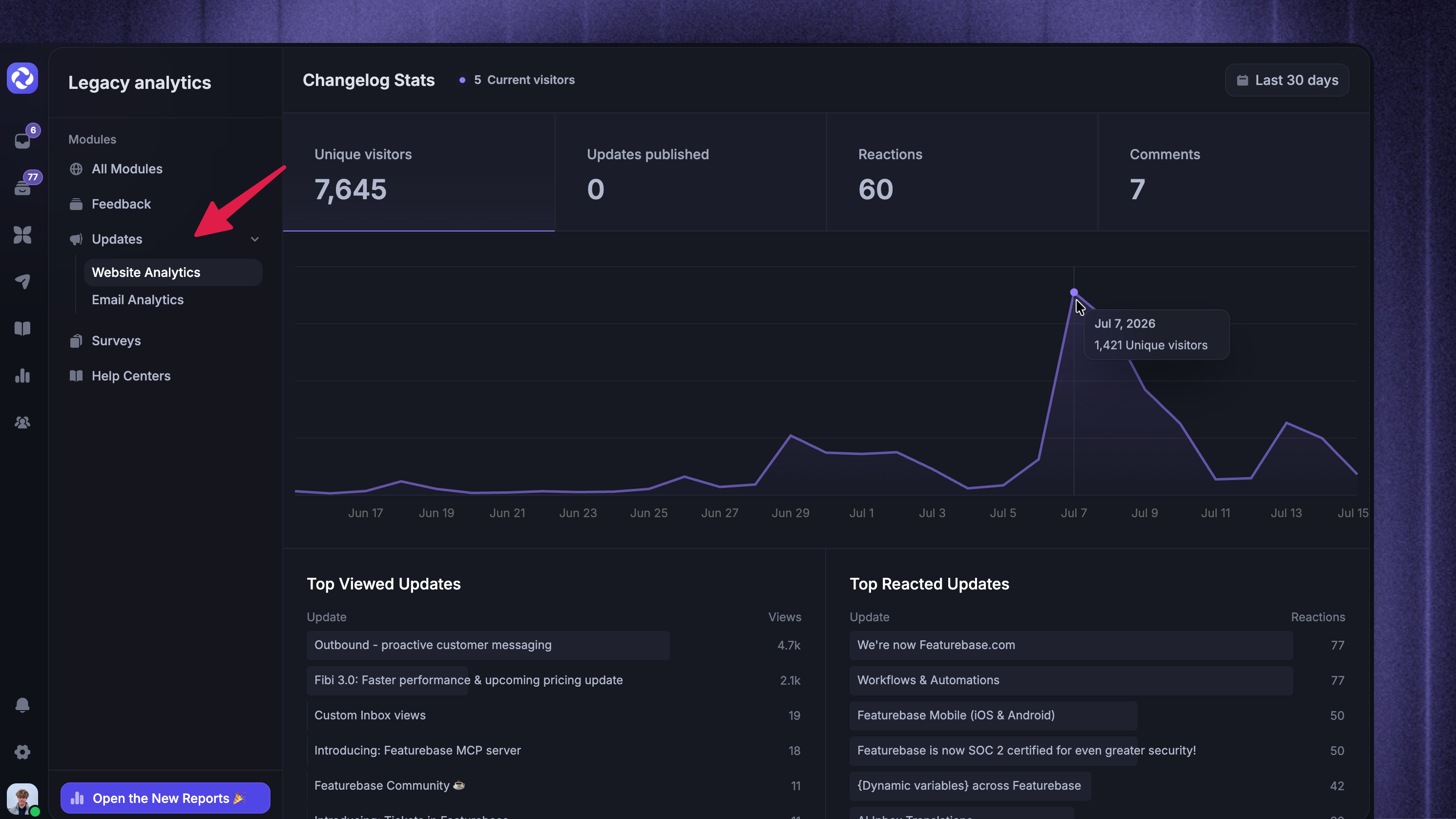
Select Updates
Choose Website Analytics or Email Analytics
Review one Update
Go to Dashboard → Outbound
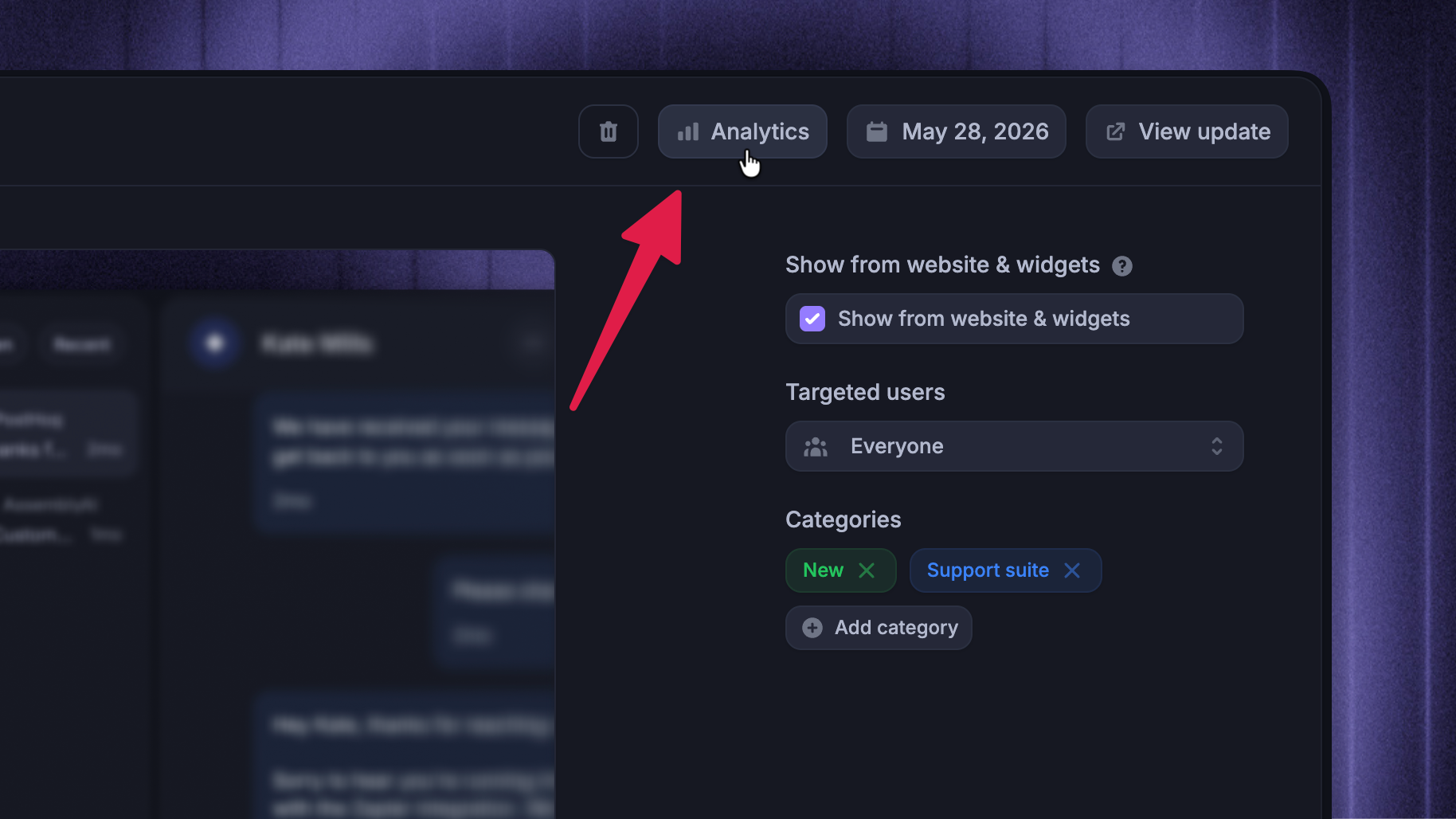
Open a published Update
Click Analytics
Switch between Website and Email
Website Analytics
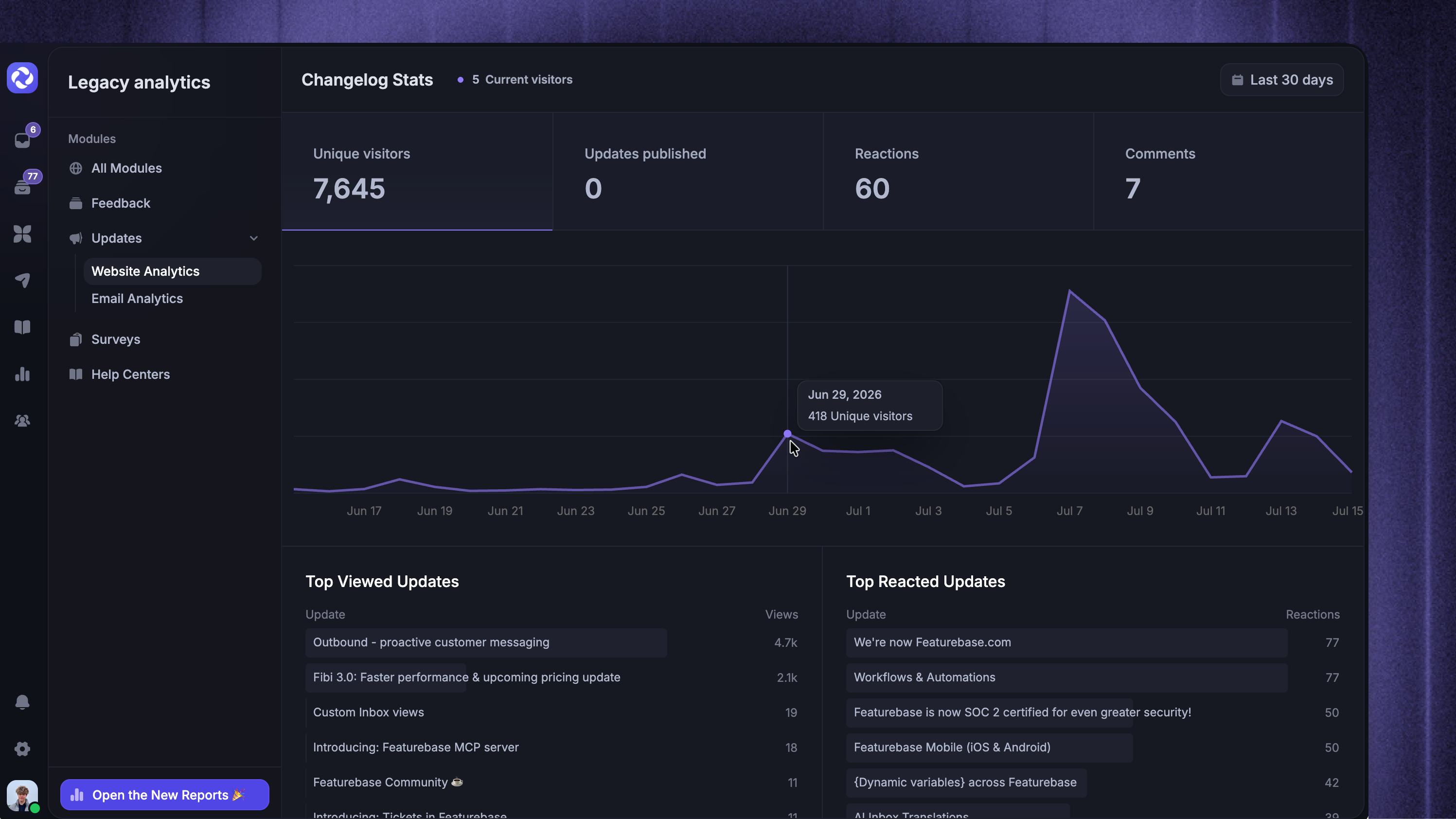
Website Analytics shows whether customers are discovering and engaging with Updates on your public page and widgets.
Use it to review:
Unique visitors – How many different customers viewed Updates
Updates published – How many Updates were published during the selected period
Reactions and Comments – How customers engaged with the content
Top Viewed Updates and Top Reacted Updates – Which announcements attracted the most attention
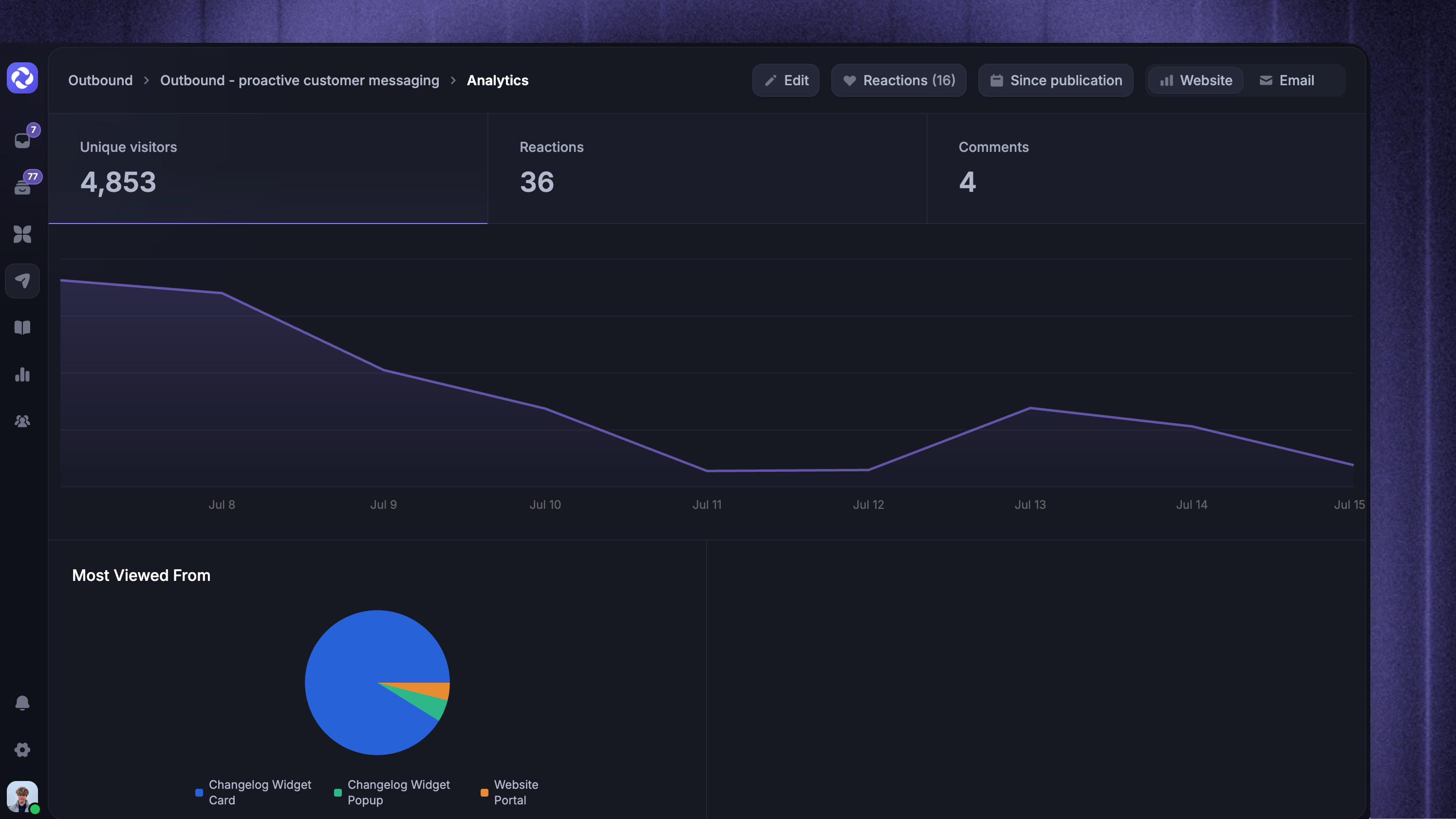
Most Viewed From – Where customers viewed Updates, such as the public page or an in-app widget
When you open one Update, the Website tab focuses on that announcement's visitors, reactions, comments, and view sources.
Email Analytics
Email Analytics shows how Update notification emails perform after sending.
Use it to review:
Emails delivered – How many notification emails reached recipients
Emails opened – How many opens were recorded
Email link clicks – Which links customers clicked
Email bounces – How many emails could not be delivered
For one Update, you can also review its top email links and recent delivery, open, click, and bounce activity.
Email Analytics is only available when the Update was published with Email notification enabled.
Choose a date range
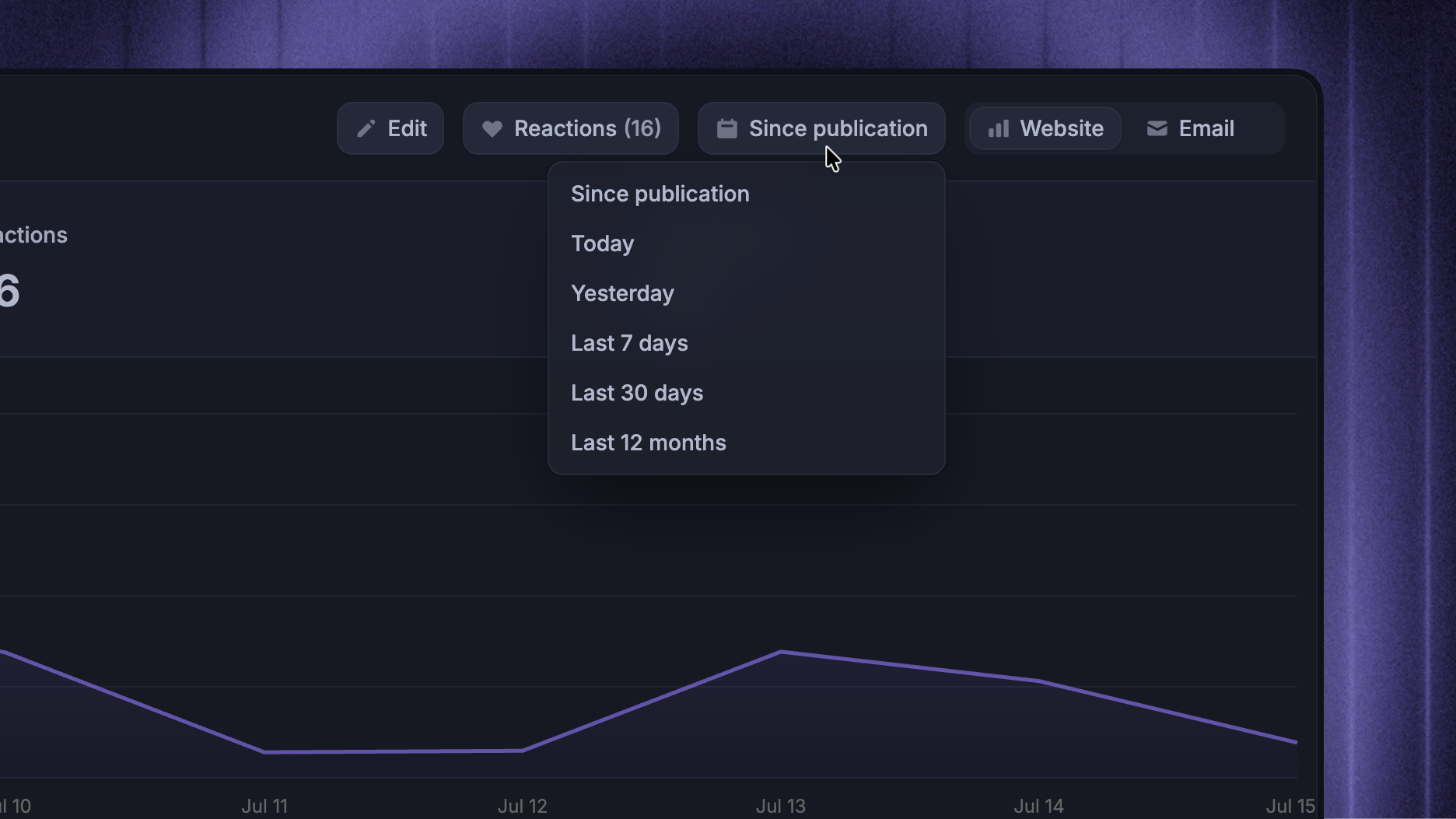
Use Today, Yesterday, Last 7 days, Last 30 days, or Last 12 months to compare performance over time.
Single-Update analytics also includes Since publication, which measures performance from the Update's publish date until today.
FAQs
Why is Update website analytics empty?
Why is Update website analytics empty?
The Update may not have received any page or widget views during the selected date range. Also check that it is published and has Show from website & widgets enabled.
Targeted and private Updates only collect views from customers who can access them.
Why is the Update email analytics empty?
Why is the Update email analytics empty?
The Update may not have been sent by email, or the selected date range may not contain any email activity. Check that Email notification was enabled when the Update was published or scheduled.
Was this helpful?
Still need help? Ask the team