Telegram conversation settings
Choose how Telegram messages open and reopen conversations, for each bot and for individual groups.
Written By Bruno
Last updated About 1 hour ago
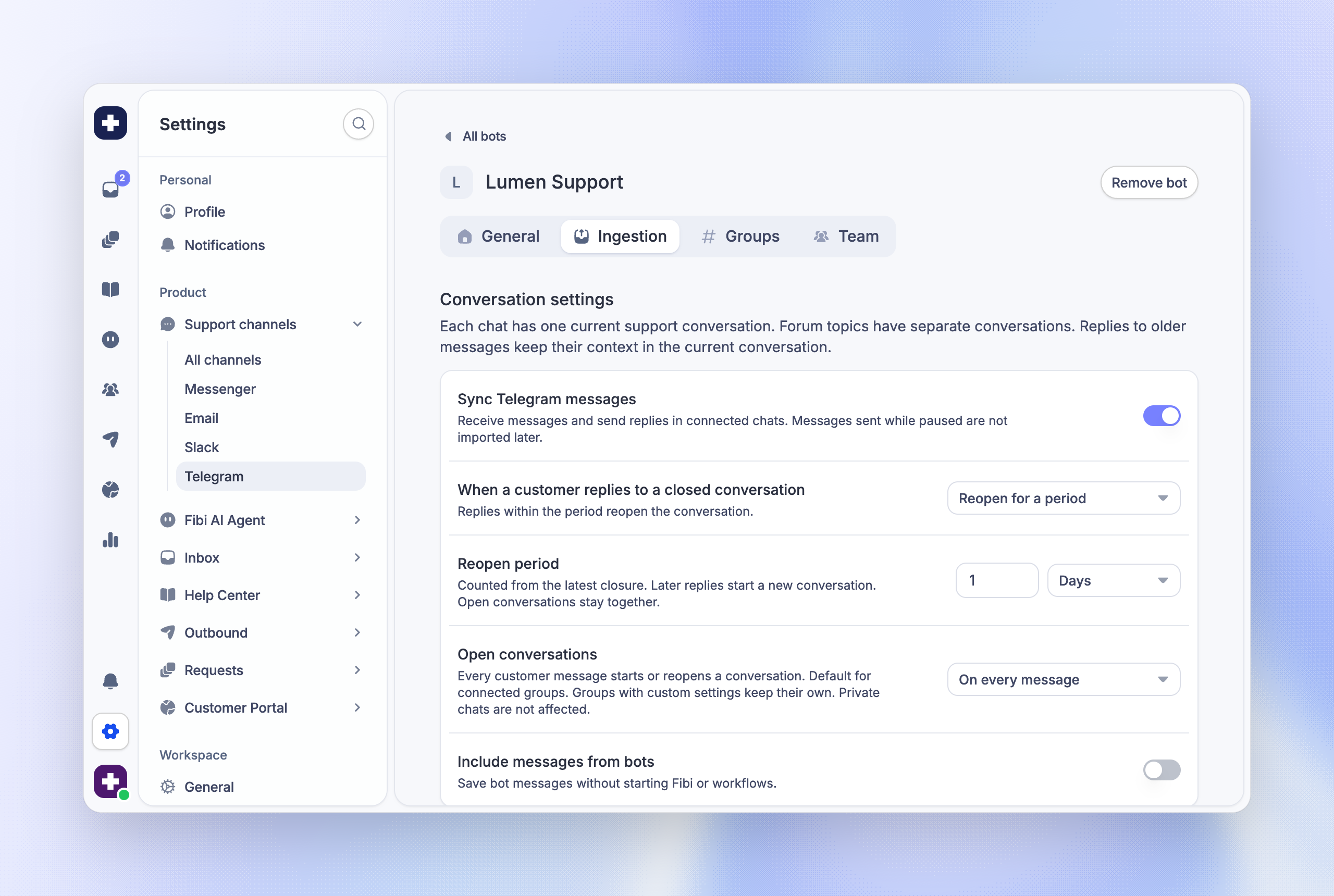
Overview
Conversation settings decide how Telegram messages become conversations in the Inbox. They control when a closed conversation reopens, whether group messages need to tag your bot, and whether messages from other bots are saved.
Each Telegram chat has one current conversation. Forum topics in a group each have their own conversation. When a customer replies to an older message, the reply still joins the current conversation.
Where the settings live
You can set the settings in two places:
Bot defaults - On the bot's Ingestion tab. They apply to private chats and to every connected group without its own settings
Group settings - In a group's Configure dialog, with Use custom message settings turned on. They replace all bot defaults for that group
A group with custom settings keeps them when you change the bot defaults. Turn Use custom message settings off to make the group follow the bot again.
Change the bot defaults
Go to Settings → Support channels → Telegram and click 'Manage' next to the bot
Open Ingestion
Change the settings
Click 'Save changes'
Change the settings of one group
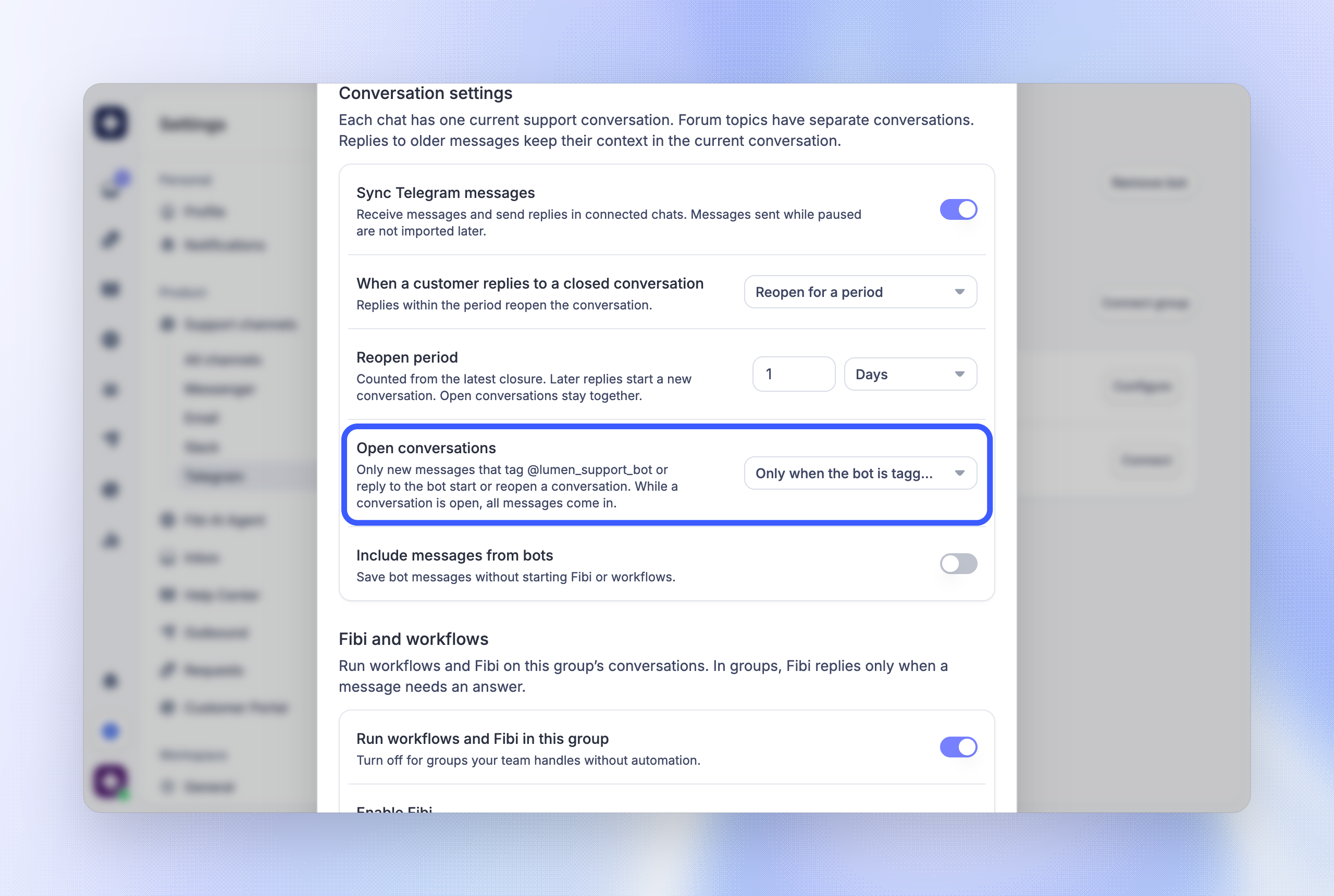
Open the bot and go to Groups
Click 'Configure' next to the group
Turn on Use custom message settings
Change the settings
Click 'Save changes'
Settings
Sync Telegram messages
Turn Sync Telegram messages off to pause the chat: Featurebase stops receiving messages and sending replies. Messages sent while syncing is paused are not imported later, so pause only when you mean to stop support in the chat.
When a customer replies to a closed conversation
Choose what happens when a customer writes after a conversation was closed:
Reopen for a period - Replies within the period reopen the conversation. Later replies start a new conversation. Set the period in Reopen period, from 1 minute to 365 days. The default is 1 day
Always reopen - Replies always reopen the latest conversation
Start a new conversation - Replies always start a new conversation
The period counts from the latest time the conversation was closed. An open conversation always stays together.
Open conversations
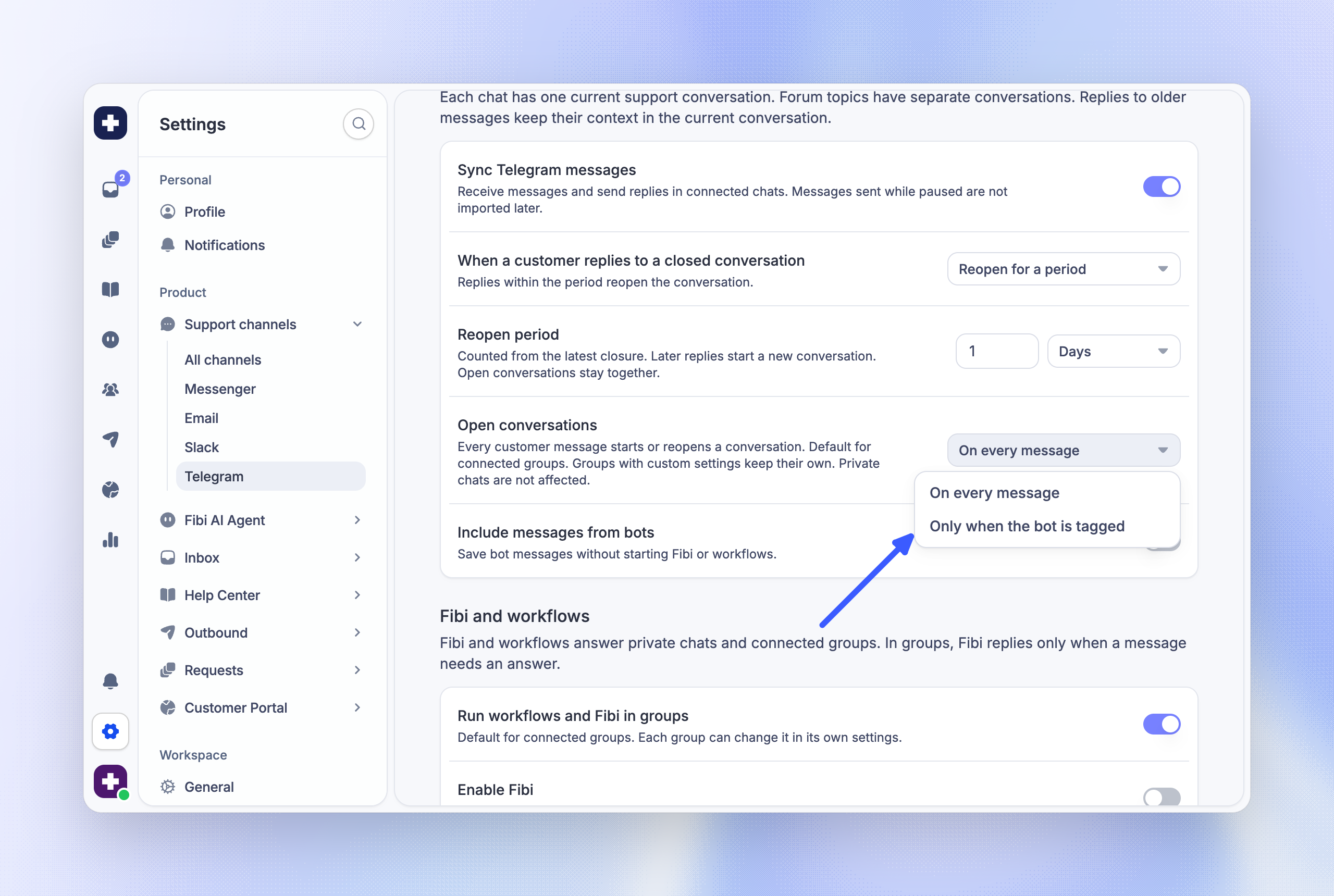
Choose which group messages start or reopen a conversation:
On every message - Every customer message starts or reopens a conversation. This is the default
Only when the bot is tagged - Only new messages that tag your bot (for example @lumen_support_bot) or reply to one of the bot's messages start or reopen a conversation
With Only when the bot is tagged, everyday chat in a shared group stays out of your Inbox. While a conversation is open, every message in the group joins it, so customers don't need to tag the bot again for follow-ups. After you close the conversation, untagged messages are ignored again.
This setting applies to groups only. Private chats with the bot always open a conversation.
Tip: Tell your customers to tag the bot when they need help, for example in the group's pinned message. Editing an old message to add the tag does not open a conversation.
Include messages from bots
Turn on Include messages from bots to save messages that other bots post in your connected groups. They appear in the conversation but don't start the AI agent or workflows.
Run workflows and Fibi
Run workflows and Fibi in groups (bot default) or Run workflows and Fibi in this group (group setting) controls whether the AI agent and workflows run on group conversations. Turn it off for groups your team handles without automation. Learn how the AI agent works in groups in Use the AI agent and Workflows in Telegram.
FAQs
Why didn't a group message open a conversation?
Why didn't a group message open a conversation?
The group or its bot uses Only when the bot is tagged, and the message didn't tag the bot or reply to one of its messages. The same happens when Sync Telegram messages is off, or when the group is not connected.
Does the bot answer the customer when they tag it?
Does the bot answer the customer when they tag it?
Not by itself. Tagging opens the conversation for your team. The AI agent answers only if you turn it on for Telegram.
Do teammates' messages in the group open conversations?
Do teammates' messages in the group open conversations?
No. Messages from teammates whose Telegram profiles are linked under Team never start a customer conversation.
What happens to a forum topic?
What happens to a forum topic?
Each topic in a group with topics enabled has its own conversation, with its own reopen and tag rules. The topic shows in the conversation's details.
Was this helpful?
Still need help? Ask the team