Round robin assignment
Share new conversations between teammates in a repeating rotation.
Written By Markus Palm
Last updated 6 days ago
Overview
Round robin assigns conversations to eligible teammates in turn. Each team inbox has its own rotation, so the next conversation goes to the next available person in that team.
Use Round robin when you want to distribute incoming work evenly. Use Balanced assignment when assignments should depend on current workload and capacity.
Turn on Round robin
You need permission to Manage Round Robin Assignment. Team members who receive conversations must have Full seats.
Expand the team inbox
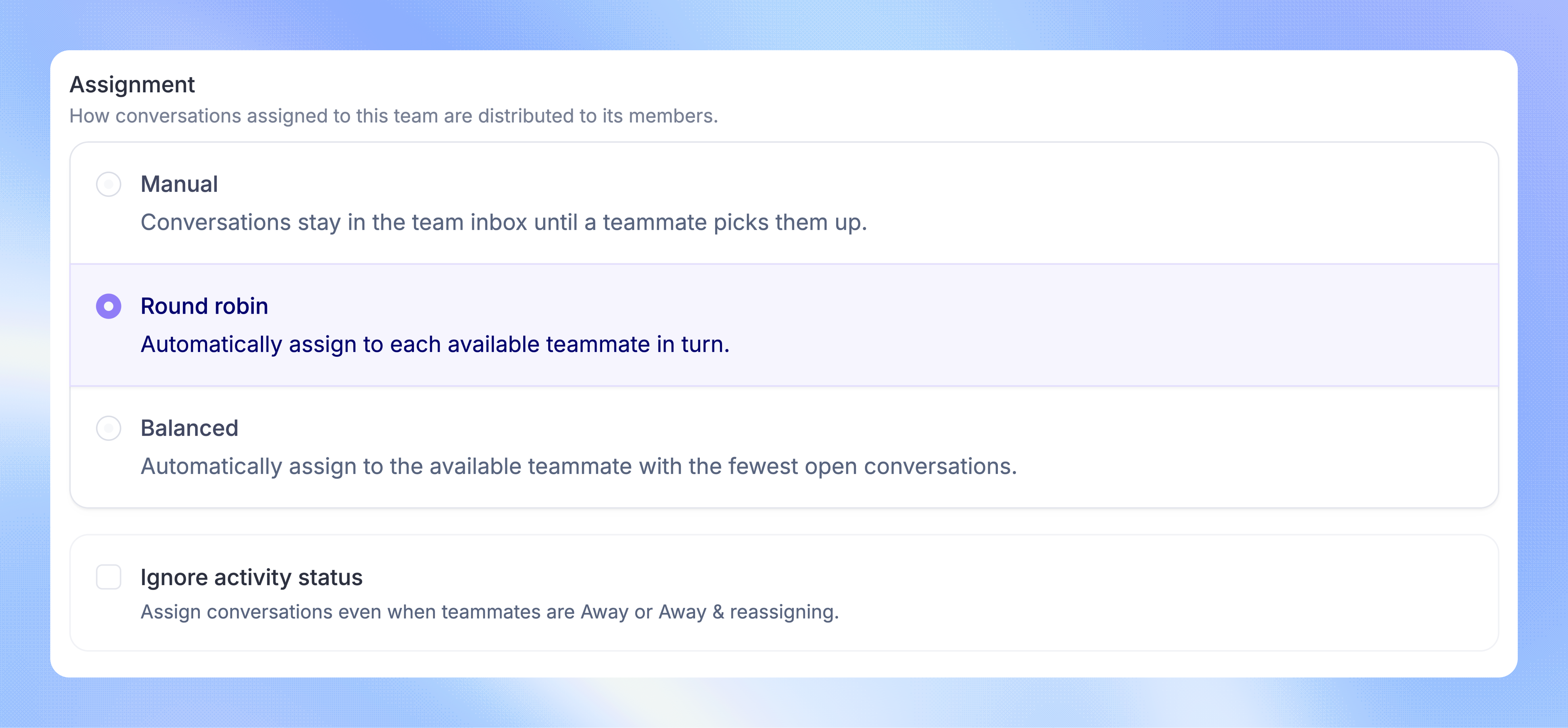
Choose 'Round robin' as the assignment method
Click 'Save changes'
Route conversations to the team through a Workflow to distribute them automatically.
How the rotation works
Round robin follows the team's member order. It skips teammates who are Away or have automatic assignment paused. When a teammate becomes eligible again, they rejoin the rotation.
Round robin does not check how many open conversations each teammate already has. A teammate can receive more conversations than their assignment limit.
Include Away teammates
Turn on Ignore activity status in the team's Round robin settings if you want Away teammates to remain in the rotation. Click 'Save changes'.
This includes teammates who have Reassign replies enabled. Customer replies to conversations assigned through this inbox are not reassigned just because the assignee is Away. A separate assignment pause still excludes the teammate.
FAQs
Does manually moving a conversation to a team start the rotation?
Does manually moving a conversation to a team start the rotation?
No. Selecting a team manually does not run Round robin. Use a Workflow or a Macro that assigns the conversation to the team for automatic distribution.
What happens when everyone is Away?
What happens when everyone is Away?
Unless Ignore activity status is enabled, the conversation stays in the team inbox without an individual assignee. It is not automatically distributed when teammates return. Assign that waiting conversation manually.
Can a Macro use Round robin?
Can a Macro use Round robin?
Yes. A Macro that routes a conversation to a Round robin team uses its rotation. A team assignment action can also enable Distribute with round robin to use Round robin for that action.
Why do teammates have different workloads?
Why do teammates have different workloads?
Round robin balances the rotation of new assignments. It does not balance existing conversations, account for how quickly teammates close work, or enforce capacity limits. Balanced assignment is better suited to that task.
Was this helpful?
Still need help? Ask the team