Chat and Banner FAQs
Answers to common questions about Chat and Banner setup, delivery, replies, targeting, and analytics.
Written By Markus Palm
Last updated 3 months ago
Chat
Can I send a Chat without letting people reply?
Yes. Turn off Allow replies in the Chat content settings:
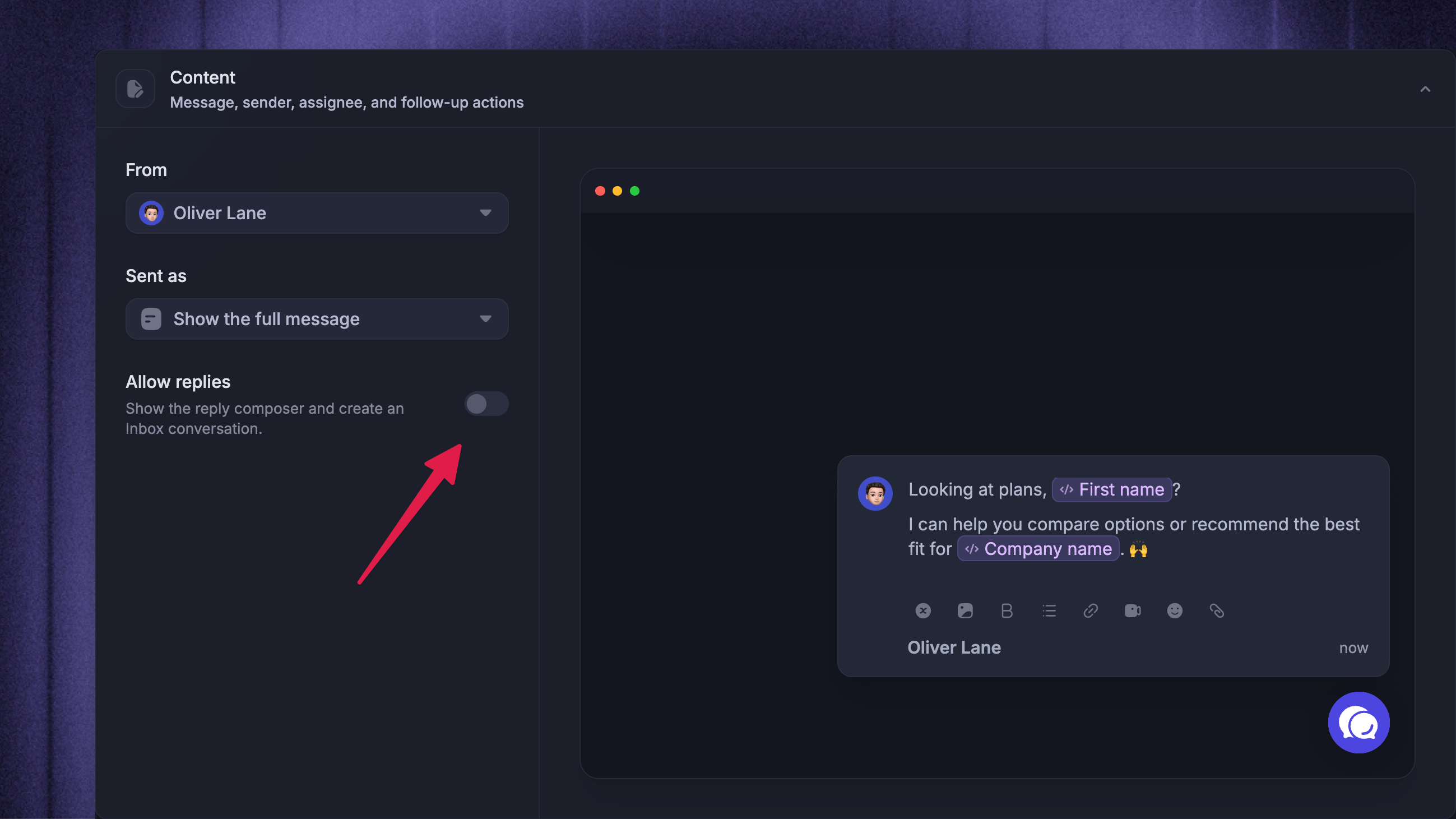
The Chat still appears in Messenger, but the reply composer is hidden so the recipient cannot answer from that Chat. Use a Banner instead if the message is purely one-way and does not need to appear as a Messenger conversation.
What happens when replies are allowed?
When ‘Allow replies’ is on, people can reply from Messenger. Their reply opens or continues the related Inbox conversation, and the conversation can be assigned to a teammate or team with Assign replies to.
Use this when you want the Outbound message to start a two-way conversation.
Why can't I save my Chat or Banner?
Message text is required for both Chat and Banner.
If a Banner includes a URL action, the action text and a valid https:// URL are also required.
Can Fibi answer an Outbound Chat?
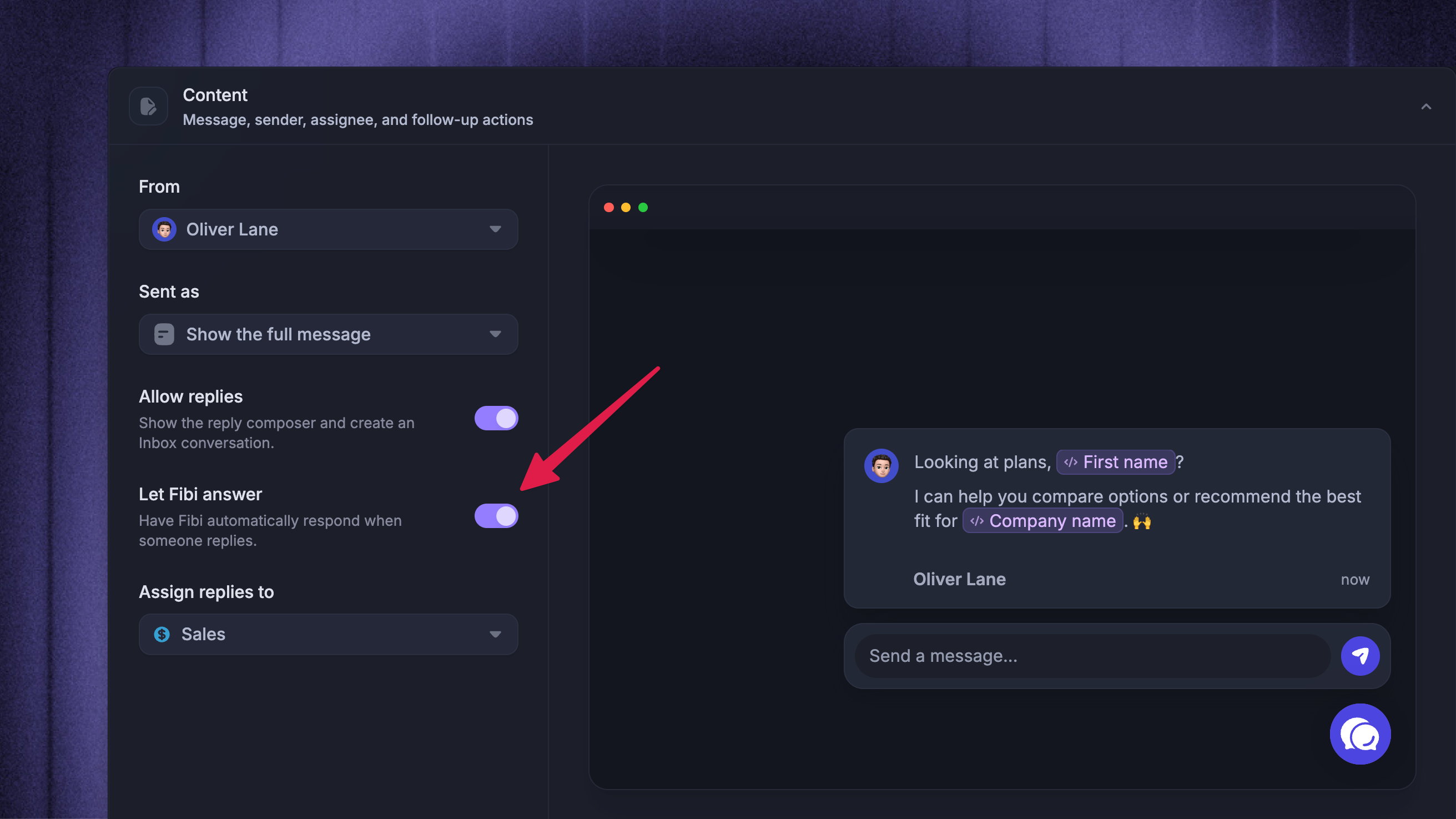
Yes. Use Let Fibi answer when replies are allowed.
Fibi can automatically respond after someone replies to the Chat. If replies are disabled, there is no reply for Fibi to answer.
Can I send a Chat to a Locked audience?
Yes. Chat can use either a Dynamic audience or a Locked audience.
Use ‘Lock audience at activation’ when you want a one-time Chat to include only the people who match at the moment the message is activated. A locked Chat is sent once to that locked audience.
After a locked Chat is sent, its audience and configuration cannot be edited.
Can I change a Chat from Dynamic to Locked after it is live?
No. Match behavior cannot be changed after a Chat is live or paused.
Dynamic Chat messages can still be updated while they are active, but the dynamic or Locked behavior is locked once the message has been activated. If you need a different match behavior, duplicate the message or create a new Chat.
Banner
Can people reply to a Banner?
No. Banner is one-way.
A Banner can show text, an optional sender, and an optional URL action, but it cannot receive replies or create Inbox conversations. Use Chat if you want people to respond in Messenger.
What can I customize on a Banner?
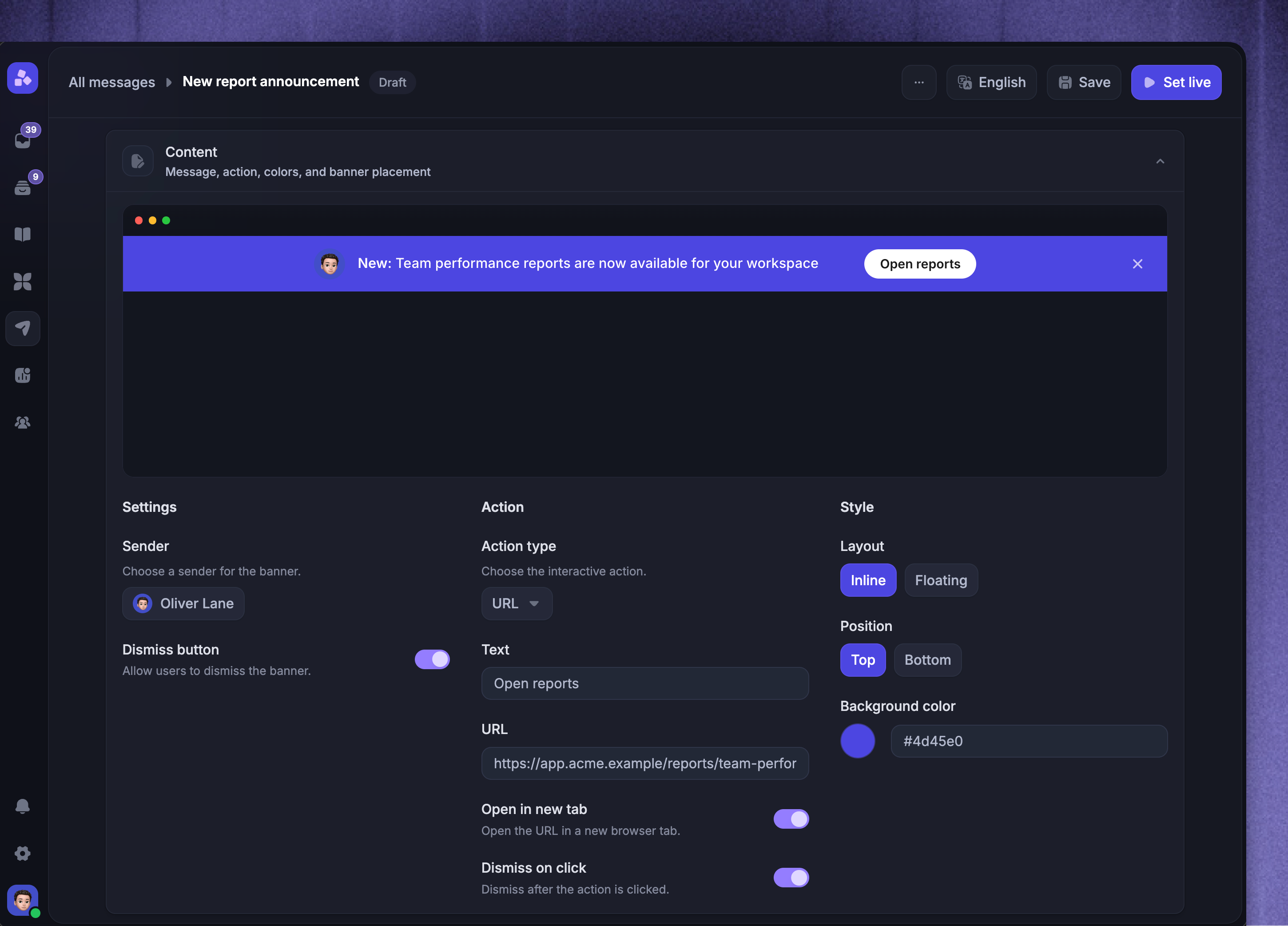
You can choose the Banner text, optional sender, layout, position, background color, dismiss button, and optional URL action. Layout can be Inline or Floating. Position can be Top or Bottom.
Can a Banner use a Locked audience?
No. Banner is always dynamic.
People can enter or leave the Banner audience when their attributes, page visits, triggers, and schedule eligibility change.
Can I edit a Banner after it is live?
Yes. Banner messages are dynamic, so you can continue updating the message while it is live or paused.
Edits apply to future evaluations. People still need to match the audience, trigger, scheduling, and dismissal rules before they see the updated Banner.
How do I make a Banner stay visible until I pause it?
Leave the dismiss options off.
If there is no Dismiss button and no action with Dismiss on click, people continue seeing the Banner until it is paused or they no longer match the audience, trigger, or scheduling rules.
For less urgent messages, enable Dismiss button or Dismiss on click so people can clear the Banner after seeing it.
Can a Banner have a button?
Yes. Add an action and choose Open a URL.
The action needs button text and a valid https:// URL. You can also choose whether the URL opens in a new tab and whether clicking it dismisses the Banner.
Why does my Banner action URL not save?
Banner action URLs must start with https:// and be valid URLs. If you add an action, the action text is also required.
Is there a character limit for Banners?
There is no separate character limit for Banner text, but short messages work best.
Long Banner content increases the Banner height and can be harder to read on smaller screens.
Targeting and delivery
Which trigger rules can Chat and Banner use?
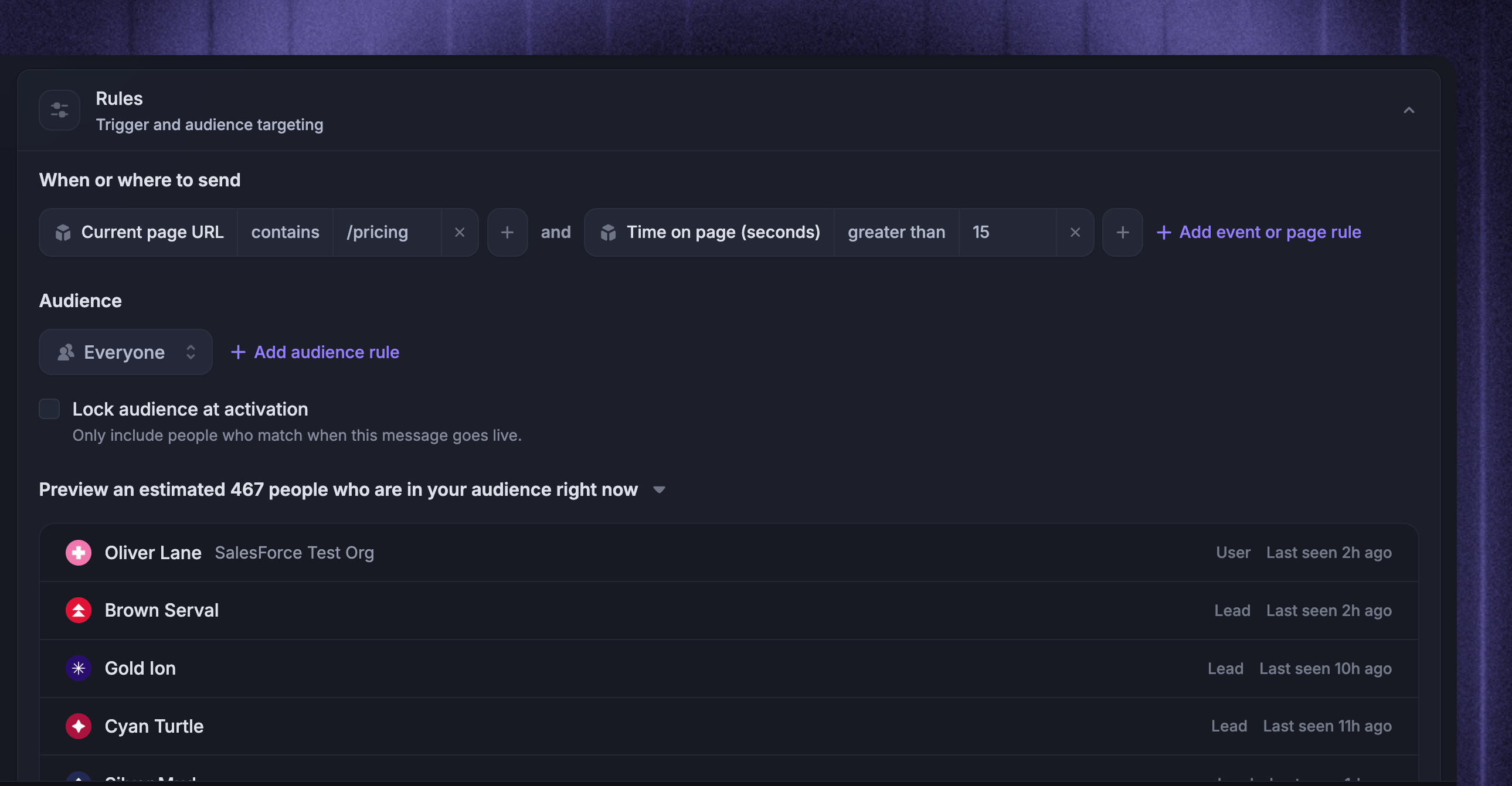
Chat and Banner trigger rules can use:
Current page URL
Time on page (seconds)
CSS selector
The targeting guide has page-based examples for URL, time-on-page, and CSS selector rules.
What happens if I leave the trigger empty?
An empty trigger runs for every visit where Messenger can evaluate the message.
The person still needs to match the audience rules, scheduling rules, message state, and any dismissal or frequency rules. This is useful when the message should be eligible across your whole site or app.
Why has nobody received or viewed my message yet?
A Chat or Banner only appears when someone who matches the audience is active on your site or app and also satisfies the trigger and scheduling rules.
Common causes:
The message is still a draft, paused, scheduled for later, or stopped
The audience rules match nobody right now
The trigger is tied to a page URL, time on page, or CSS selector that has not matched
The Banner was already dismissed by the person
Messenger is not installed or not loading on the page being targeted
Use Preview audience to check who matches your audience right now, then test on a page that satisfies the trigger and schedule. You can open the message from Dashboard → Outbound.
Is the audience preview a delivery guarantee?
No. The preview is an estimate of who is in the audience right now.
Actual delivery still depends on whether those people visit while the message is active, satisfy the trigger, and remain eligible under scheduling, frequency, and dismissal rules.
How should I test a Chat or Banner before sending it broadly?
Use a narrow test audience first, such as one test user or lead. Confirm the preview shows the expected test profile, then visit a page that satisfies your trigger and scheduling rules.
After the test works, update the audience and rules for the real campaign.
Can I restore a deleted Chat or Banner?
No. Deleting an Outbound message cannot be undone.
If you may need the message later, duplicate it before deleting it.
Analytics
Which stats are tracked for Chat?
Chat analytics track:
Sent - the Chat was delivered as a Messenger conversation
Replied - the recipient replied to the Chat
Replies only apply when replies are allowed.
Which stats are tracked for Banner?
Banner analytics track:
Viewed - the Banner was shown to a matching person
Dismissed - the person dismissed the Banner
Action engagement only applies when the Banner has a URL action configured. Banners without an action do not have action engagement to report.
For reporting details, check the analytics guide linked at the top of this FAQ.
Was this helpful?
Still need help? Ask the team