Telegram support overview
Answer customers' Telegram private chats and group messages from the Featurebase Inbox.
Written By Bruno
Last updated About 1 hour ago
Overview
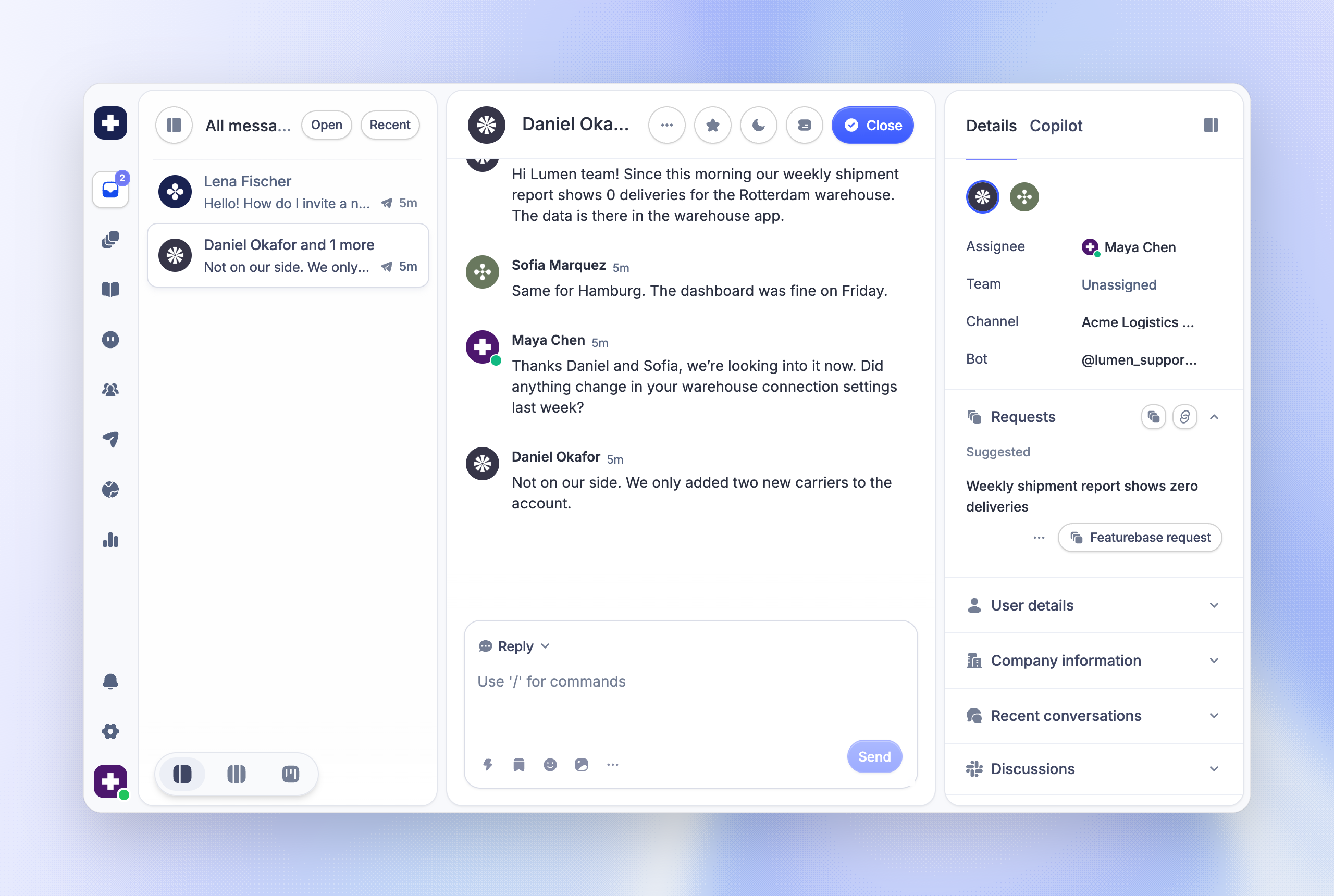
Telegram support brings your customers' Telegram messages into the Featurebase Inbox. Customers write to your support bot in a private chat or in a Telegram group they share with your team, and your teammates answer from the Inbox. Replies go back to the same Telegram chat.
You connect your own Telegram bot, so customers see your bot's name and picture. You can connect several bots, for example one for each brand or support team.
Note: Telegram is in beta. Contact us to turn it on for your workspace.
What Telegram support covers
Private chats
Customers open your bot's Support link and send a message. Each private chat has one current conversation in the Inbox, and every new message from that customer joins it. When the conversation is closed, a new message reopens it or starts a new conversation, depending on your conversation settings.
Customer groups
Add your support bot to a Telegram group you share with a customer, such as a shared group with a key account, and connect the group in Featurebase. Messages in the group arrive in one conversation, which shows each sender's name, like a Slack channel.
In groups, you can open conversations Only when the bot is tagged, so only messages that tag your bot or reply to it start a conversation. Groups with forum topics get a separate conversation for each topic.
Your team in Telegram
Teammates who also write in the group from their own Telegram account can be linked to their Featurebase profile. Their messages then appear as staff replies and never start a customer conversation.
How it works in the Inbox
Telegram conversations show a Telegram icon in the conversation list. The details panel shows the group or chat, the bot, and the forum topic when there is one. From the Inbox you can:
Reply, and quote a specific Telegram message in your reply
Send text, images, videos, and files
Add reactions, edit your own replies, and delete messages
See when a reply could not be delivered and retry it
Link a customer's words to a request
You can also handle Telegram conversations from the Featurebase mobile app.
The AI agent and Workflows
The AI agent can answer Telegram conversations, either through Simple deploy or through a workflow. In groups, it replies only when a message needs an answer and stays out of everyday chatter. Workflows can use Telegram as a channel, ask for ratings, show reply buttons, and collect details through a form.
Before you start
Your workspace needs Telegram turned on
You need the Manage Integrations permission to connect bots and groups
Teammates need a full seat to reply to Telegram conversations
Articles in this collection
Connect Telegram to Featurebase - Connect a bot, groups, and your team
Telegram conversation settings - Choose how messages become conversations
Handle Telegram conversations in the Inbox - Reply, quote, react, and fix delivery problems
Use the AI agent and Workflows in Telegram - Automate answers, ratings, and forms
FAQs
Which Telegram chats can Featurebase receive?
Which Telegram chats can Featurebase receive?
Private chats with your support bot and the groups you connect. Featurebase does not read your personal Telegram chats, and it does not import messages sent before a chat or group was connected.
How many bots can I connect?
How many bots can I connect?
Up to 20 bots per workspace, and up to 200 groups per bot.
Can I merge Telegram conversations?
Can I merge Telegram conversations?
No. Telegram conversations can't be merged with other conversations or tickets. Each chat already keeps one current conversation, so duplicates are rare.
Which Telegram messages are not supported?
Which Telegram messages are not supported?
Messages from anonymous group admins and channel posts are not imported. Polls, games, and other message types that Featurebase can't show appear as "[Unsupported Telegram message]". Files larger than 20 MB are not downloaded.
Was this helpful?
Still need help? Ask the team