Automatic away mode
Stop automatic assignments after teammates become inactive, and choose when to reassign customer replies.
Written By Markus Palm
Last updated 5 days ago
Overview
Automatic away mode changes a teammate's status after a period of inactivity. It helps prevent new conversations from going to someone who has left their Workspace open in the background or finished their shift.
The same thresholds apply across the Workspace. You can set teammates to Away, then to Away & reassign after a longer absence.
Configure automatic away mode
You need permission to Manage Auto Away Mode.
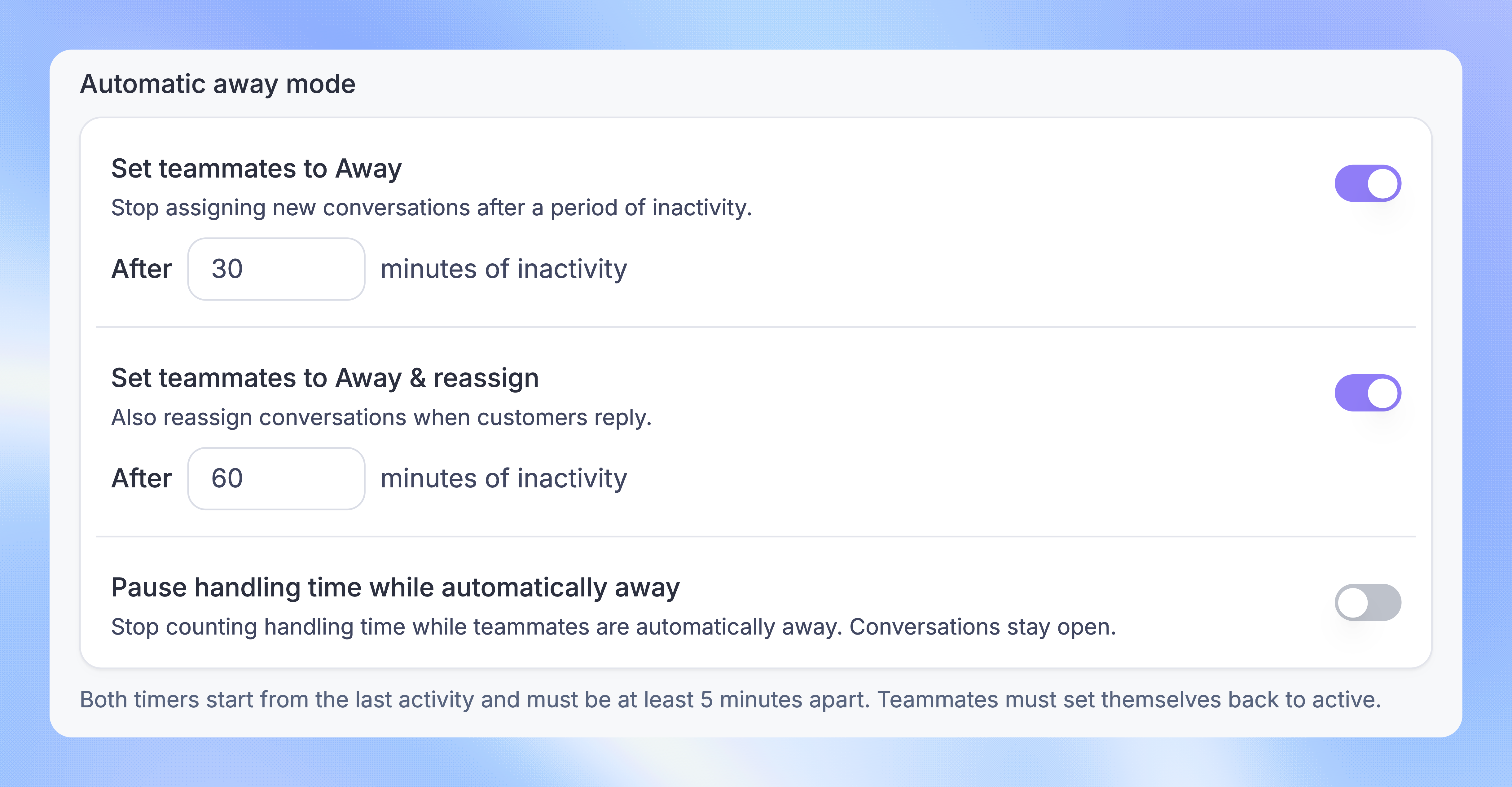
Under Automatic away mode, turn on Set teammates to Away and enter the minutes of inactivity
To reassign new customer replies as well, turn on Set teammates to Away & reassign and enter its threshold
Press Enter or click outside a changed number field to save
Each threshold must be at least 10 minutes. If you enable both, the second must be at least 5 minutes longer than the first. Both timers start from the last activity.
For example, Away after 30 minutes and Away & reassign after 60 minutes means reassignment starts after 60 total minutes of inactivity.
You can enable either stage on its own. Both are off by default.
Return to Active
When Featurebase sets you Away automatically, a banner shows the change. Click the banner to set yourself Active, or turn off Away mode in your profile menu.
Opening Featurebase again does not automatically return your status to Active.
FAQs
What counts as inactivity?
What counts as inactivity?
Featurebase checks whether you have a visible dashboard tab for the current Workspace. Inactivity begins when all its tabs are closed, hidden, or minimized, or when your computer sleeps or loses its connection.
You do not need to keep moving your mouse or typing. Reading a conversation in a visible tab counts as activity.
Does Away & reassign move all existing conversations?
Does Away & reassign move all existing conversations?
No. It reassigns a conversation when the customer replies, using your Workspace's reply reassignment settings. It does not transfer your whole inbox at once.
What does “Pause handling time while automatically away” do?
What does “Pause handling time while automatically away” do?
It pauses the recording of active handling time while teammates are automatically Away. Their conversations stay open. This option does not snooze or close them.
Can Away teammates still receive assignments?
Can Away teammates still receive assignments?
Yes. A direct assignment to a teammate can still reach them. A Round robin team can also ignore activity status. Automatic away mode does not override that team setting.
Was this helpful?
Still need help? Ask the team