Inbox assignment limits
Limit how many open conversations each teammate receives from a specific team inbox.
Written By Markus Palm
Last updated 5 days ago
Overview
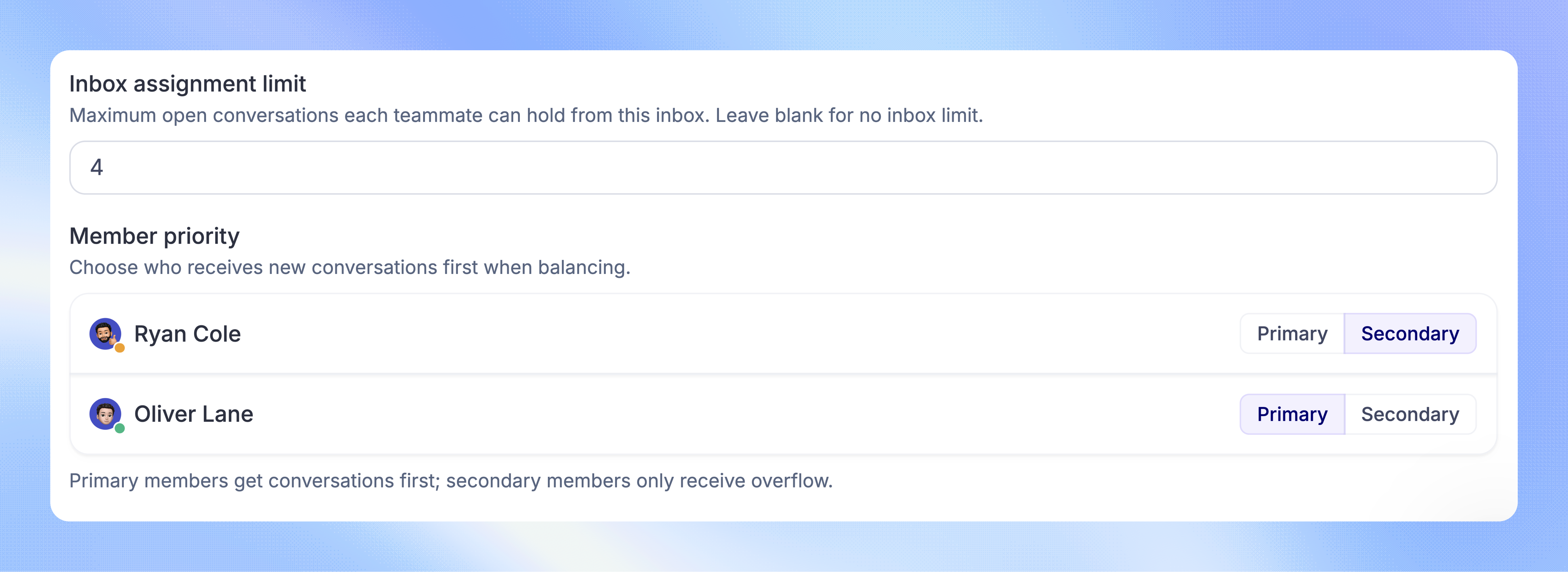
An inbox assignment limit controls how many open conversations each teammate can hold from one team inbox. Use a lower limit for work that needs more attention, such as complex technical questions.
Inbox limits work with teammate assignment limits. A teammate needs room under both limits to receive another automatic Balanced assignment.
Set an inbox limit
The team must use Balanced assignment. You need permission to Manage Balanced Assignment and Workload.
Expand the team and choose 'Balanced' if it is not already selected
Under Inbox assignment limit, enter the maximum open conversations per teammate
Click 'Save changes'
Leave the field empty to remove the inbox-specific limit. The teammate's overall limit still applies.
How limits work together
The teammate limit counts their open conversations across the Workspace. The inbox limit counts only their open conversations from that team inbox.
For example, suppose a teammate has an overall limit of 12 and Technical Support has an inbox limit of 4:
With 4 Technical Support conversations, they cannot receive another automatic assignment from that inbox
They can still receive work from other inboxes while their total remains below 12
At 12 open conversations in total, they cannot receive another automatic Balanced assignment from any inbox
If every eligible teammate reaches either limit, new work waits in the team inbox. You can use a capacity-based Workflow to route new conversations to another team instead.
FAQs
Is this a limit for the whole team?
Is this a limit for the whole team?
No. It applies separately to each teammate in the inbox. A limit of 4 does not mean the whole team can hold only 4 conversations.
Do inbox limits apply to Round robin or Manual assignment?
Do inbox limits apply to Round robin or Manual assignment?
No. Numeric assignment limits are enforced by Balanced assignment. Direct manual assignment and Take next can also exceed the limits.
What happens if I lower a limit below someone's current workload?
What happens if I lower a limit below someone's current workload?
Their existing conversations stay assigned. Balanced assignment stops giving them more work from that inbox until they have room under both limits.
Do snoozed conversations count?
Do snoozed conversations count?
No. Limits count open conversations. A conversation uses capacity again when it reopens. You can configure reassignment after snoozing when the original assignee is already at capacity.
Was this helpful?
Still need help? Ask the team