Banning & blocking users
Learn how to ban users from your feedback forum to disable them from posting and commenting.
Written By Markus Palm
Last updated 6 days ago
Overview
You can ban users from interacting with your Feedback Portal or Inbox, and optionally delete all of their existing spam content with one click.
To ban users from submitting Requests or comments:
Go to Dashboard → Users
Open up the profile of the user you want to ban
Click on the
⋅⋅⋅three dots under their nameSelect Ban
Select whether you want to ‘Delete all their content’ or keep it
Note: Banned users can still view public content on your Feedback Portal, but cannot interact with it anymore.
Banning users using their email
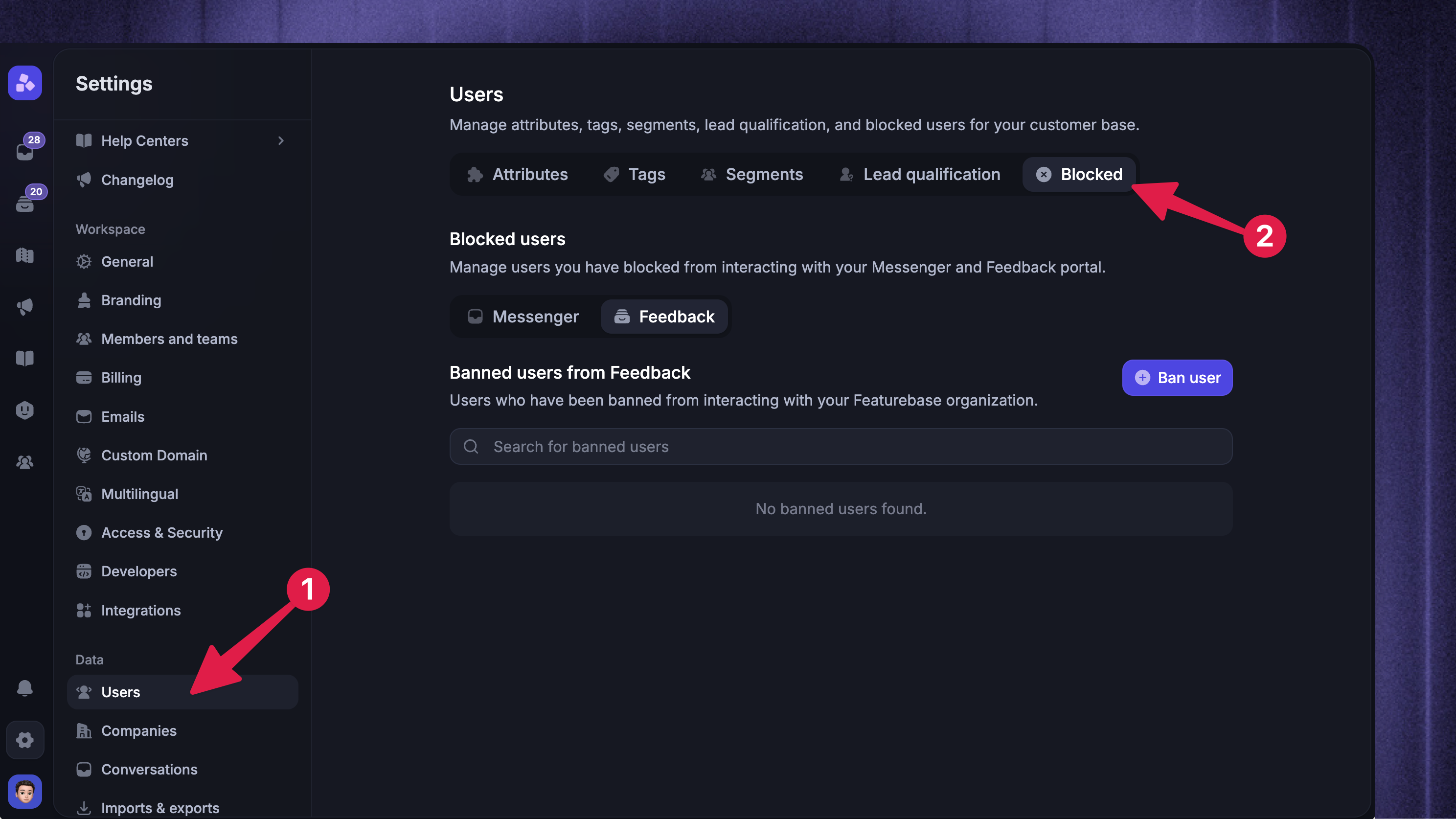
You can also ban specific email:
Click Ban User on the top right
Enter their email and a reason for the ban.
From here, you can also view all banned users for both Feedback & Support products and unban them if necessary.
Banning users from Requests
To ban a user from a Request:
Open their Request on your Feedback Portal
Open the
⋅⋅⋅menu on the RequestChoose 'Ban User' and confirm the ban
FAQ
Are the bans IP-based?
Are the bans IP-based?
The email and profile controls described above ban by email or user ID. They do not add an IP-address ban.
How do I reduce ban evasion?
How do I reduce ban evasion?
Turn off guest submissions, votes, and comments if people abuse signed-out actions
Use category access controls to limit sensitive areas to the right customers
Use identity verification to protect the customer identities your app sends to Featurebase
Was this helpful?
Still need help? Ask the team