Control who can start conversations in the Messenger
Choose where the start-conversation button appears and which visitors or users can use it.
Written By Kateryna Babenko
Last updated 18 days ago
Overview
Use conversation access rules to control where visitors and users can start a new conversation in the Messenger. Configure separate rules for Visitors and Users.
These rules control the Start conversation button. They do not hide the Messenger.
Configure conversation access rules
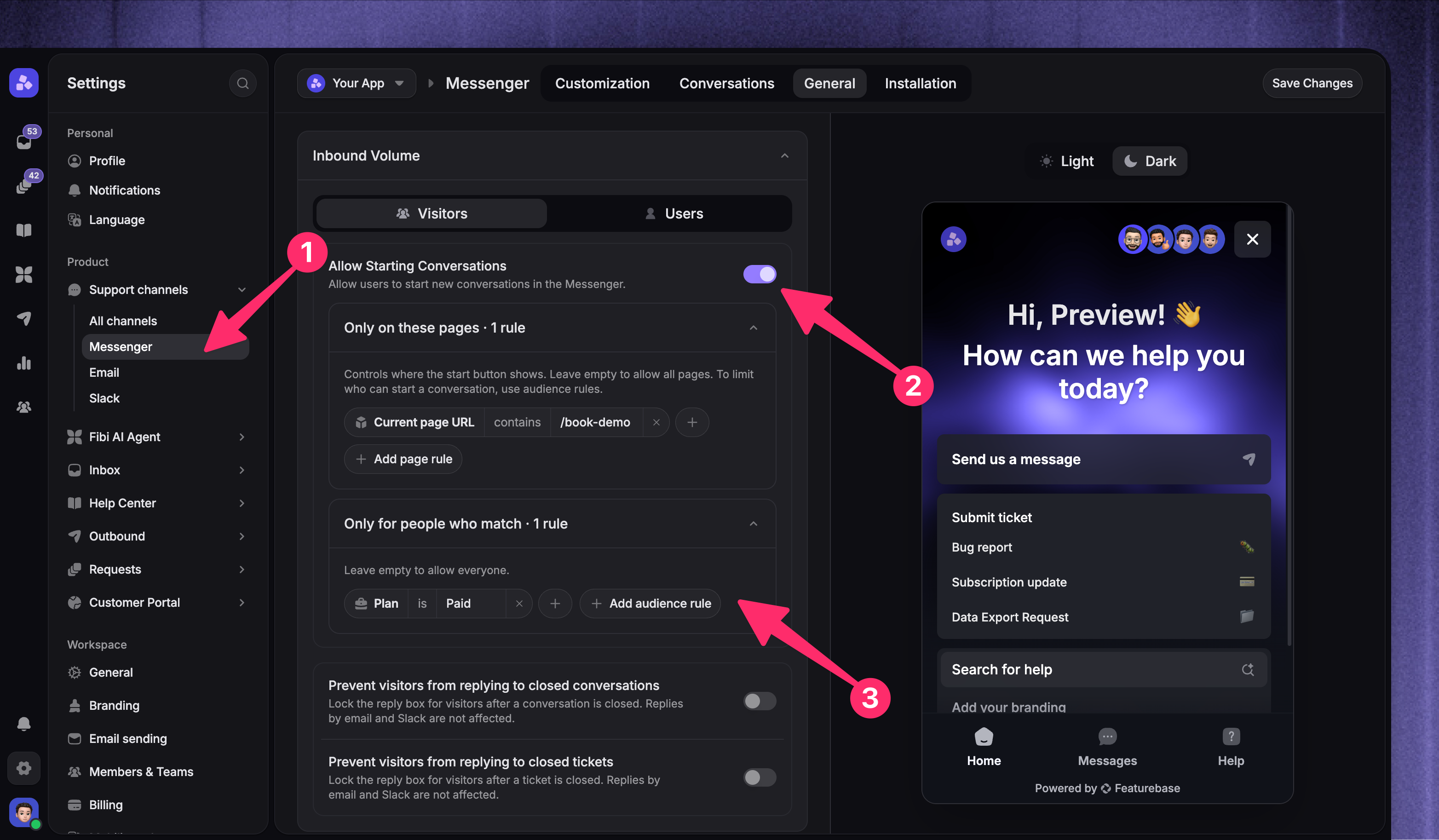
Open General and expand Inbound Volume
Choose Visitors or Users
Turn on Allow Starting Conversations
Configure page or audience rules as needed
Select 'Save Changes'
Repeat these steps for the other audience when visitors and users need different access.
Conversation access rules control who can start a new conversation. You can also prevent visitors from replying to closed conversations by turning on Prevent visitors from replying to closed conversations.
Limit the button to specific pages
Under Only on these pages, add a Current page URL rule. For example, to show the button only on your demo page, set Current page URL to contains /book-demo.
Leave this section empty to show the button on every page.
Limit access to specific customers
To allow only paying customers, add an attribute rule such as Plan is Paid. If you already use a saved segment, recreate its attribute criteria here - this control does not let you select a saved segment.
The control uses attributes, so recreate the criteria of an existing saved segment instead of selecting that segment from a list. Leave this section empty to allow everyone in the selected audience to start a conversation.
When both sections contain rules, someone must match the audience rules and visit a matching page to see the button.
What customers see
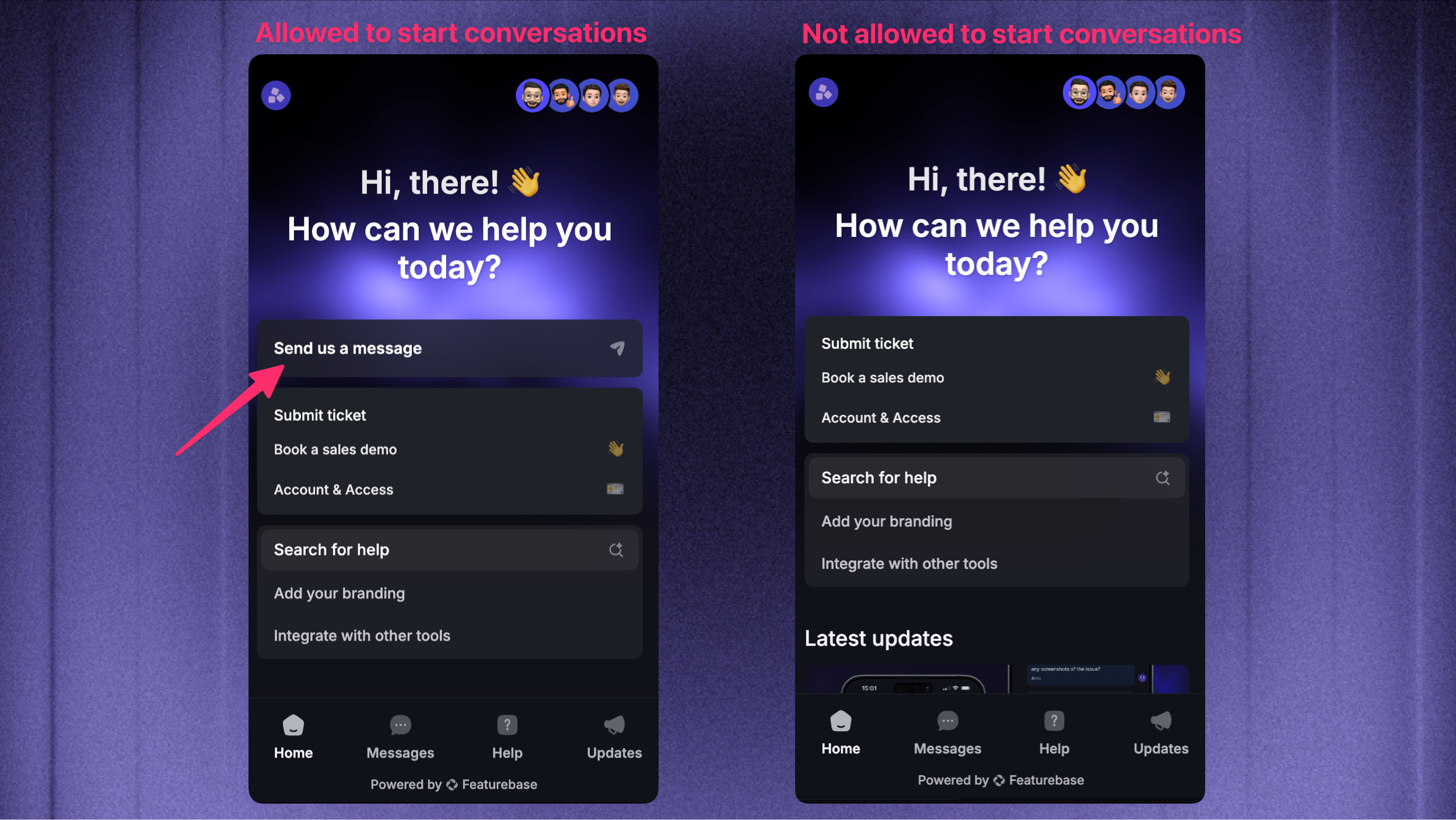
Customers who do not match the rules do not see the Start conversation button. They can still open the Messenger, view and reply to existing conversations, and use enabled Home cards such as Help Center search. Separate closed-conversation reply settings can still restrict replies to closed conversations.
Hiding the button is different from hiding the Messenger. Conversation access rules only control whether someone can start a new conversation.
FAQ
What does the Messenger look like for people who do not match the rules?
What does the Messenger look like for people who do not match the rules?
They do not see the Start conversation button. The Messenger remains available, including previous conversations and enabled Home cards such as Help Center search. These rules do not hide the Messenger or change reply access for existing conversations.
Was this helpful?
Still need help? Ask the team