Surveys overview
Measure different things like NPS, customer satisfaction, and collect additional feedback with in-app surveys.
Written By Markus Palm
Last updated 4 days ago
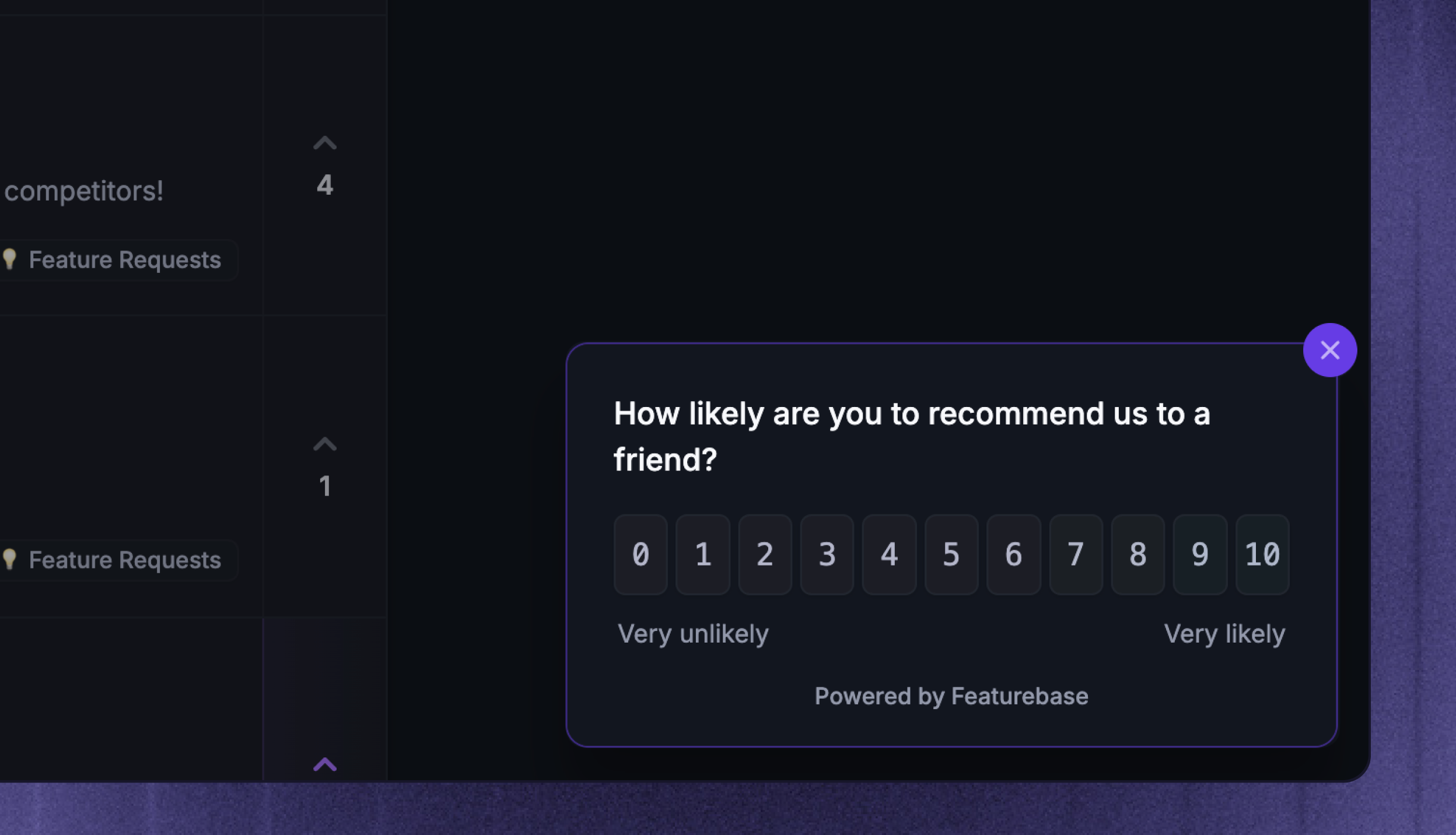
Overview
Surveys are useful for measuring different aspects that customer feedback doesn't show you. Some of our favorite things that you can do with surveys are:
Measure customer satisfaction with NPS, CSAT, etc
Run surveys for different customer segments
Collect extra feedback for more context on specific features
Subscribe interested users to Featurebase posts
And much more.
For example, the Featurebase Idea Poll is perfect for prioritizing different feature ideas from your feedback board.
You can create multiple-question surveys and use conditions to move to the next question based on the answers users give.
📹 For a video overview, see the Surveys introduction in Featurebase Academy →
How it works
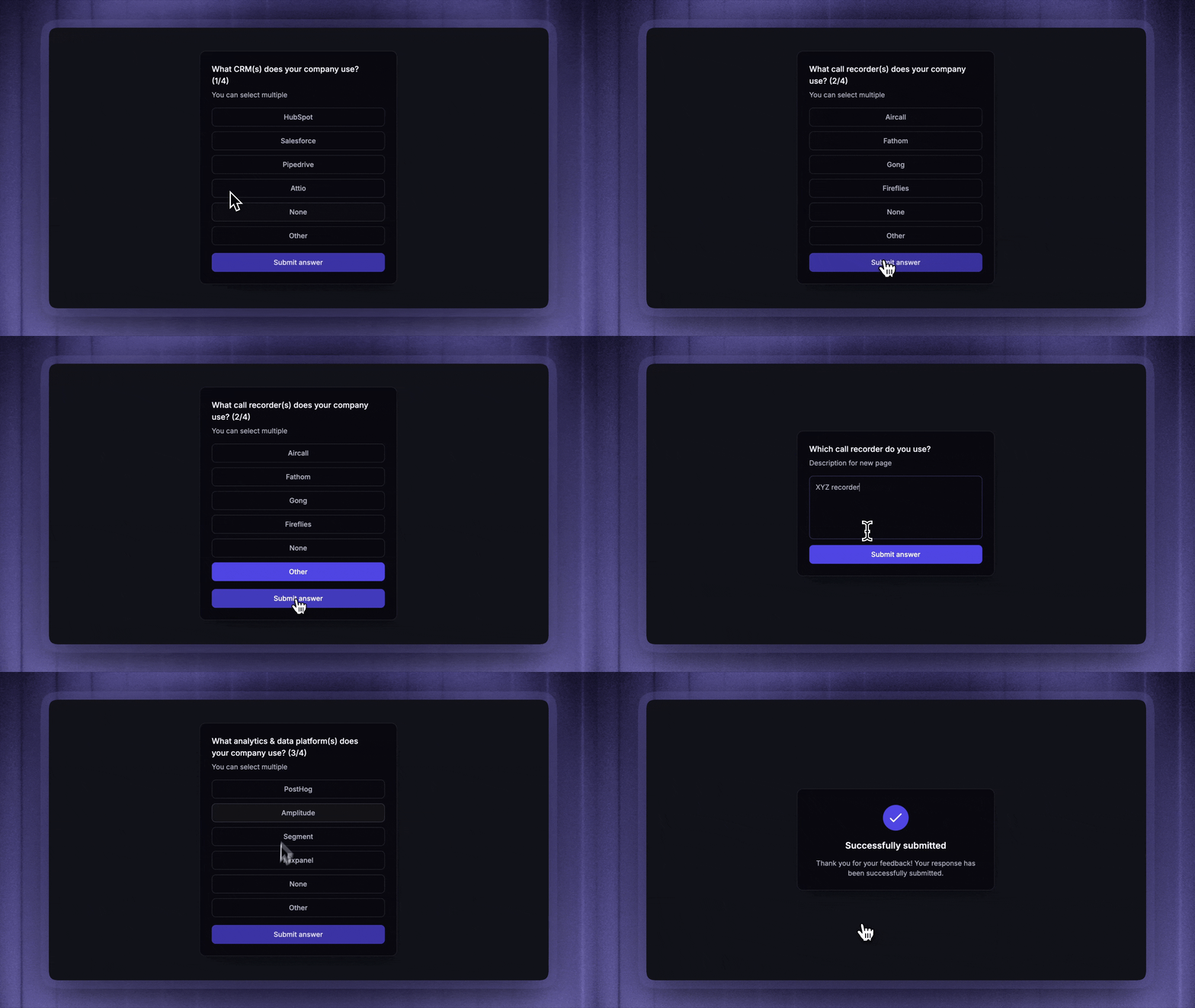
Once you've embedded surveys into your app, they'll automatically pop up in your web app when a customer matches the Survey's audience, trigger, frequency, and schedule.
Surveys can have one page or multiple pages. Each page is a single question or action, and multi-page Surveys can use branching to direct respondents to a different next page based on their answer.
Each survey also has a dedicated statistics page to help you visualize results. You can easily view the author's info to help you understand who's behind it.
Common use cases
Use Surveys when a short in-product question can help your team make a better decision.
Measure customer satisfaction - ask for NPS, CSAT, or effort scores
Understand onboarding - learn what new users are trying to do and where they get stuck
Collect feature feedback - ask customers about a specific page, feature, or workflow
Validate product demand - ask customers which existing Post or idea matters most to them
Find research participants - invite customers to interviews, demos, or follow-up calls
Getting started
To show Surveys in your product or website, install the Survey widget. (If needed, you can send the link to the Developer Docs to your technical team member. 👨💻)
After the widget is installed, create and manage Surveys from Dashboard → Outbound.
Different survey types & templates
Surveys support 4 main types:
Text - collect open-ended feedback
Link - send the respondent to another URL with a button
Rating - collect an NPS, Number rating, or Emoji rating answer
Multiple choice - ask the respondent to choose from structured options or existing Featurebase Posts
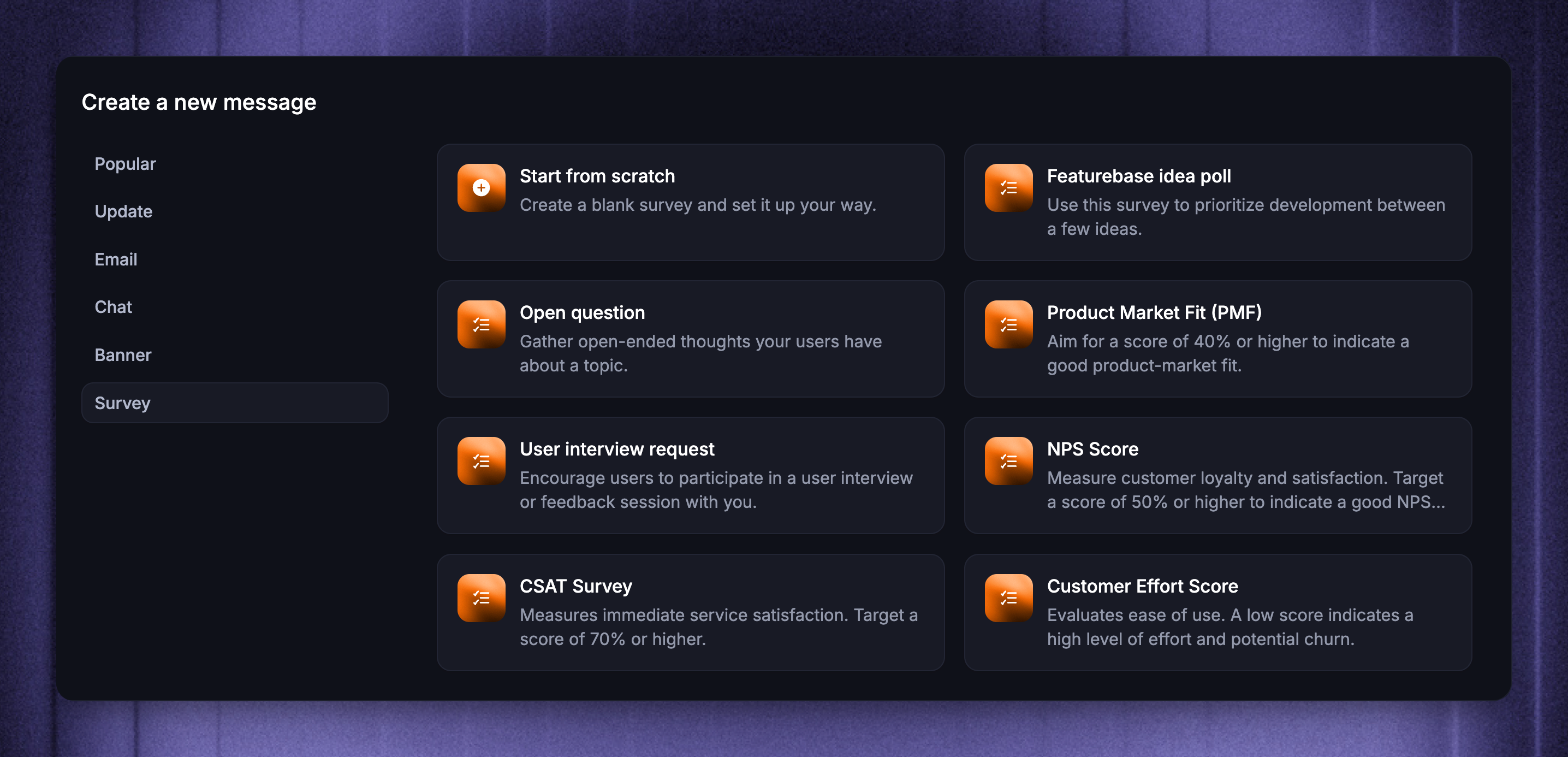
You can fully customize Survey content, or start from one of these templates:
Featurebase idea poll - ask customers which Posts or ideas matter most to them
Open question - collect free-form feedback
Product Market Fit (PMF) - understand how valuable your product is to customers
User interview request - invite customers to a call, interview, or demo
NPS Score - measure customer loyalty
CSAT Survey - measure customer satisfaction after an experience
Customer Effort Score - measure how easy a process or workflow feels
All survey templates are fully customizable and adapt to your organization’s colors. 🎨
Responses and results
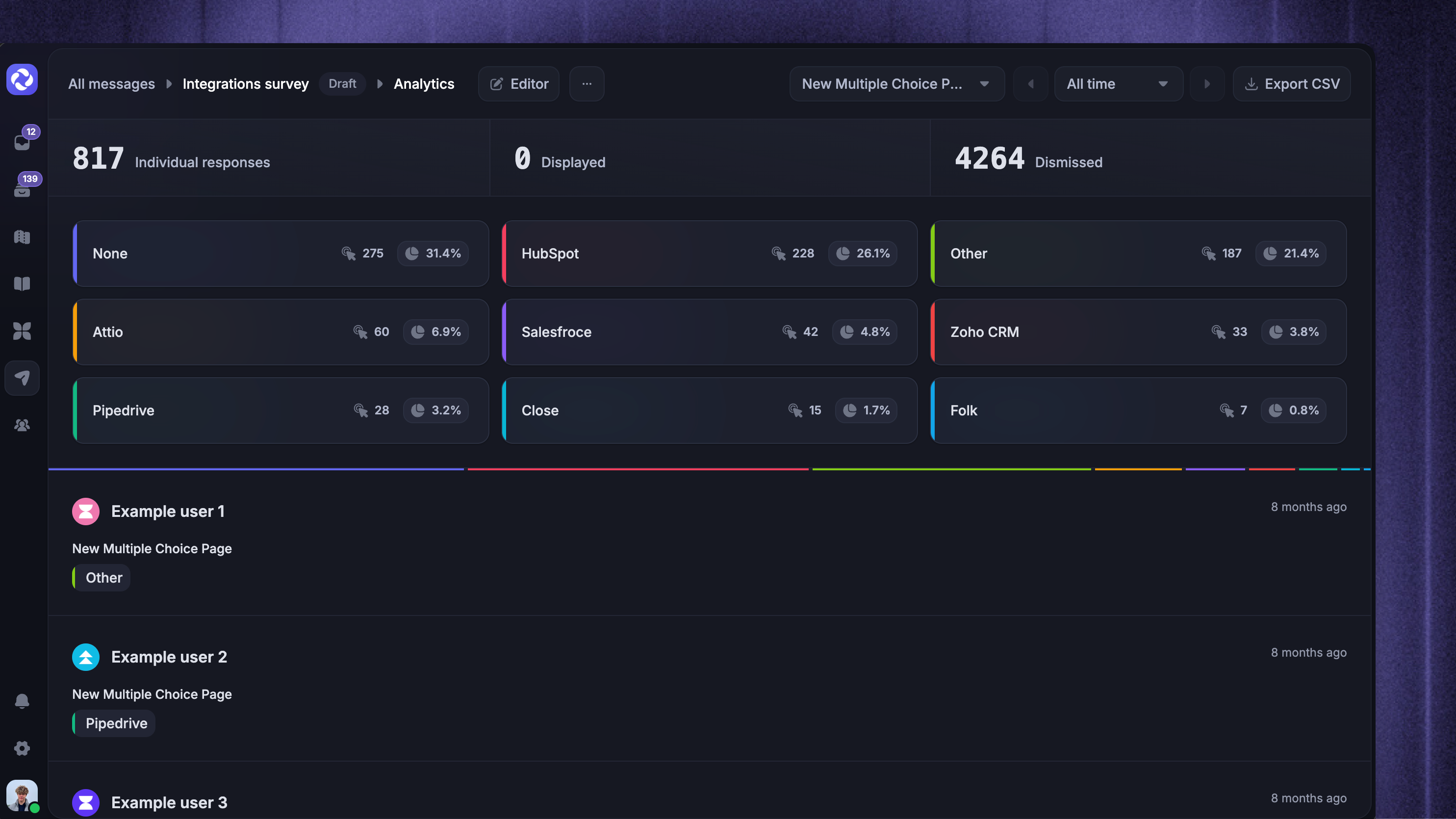
Open the Responses view to review Survey performance and answers. Depending on the Survey questions, results can show individual responses, displayed count, dismissed count, NPS score, average rating, and multiple-choice distributions.
You can also export Survey answers as CSV to download responses for analysis outside Featurebase.
FAQ
What happens when someone dismisses a Survey?
What happens when someone dismisses a Survey?
Dismissed Surveys do not show again to the same person. This also applies when the Survey is configured to send every time someone matches the rules.
Are partial answers saved in multi-question Surveys?
Are partial answers saved in multi-question Surveys?
Yes! Responses in the case of multiple-question surveys are saved after each answer, so when users don’t answer the next survey, the first answer still registers.
Can I set up surveys in my iOS / Android mobile app?
Can I set up surveys in my iOS / Android mobile app?
No, the survey widget only works on your webpage or web app. If you’d like to see us build this feature, feel free to upvote it on our feedback board: Mobile integration for surveys 👈
Was this helpful?
Still need help? Ask the team