Manually qualify leads as you chat
Know who your leads are, and add qualification data about them as you chat.
Written By Kateryna Babenko
Last updated 13 days ago
Overview
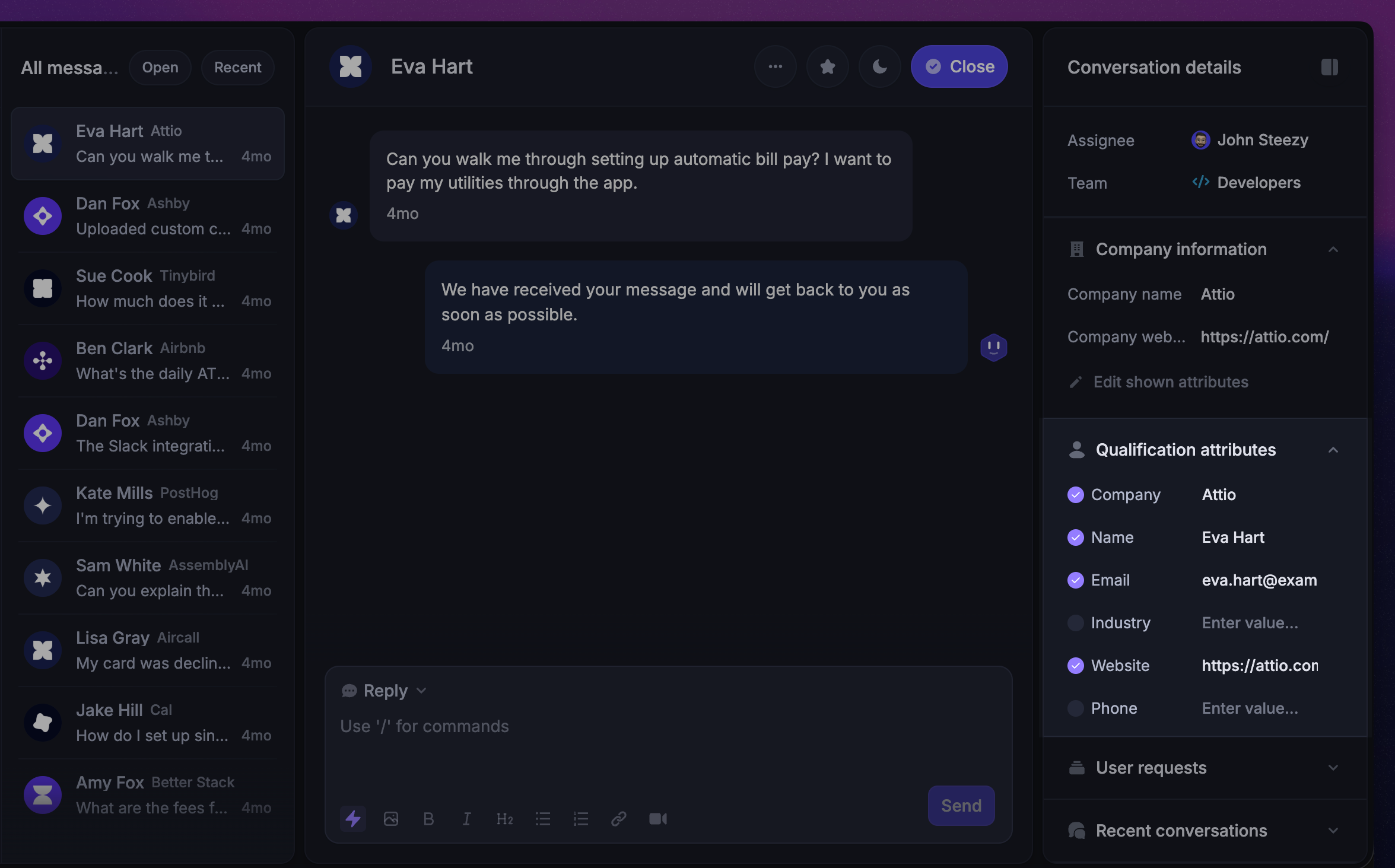
Qualifying leads helps your team quickly understand who’s reaching out, what company they work for, and whether they’re a good fit for your product. With Featurebase, this happens seamlessly as you chat - so you can focus on helping leads while building the right context.
Whenever a new visitor gets in touch, Featurebase automatically creates a live lead profile. This profile appears alongside their conversation in the Inbox & Users directory and shows key details like their browser language and last visit date.
Inside the Inbox, you’ll also see a qualification section on the right-hand side. This section is fully customizable and allows your team to define, collect, and edit important lead information in real time. Updates save automatically, so your sales team can stay organized and focus on the best opportunities.
Tip: You can also automatically qualify leads using Workflows so your team can spend more time selling.
Set up qualification data that matters to your team
It’s easy to change the qualification data that appears in your lead’s profile to suit your business needs. First, sit down with your sales team and define the key details that will help you convert your leads into users.
For example, maybe it’s vital for your sales team to know your lead’s job title, whether they work for of a B2B or B2C company, the make of their car, etc. You can literally add any data you need to qualify them.
By default, each lead profile includes key details such as:
Company name
Person name
Email
Phone
Company industry
Company website
Company size
Get started with qualification data setup here: Set up qualification data to collect about your leads
Qualify your leads as you chat to them
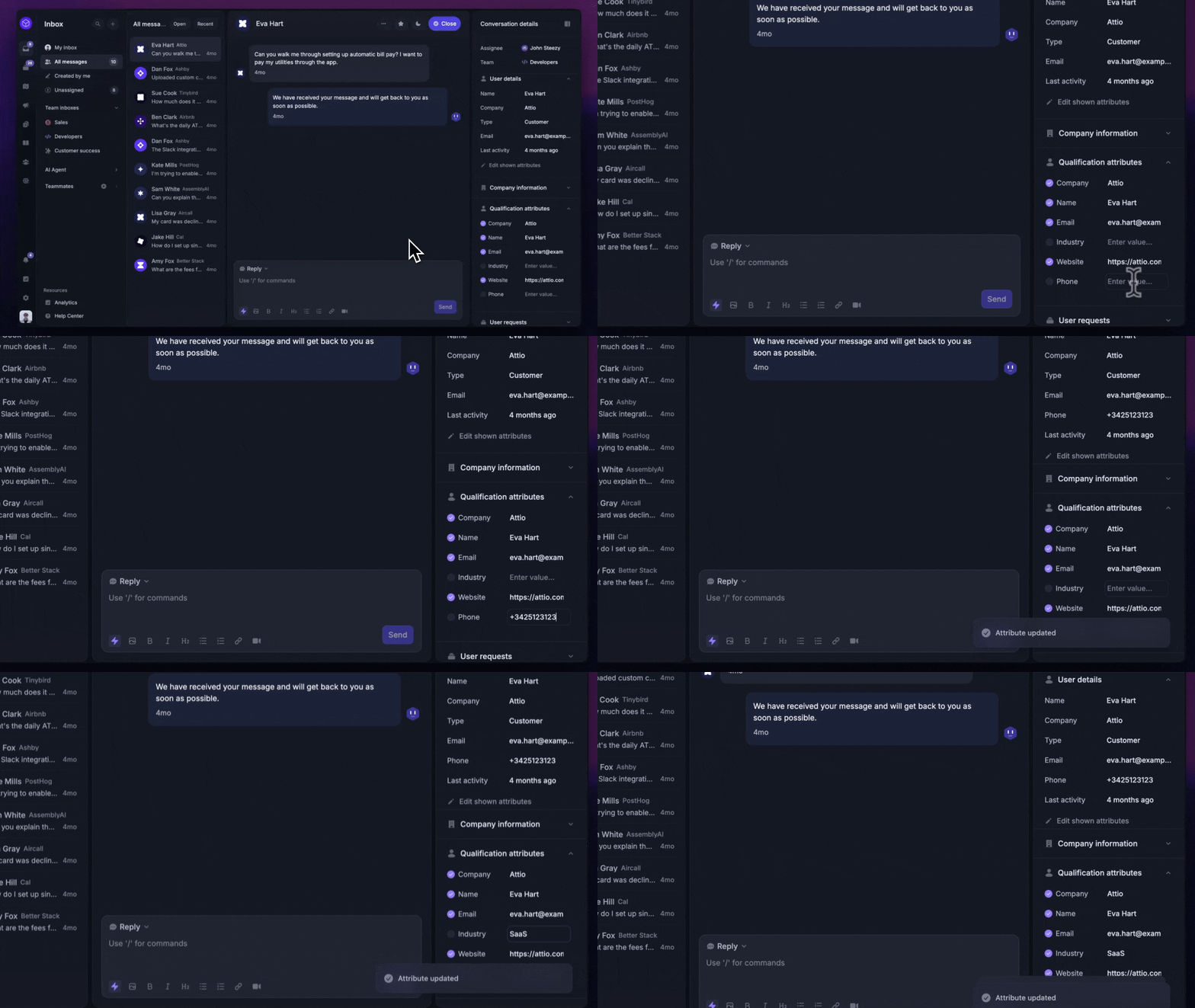
Once you’ve set up the right data, you can manually add information to your lead’s profile as you chat to them. To change or add data, simply click on the qualification attribute.
Good to know: If you add a company name to a lead’s profile that already exists, the lead will get added to that company. If the company record doesn’t already exist, we’ll create a new company.
Tips on staying friendly when qualifying leads
It can sometimes be tricky to stay personal and friendly, while promptly getting the information you need. Here’s how to strike that balance:
Answer before you ask - Always provide value first. Answer your lead’s question before asking one of your own. When they feel genuinely helped, they’ll be more open to sharing information.
Ask qualifying questions wisely - Leads are short on time, so make every question count. Only ask what helps you understand their needs and whether they’re a good fit. Each answer should add useful qualification data. For example, if you’re asking about revenue, give ranges instead of asking for an exact figure.
Highlight the benefit of answering - Explain why you’re asking a question. Leads are more likely to respond thoughtfully if they know it will help them get what they need.
Show your human side - Keep the tone friendly and conversational. Avoid robotic, business-like language. Use emojis, stickers, or GIFs to add warmth and keep the conversation engaging.
Disqualify leads politely - If a lead isn’t a good fit, be transparent about it instead of forcing a sale. This saves your team time, builds trust, and shows honesty - people will appreciate it.
Keep qualifying after sign-up - Once a lead becomes a user, their information carries over to their user profile. You can continue to qualify them and gather data even after they join.
Was this helpful?
Still need help? Ask the team