Group your leads by Qualification Company
Understand how qualification data can be used to group leads under Qualification Companies.
Written By Kateryna Babenko
Last updated 6 days ago
Overview
Sometimes you’ll want to group leads under a company before they’re officially associated with a Standard Company record (the type created via the API or JavaScript snippet). This is where “Qualification Companies” come in.
When updating qualification data manually from the Inbox or using Workflows, you can create a Qualification Company that the lead is attached to.
A Qualification Company is essentially a temporary grouping used during the lead qualification process, before they become users. It works differently from a Standard Company, which is designed for long-term customer records.
NB! Your new and existing users should be attached to a Standard Company automatically using the JavaScript snippet or via the REST API. Qualification Companies are primarily meant for leads.
Creating a Qualification Company via the Inbox
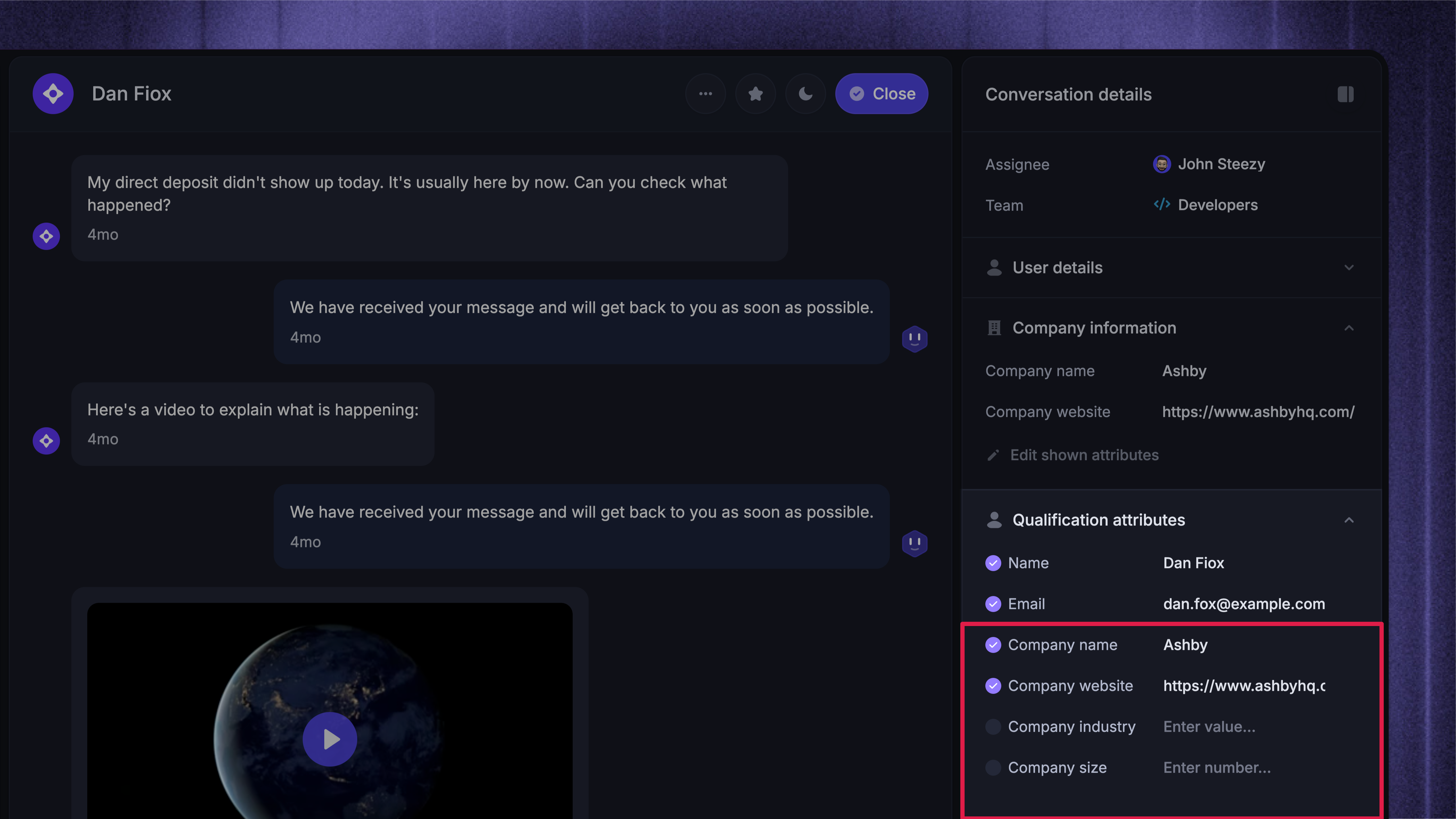
In the Inbox, you’ll see qualification fields like Company name, Company size, Company website, and Company industry in the sidebar.
If a lead doesn’t already have a company attached, adding a new Company name (or any company attribute) will automatically create a new Qualification Company and attach the lead to it.
Once the Qualification Company is created, you'll find it in the lead's profile, as the contact has been attached to this company (as shown in the screenshot above).
Updating company attributes in the qualification data
If the contact is not attached to a company
Adding or updating a company attribute (e.g.
Company websiteorCompany industry) will automatically create a new Qualification Company.This new Qualification Company will then be attached to the contact.
If the contact is already attached to a company
Updating an attribute will update it for the entire company record, across all contacts attached to that company.
For example, changing the Company name will change it for every lead or user associated with that company.
Add a contact to an existing company via qualification data
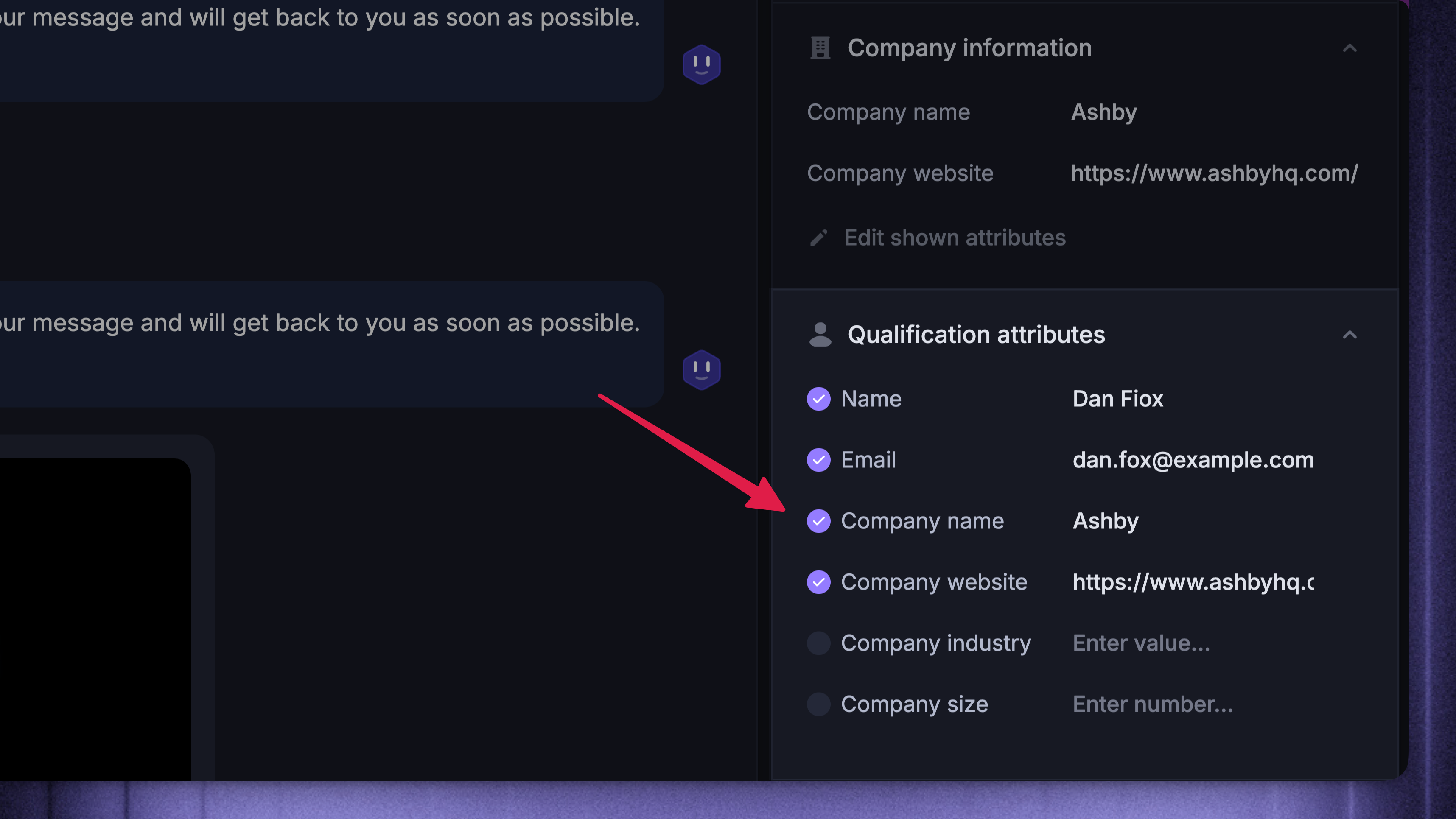
You can attach a contact to an existing Qualification Company or Standard Company by updating the Company name field in their qualification data.
Be mindful: there’s no visual indicator in the UI to show whether a company is a Qualification Company (Company id generated by Featurebase) or a Standard Company (Company id generated by you), so take care when adding leads to existing companies.
Important information
Try to keep your Qualification Companies limited to just leads that you are qualifying, and avoid adding any users to them.
Try not to add leads to your existing Standard Companies; keep these companies reserved for users.
Be mindful when updating qualification data - changing company attributes may create new Qualification Companies if no standard company exists.
FAQ
How to differentiate between a Qualification company & Standard company?
How to differentiate between a Qualification company & Standard company?
The main difference between a Qualification Company and a Standard Company is the Company ID:
Qualification Companies get an auto-generated ID, e.g.
659c7fd262a7af1c86c2e186-qualification-companyBecause this ID is generated automatically, it’s hard to use Qualification Companies with the REST API or JavaScript snippet - you’d need the exact ID to attach users, and IDs can’t be changed after creation.
Standard Companies, by contrast, use IDs you define yourself via the API or snippet, making them much easier to manage and track.
If a company doesn’t already exist in Featurebase with this ID, a new Standard Company will be created automatically, and the user will be attached to it.
Was this helpful?
Still need help? Ask the team