Merge user profiles & more lead data
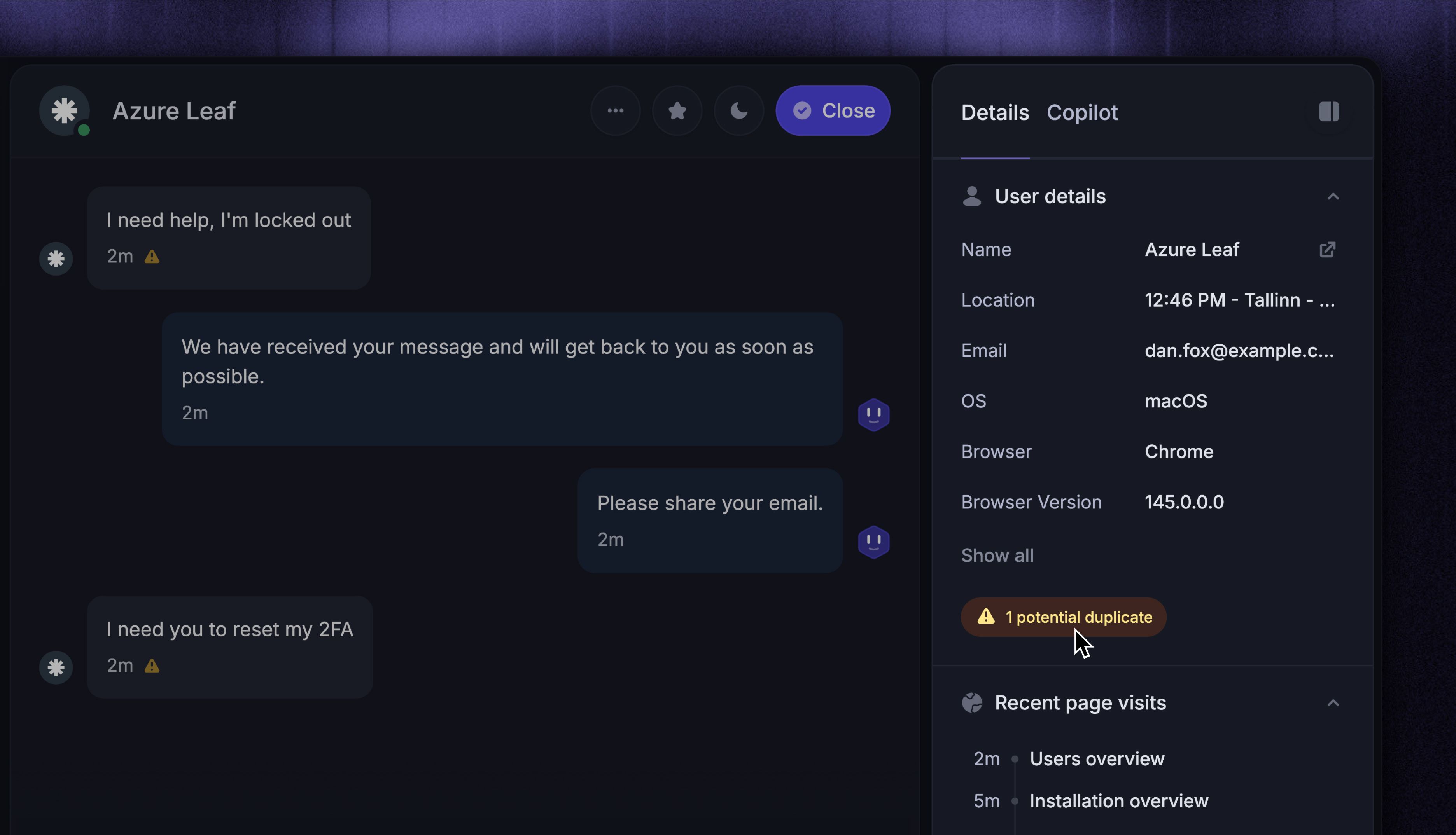
We've made it easier to keep your user data clean and give your team more context when helping customers.
Merge user profiles

You can now merge leads into existing user profiles so all conversations, attributes, and history are stored in one place.
You can merge profiles in two ways:
Manually update a lead’s email in their profile to match an existing user
Merge potential duplicates directly from the Inbox when a duplicate warning appears during a conversation
In many cases, profiles will also merge automatically thanks to browser cookies.
More automatically captured lead data

The Messenger now automatically collects metadata about your contacts, helping your team provide faster and more relevant support without asking extra questions.
You'll now see:
Recent page views - see exactly what pages someone was browsing before reaching out
Browser info - name, version, and language settings
System info - operating system and location details
Language preferences - any language override settings if set
This data is automatically captured when someone interacts with the Messenger on your website.