Outbound emails pricing
How much it costs to send outbound emails with Updates and Emails.
Written By Kateryna Babenko
Last updated 18 days ago
Overview
You can send Updates emails on all paid plans (Growth, Professional, and Enterprise). You only pay for what you send, based on a tiered usage model.
Outbound email pricing works as follows:
Pricing is tiered (see our Price Breakdown table below)
As you send more messages, you enter higher tiers with lower prices
Your monthly bill is calculated by summing the cost across all tiers you used
What doesn’t count towards outbound emails:
Support emails and email notifications sent from the inbox are free of charge
Feedback post status change emails are free of charge
Email pricing breakdown
Email pricing example
This month, you are sending 25,000 Updates emails to inform your customers about a new product launch:
Tier 1 (first 5,000 emails): Free
Tier 2 (next 5,000 emails): 5,000 × $0.00300 = $15.00
Tier 3 (remaining 15,000 emails): 15,000 × $0.00250 = $37.50
Add up the costs from each tier: $52.50
So, it would cost $52.50 to send 25,000 outbound emails.
How we bill
Outbound emails are billed based on your actual usage. We calculate usage continuously, but charges are finalized monthly (no matter your billing period).
At the end of each month, you are charged for all outbound emails sent during that month.
Note: If your outbound email charges exceed $100 within a single month, we automatically charge that amount as soon as the threshold is crossed. Any remaining usage is charged at the end of the month.
View your email usage
You can track your outbound email usage at any time by going to Settings → Billing.
This view shows:
Your current outbound email usage for the month.
An estimate of upcoming usage-based charges.
How close you are to any included or contracted limits.
If you don’t have access to billing pages, you’ll need Billing access permissions from an admin on your workspace.
FAQ
How to migrate from the fixed legacy email pricing to the new usage-based one?
How to migrate from the fixed legacy email pricing to the new usage-based one?
Our legacy pricing plans (before Dec 2025) included only a fixed number of emails, with no option to scale beyond them.
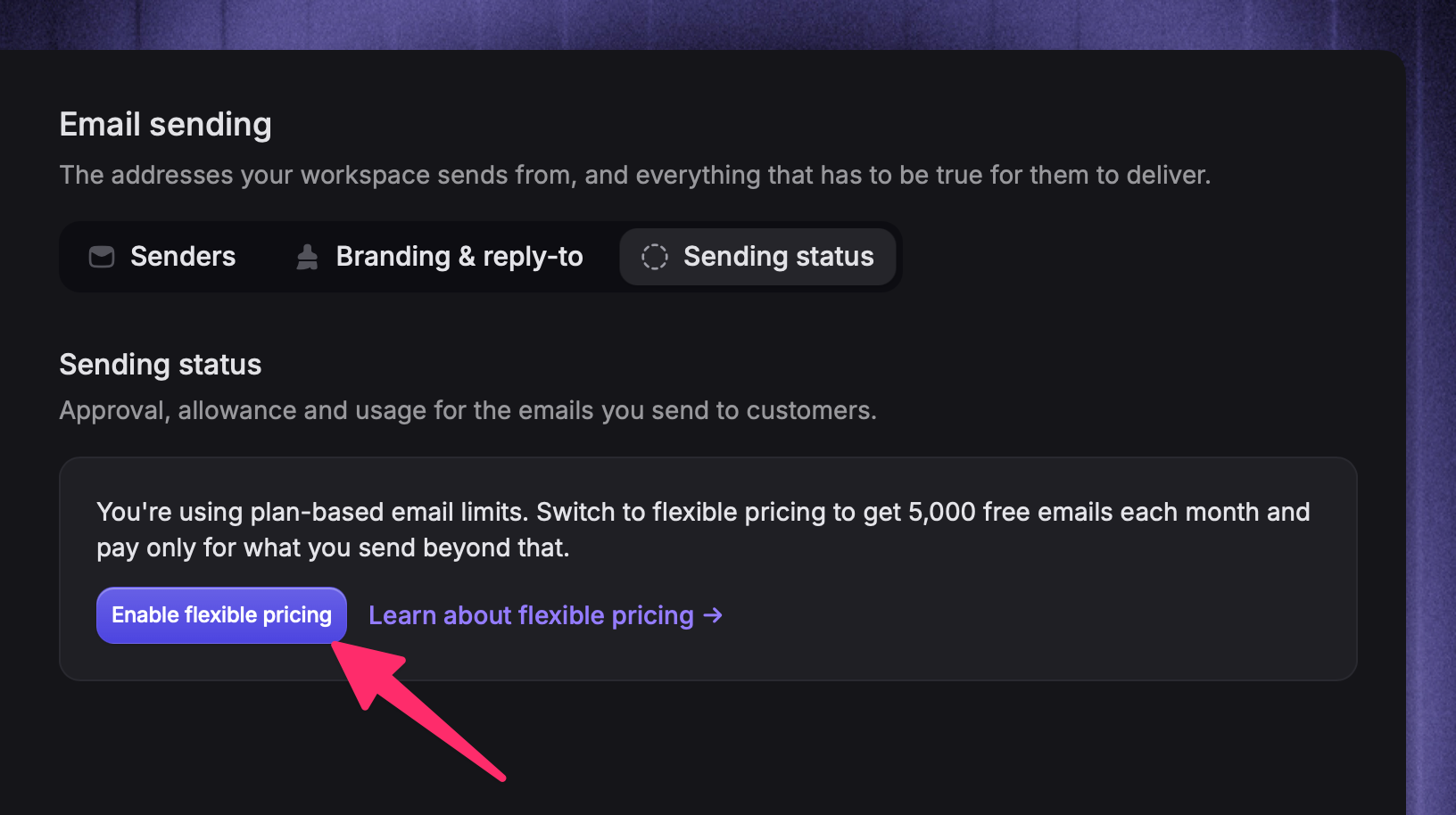
To migrate to the more flexible pay-per-email pricing for your Updates:
Click Enable flexible pricing under email usage
How do I increase my outbound email allowance?
How do I increase my outbound email allowance?
Go to Settings → Workspace → Email sending and open Sending status.
The available option depends on your workspace:
If you see Enable flexible pricing, select it to move from plan-based email limits to usage-based pricing
If you see editable Soft Cap and Hard Cap fields, enter the amount you need in Hard Cap and select Save Caps
If the amount needs review, Featurebase shows a request form. Explain what you plan to send, the size of the audience, and why recipients expect those emails
Some workspaces with a temporary sending limit may see Request a higher limit directly.
A higher-cap request is for a workspace that is already approved to send customer-facing email. If your workspace has not been approved yet, request email-sending access instead.
What happens if my email audience is larger than my available allowance?
What happens if my email audience is larger than my available allowance?
Before you send, schedule, or set an email live, Featurebase warns you if the audience is larger than the available allowance.
Featurebase sends the email to as many recipients as the available allowance permits. Remaining recipients are delayed and retried automatically after your allowance resets or your cap is increased.
Was this helpful?
Still need help? Ask the team