Auto-convert conversations to tickets
Learn how to automatically convert any conversation type to a ticket.
Written By Markus Palm
Last updated 18 days ago
Overview
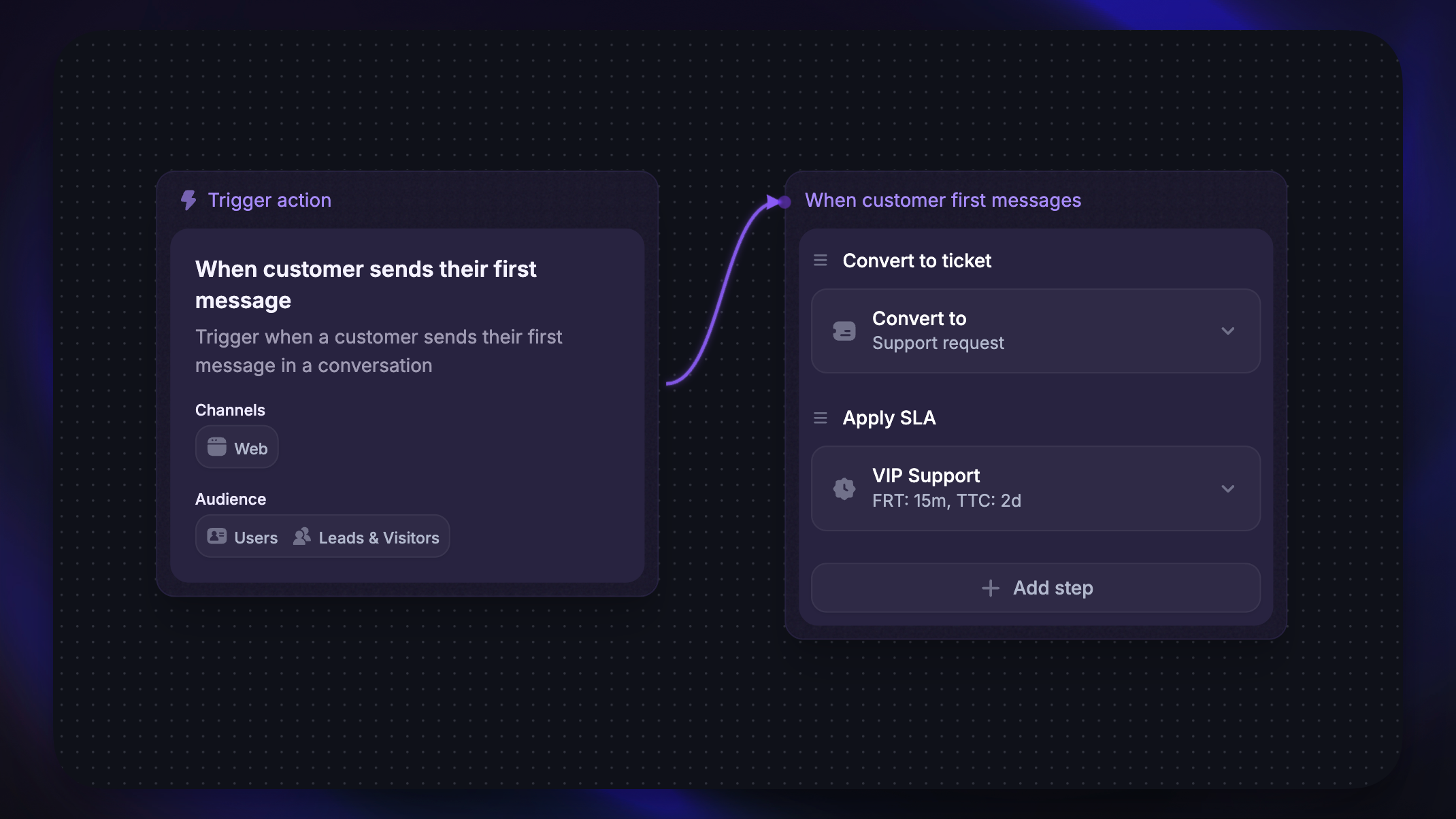
You can automatically convert incoming conversations to tickets for more streamlined issue handling and improved team efficiency. This is especially useful if your team uses email as a primary support channel and wants every inbound message tracked as a ticket.
Conversations can only be auto-converted to Customer tickets – not Back-office or Tracker tickets.
There are two ways to auto-convert conversations to tickets:
Toggle setting – automatically converts all inbound emails to tickets
Workflow action – converts conversations to tickets based on custom rules
Good to know:
Auto-created tickets won't have custom fields filled in, even if they're marked as required
For email auto-conversion, the email subject is used as the ticket title, and the email body is used as the ticket description
If the conversation already has a Customer ticket linked, auto-conversion is skipped
Auto-convert emails to tickets
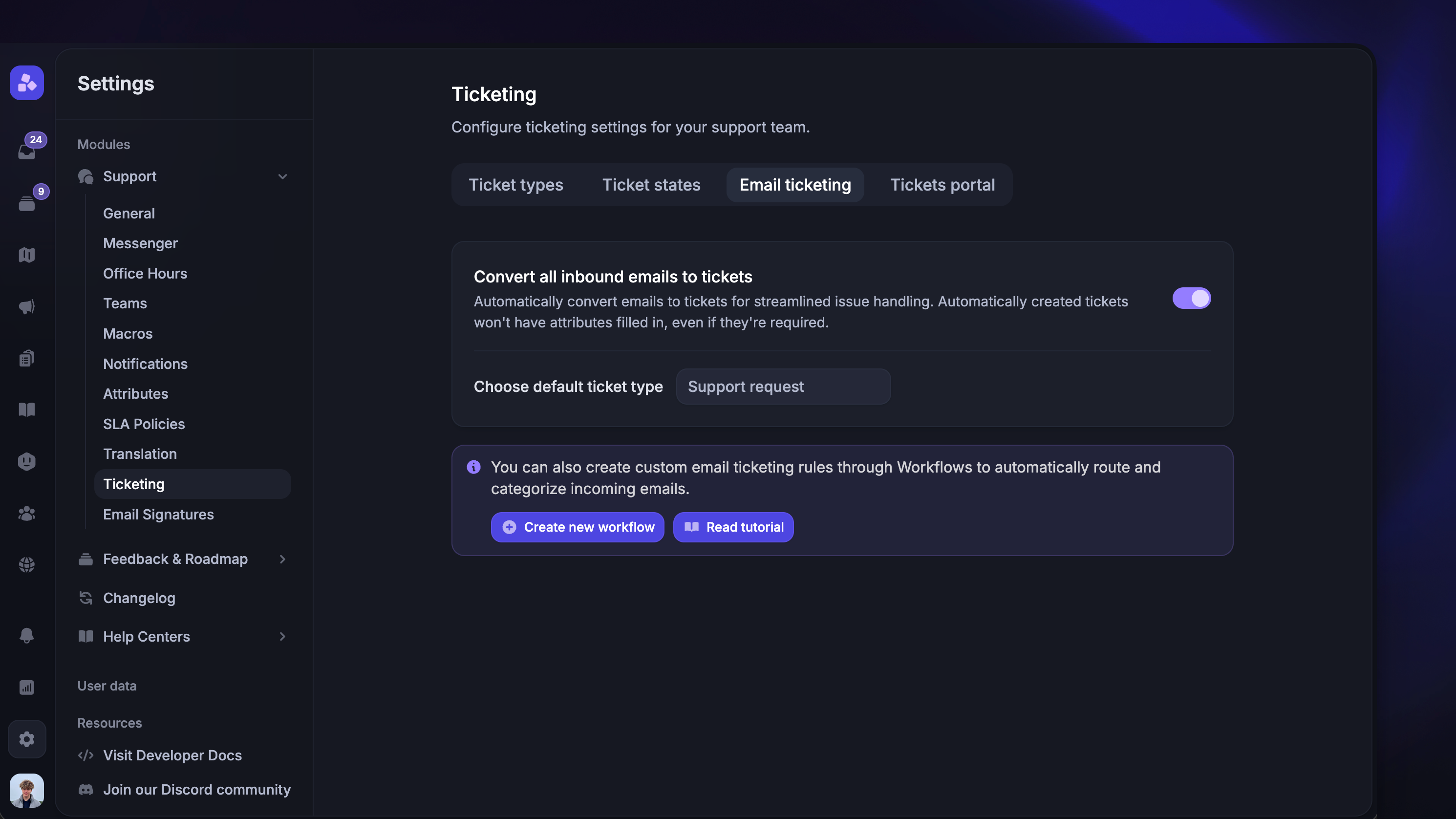
To convert all incoming customer emails to tickets:
Toggle on ‘Convert all inbound emails to tickets’
Choose a default ticket type from the dropdown (only Customer ticket types are shown)
This setting only applies to the first inbound email in a new conversation.
It does not apply to:
Replies to existing conversations
Emails sent by teammates
Conversations that already have a Customer ticket linked
Auto-convert conversations using Workflows
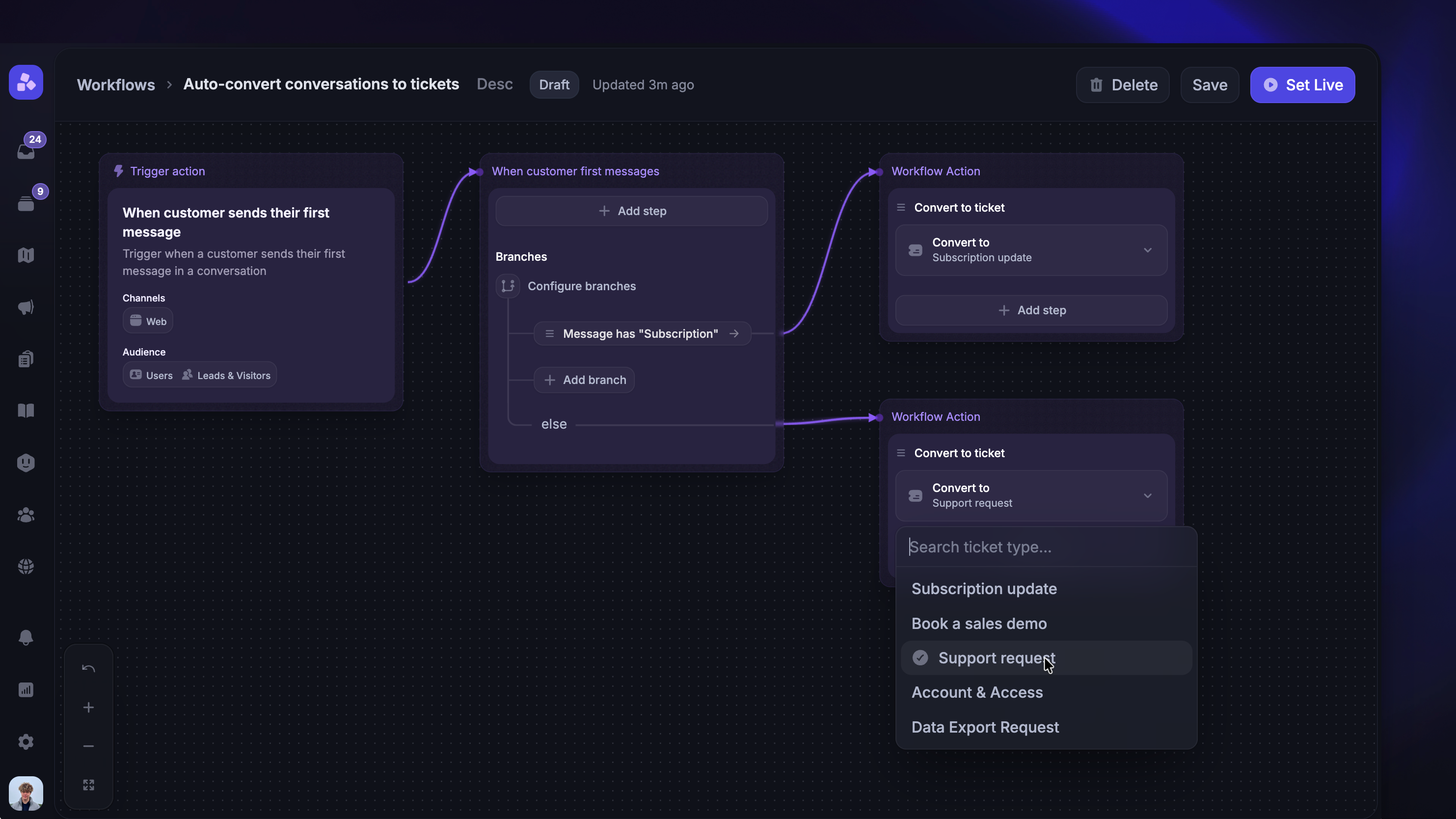
For more granular control, you can use the ‘Convert to ticket’ action in a Workflow. This lets you define specific conditions for when a conversation should be converted to a ticket.
To get started:
Go to Automations → Workflows and create a new Workflow
Choose a trigger (e.g. "When customer sends their first message" supports both Desktop and Email channels)
Add the ‘Convert to ticket’ action to your Workflow path
Select the Customer ticket type you want conversations converted to
You can combine the Convert to ticket action with branches to apply more specific rules. For example, you could convert emails from a specific domain into a particular ticket type while routing others differently.
Note: The Convert to ticket action only supports Customer ticket types. If the conversation already has a Customer ticket linked, the action is skipped.
FAQ
What happens if both the email toggle and a Workflow are enabled?
What happens if both the email toggle and a Workflow are enabled?
The email auto-convert runs first when processing inbound emails. If it creates a ticket, the Workflow's Convert to ticket action will detect the existing link and skip. In practice, the first method to run takes precedence.
What happens if both the email toggle and a Workflow are enabled?
What happens if both the email toggle and a Workflow are enabled?
The email auto-convert runs first when processing inbound emails. If it creates a ticket, the Workflow's Convert to ticket action will detect the existing link and skip. In practice, the first method to run takes precedence.
Can I auto-convert Messenger conversations to tickets?
Can I auto-convert Messenger conversations to tickets?
Yes, you can use a Workflow with the "When customer sends their first message" or "When customer opens a new conversation in Messenger" trigger and add the “Convert to ticket” action.
Was this helpful?
Still need help? Ask the team