Getting Started
Academy
Feedback & Roadmaps
Support Platform
Help Center
Changelog
Changelog overview
Setup
Changelog widget & popup
Creating changelogs
Changelog notification emails
Changelog analytics
Users
Branding & Customizations
Developers
Integrations
Profile & Billing
Privacy & Security
Go to Featurebase
Leave us feedback
Latest updates
API docs
System status
    Home
  1. Changelog
  2. Setup
  3. Disabling the changelog

Disabling the changelog

Here's how to completely disable the public changelog view from being shown to your users.

Written By Bruno from Featurebase

Last updated 3 months ago

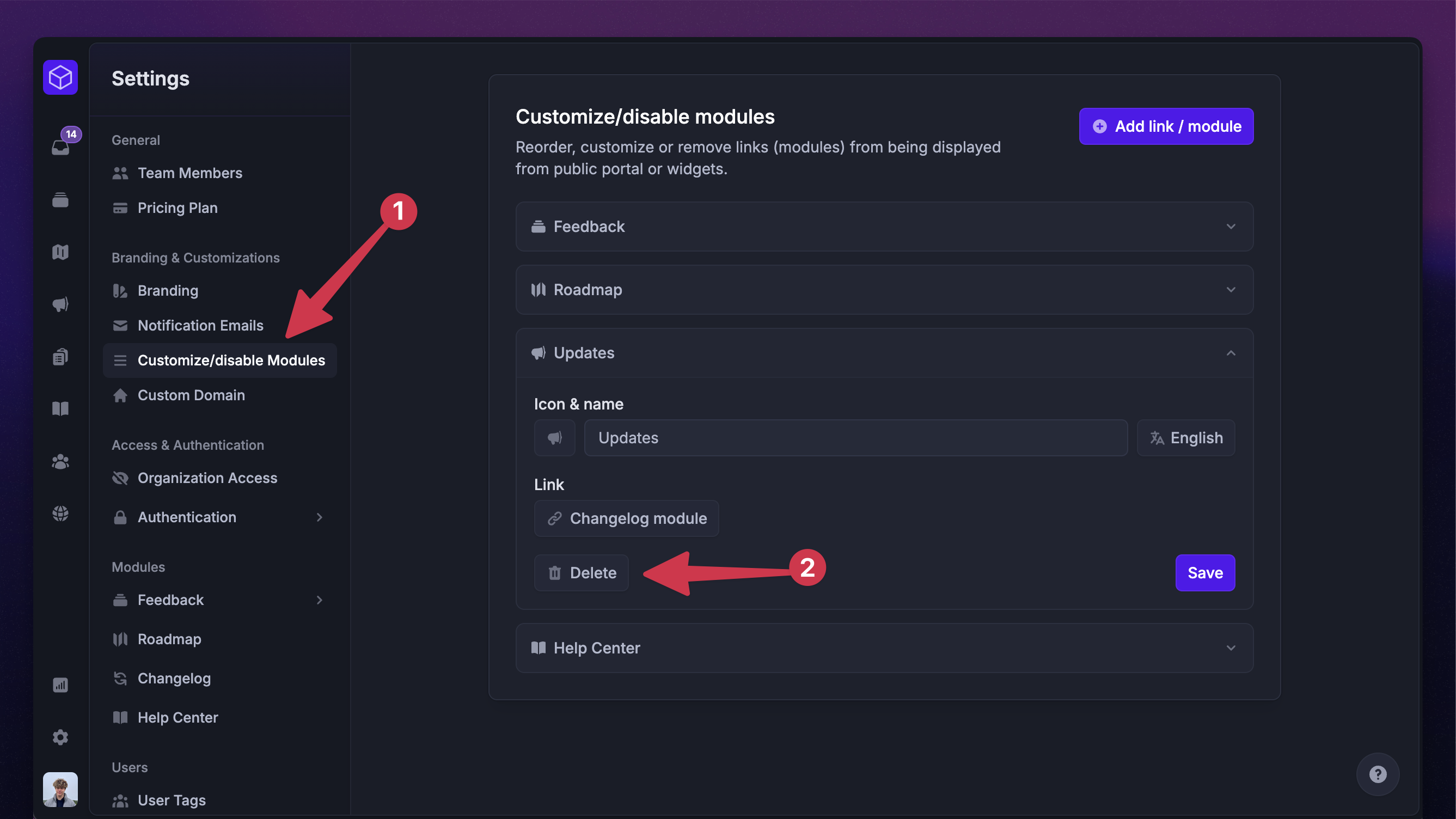
Disabling the changelog module from the public portal.

To completely hide the changelog view from your public portal:

  1. Go to Settings → Customize/disable Modules

  2. Click Delete

You can always re-enable it from the same place by clicking the ‘Add link / module’ on the top right.

Reading: What are release notes and why do you need them →


Was this helpful?