How to set ETA for posts
Set an Estimated Time of Arrival for posts to manage expectations.
Written By Markus Palm
Last updated 4 months ago
Overview
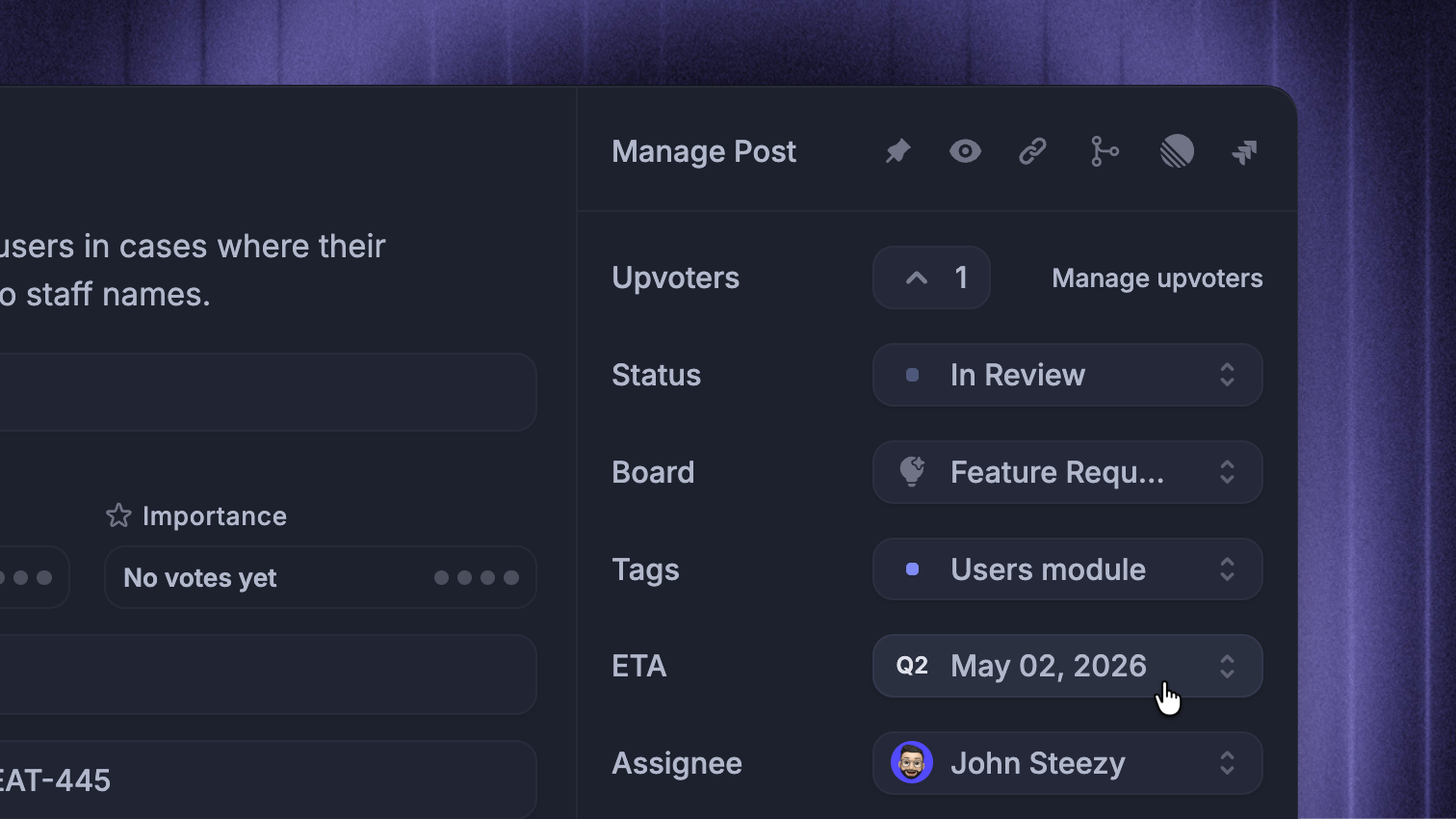
An ETA (estimated time of arrival) is a target date you set on a post to signal when you're aiming to ship it. Adding ETAs helps set expectations with your users and team about when planned work will land.
Settings ETAs for posts
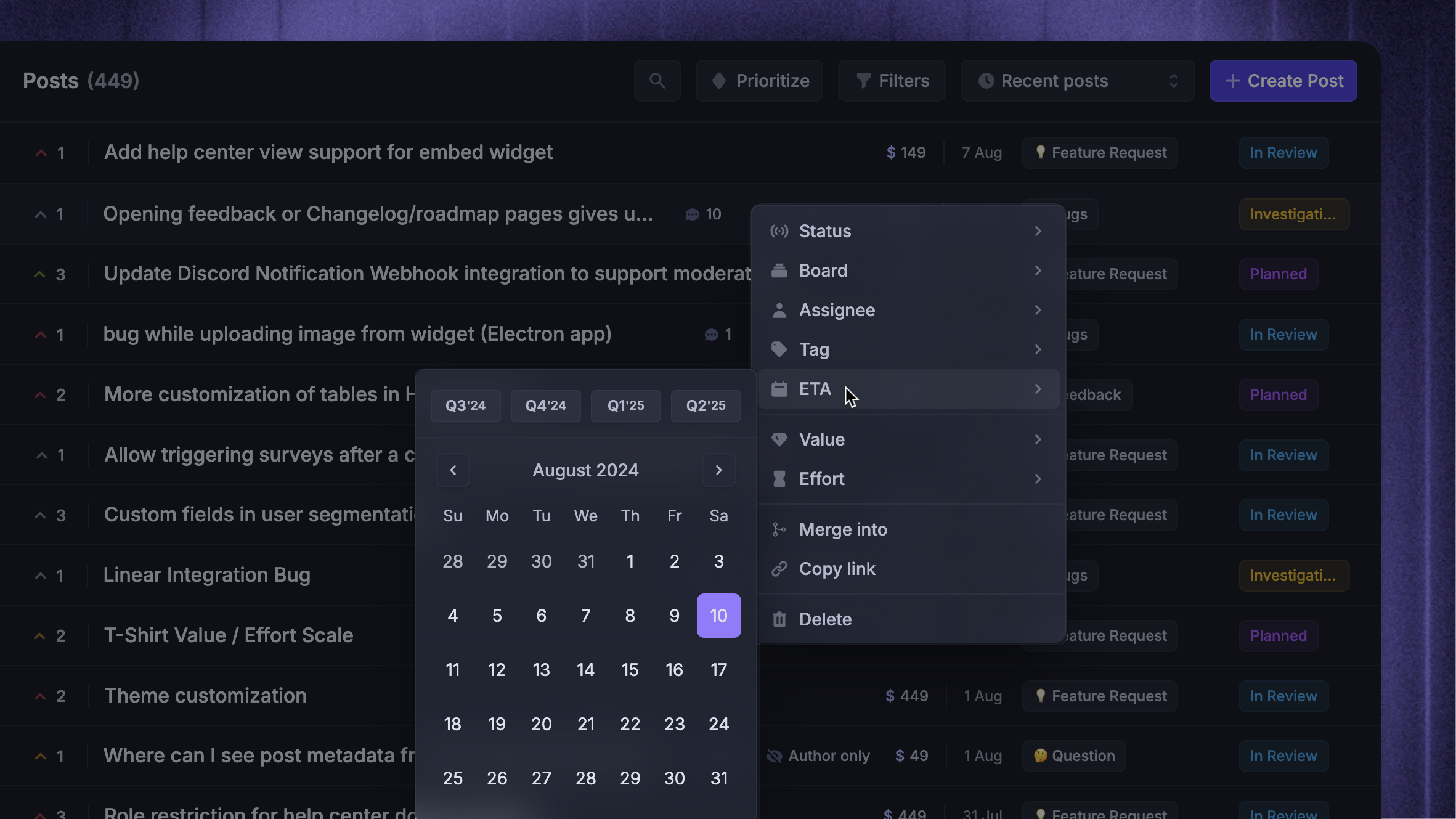
The first method of setting an ETA for your posts is right-clicking on your post(s) and adding an ETA from the menu that popped up:
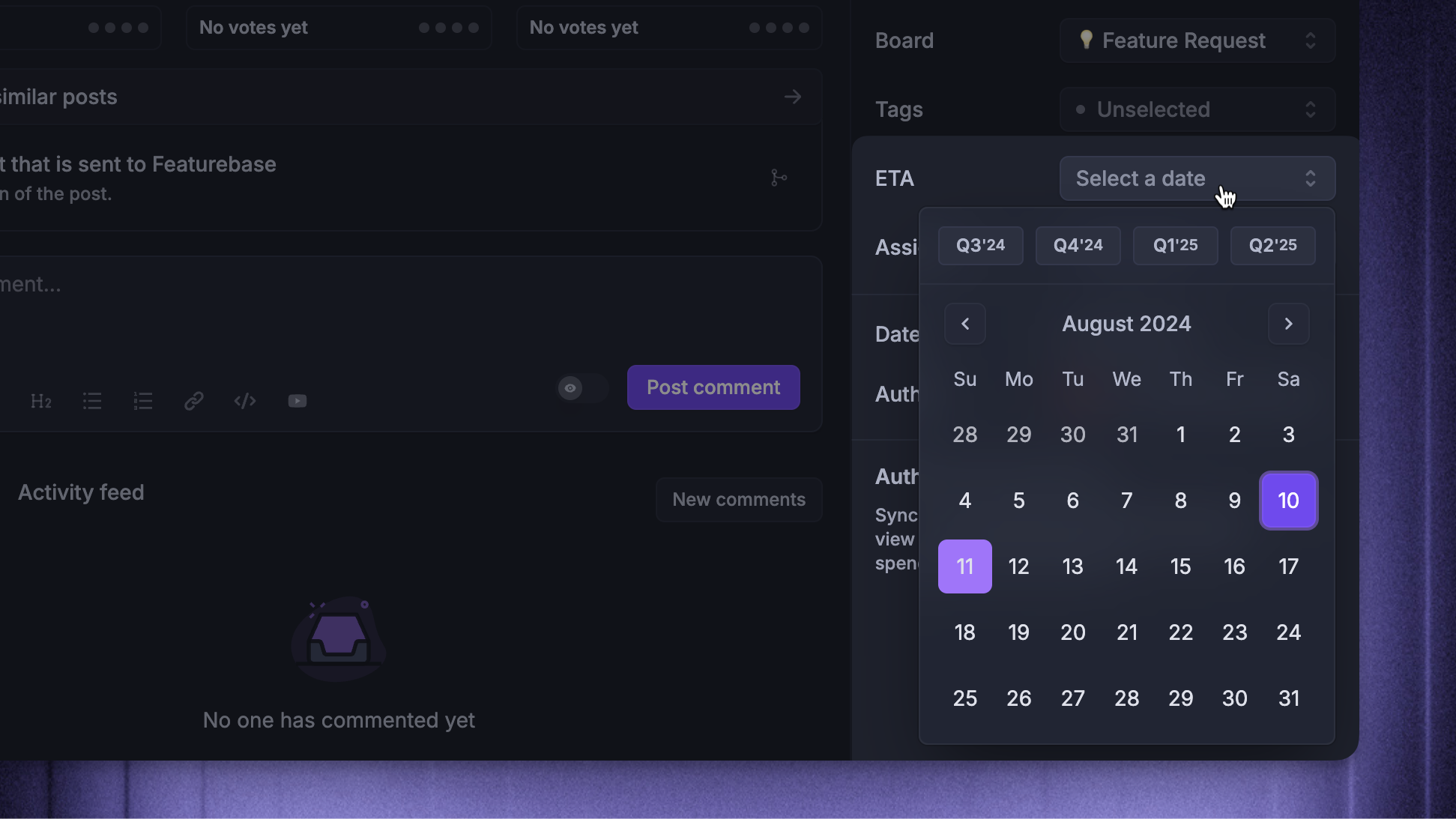
The second method is to open up the post and assign it from the right-hand panel:
Hide ETAs from the public
If you'd rather keep ETAs internal, you can hide them from your public feedback board, roadmap, and post views. Only team members will continue to see them.
To hide ETAs, go to Settings → Portal settings → Privacy and toggle on Private ETAs.
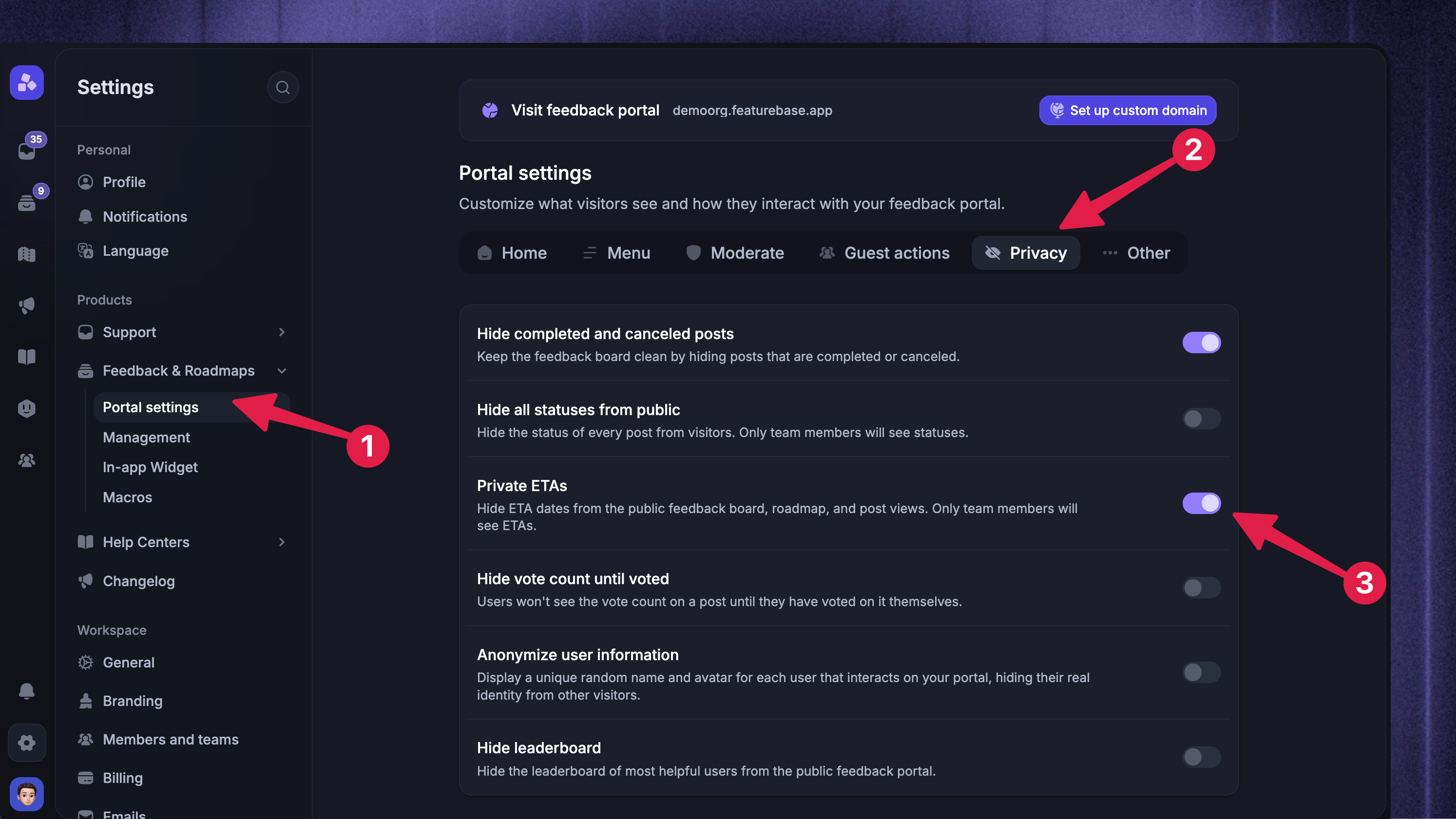
Note: The ETA stays set on the post – it's just hidden from non-members. Switch the toggle off again at any time to make ETAs public.